EasyManua.ls Logo

Philips Air Performer 8000i Series - User Manual

Philips Air Performer 8000i Series
25 pages
Print Icon
To Next Page IconTo Next Page
Loading...
User manual
Air Performer
8000i Series
3-in-1 Air Puri�er, Fan and Heater
AMF870
Question and Answer IconNeed help?

Do you have a question about the Philips Air Performer 8000i Series and is the answer not in the manual?

Summary

Important Safety Information

Safety, Danger, and Warnings

Covers general safety, danger warnings (electric shock, fire), and appliance warnings (hot surfaces, child supervision).

Cautionary Notes

Details cautionary measures for appliance use, placement, operating conditions, and specific hazards.

Button Battery Safety Warning

Critical warning about button battery ingestion hazards and immediate medical attention required for children.

Your Air Performer Overview

Product Components Overview

Illustrates and labels the main components of the Air Performer, including the unit and accessories.

Display Panel Indicators

Explains the various icons and indicators shown on the appliance's digital display panel for status.

Remote Control Functions

Details the functions and buttons of the remote control for operating the Air Performer unit.

Getting Started with Your Air Performer

Installing the Air Purification Filter

Step-by-step guide on how to correctly install the air purification filter into the appliance.

Remote Control Initial Setup

Instructions on activating the remote control battery and placing it on the appliance.

Wi-Fi Connection Indicator Guide

Explains the meaning of different Wi-Fi indicator light states for connection status.

Using the Air Performer Functions

Understanding Air Quality Indicators

Explains how PM2.5, Gas, and IAI levels are displayed and interpreted for air quality assessment.

Powering the Appliance On and Off

Procedure for powering the appliance on and off, including warm-up and cool-down phases.

Activating Oscillation

How to activate and set the oscillation angles for optimal air circulation.

Selecting Operation Modes

Details on selecting and using Circulation, Fan, and Heating modes of the Air Performer.

Adjusting Fan Speed and Temperature

Manual adjustment of fan speed (1-10) and heating temperature (1-37°C) via remote control.

Engaging Turbo Mode

How to activate Turbo mode for maximum purification performance at high speed.

Choosing Auto, Sleep, or App Modes

Explanation of Auto, Sleep, and App-operated modes for different usage scenarios.

Activating and Deactivating Child Lock

Instructions on activating and deactivating the child lock feature to prevent accidental changes.

Setting the Appliance Timer

How to set the appliance to operate for a specific duration before automatically switching off.

Light Sensor Operation

Description of how the light sensor adjusts the control panel's brightness based on ambient light.

Cleaning and Maintenance Guide

Recommended Cleaning Schedule

Overview of recommended cleaning frequency and methods for different parts of the appliance.

Cleaning the Unit and Sensor

Instructions for cleaning the exterior surfaces and the sensitive particle sensor of the Air Performer.

Cleaning the Filter Surface

Guide on how to clean the surface of the air purification filter using a vacuum cleaner.

Replacing the Air Filter

Step-by-step instructions for replacing the air purification filter and resetting the indicator.

Resetting the Filter Lifetime Counter

How to manually reset the filter lifetime counter after a filter replacement.

Replacing Remote Control Battery

Detailed instructions for opening the remote, replacing the battery, and closing the compartment.

Appliance Storage Recommendations

Proper Storage Procedures

Steps for preparing, cleaning, and storing the Air Performer for extended periods in a cool, dry location.

Troubleshooting Common Issues

Addressing Performance Problems

Addresses common issues like weak airflow, poor air quality improvement, and heating function problems.

Resolving Smells, Noise, and Heating Issues

Solutions for strange smells, loud operation, filter indicators, and heating function problems.

Troubleshooting Error Codes and Wi-Fi

Guidance on interpreting error codes, resolving weak airflow, and fixing Wi-Fi connection failures.

Warranty and Product Support

Warranty Terms and Online Support

Details on the 2-year warranty and where to find additional support and product information online.

Overview

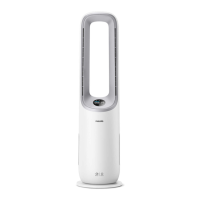
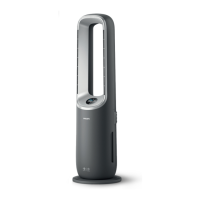
The Philips Air Performer AMF870 (8000i Series) is a 3-in-1 air purifier, fan, and heater designed to improve indoor air quality and provide thermal comfort. This appliance combines multiple functions to offer a comprehensive solution for a healthy and comfortable living environment.

Function Description

The AMF870 operates as a 3-in-1 device:

  • Air Purifier: It uses a FYM860 filter to remove airborne particles and gases, contributing to cleaner indoor air. The device features AeraSense sensing technology, which accurately detects and responds to changes in particle levels, providing real-time PM2.5 feedback. It also senses Indoor Allergen Index (IAI) and Gas (VOC, odors, etc.) levels, though IAI and Relative Humidity (RH) levels are primarily available through the Air+ app.
  • Fan: The fan function creates a powerful, clean airflow, described as natural and pleasant, thanks to its bladeless design. It provides a consistent stream of fan airflow without strong gusts.
  • Heater: Equipped with powerful PTC ceramic technology, the heater function can warm up a room in as little as 3 seconds, providing quick thermal comfort.

The device can operate in different modes:

  • Auto mode: Automatically adjusts settings for optimal performance based on detected air quality.
  • Sleep mode: Operates quietly at a low speed, with the screen light switching off after 3 seconds, ideal for nighttime use.
  • Turbo mode: Switches the appliance to circulation mode and runs at maximum speed to maximize purification performance and clean the air quickly.
  • App-operated mode: Allows control and access to additional features exclusively through the Air+ app.
  • Circulation function: Distributes diffused airflow by opening the back outlet, maximizing purification performance and reducing cooling sensation. At higher speeds, it blows harder through the front outlet to increase cleaning power.

Important Technical Specifications

  • Model: AMF870 (8000i Series)
  • Filter Type: FYM860
  • Wi-Fi Interface: Standard 802.11b/g/n at 2.4 GHz
  • Maximum Wi-Fi Output Power: 31.62 mW EIRP
  • Operating Temperature Range (fan function): 0°C to 40°C
  • Laser Component: Class 3R laser product (part of the particle sensor), max output 2.5mW, wavelength 650nm, collimated beam, beam divergence: 38*8. Avoid direct eye exposure.
  • Power Cord: If damaged, must be replaced by Philips or an authorized service center.
  • Battery (remote control): Lithium button battery (CR2032).

Usage Features

  • Control Panel: Located on the device, it includes a power on/off button and displays various indicators.
  • Display Panel: Shows Wi-Fi indicator, filter cleaning alert, filter replacement alert, PM2.5 display, Gas display, Auto mode, Turbo mode, App-operated mode, Child lock indicator, Fan function, Heating function, and an Air quality bar.
  • Remote Control: Provides convenient access to all functions.
    • Power on/off: Turns the device on or off.
    • Fan speed/temperature selection: Adjusts fan speed (1-10) in Fan/Circulation mode or temperature (1°C-37°C) in Heating mode.
    • Function switch: Toggles between Circulation, Fan, and Heating functions. Long press for 3 seconds activates Turbo mode.
    • Mode switch: Selects Auto, Sleep, or App-operated modes. Long press for 3 seconds activates/deactivates Child lock.
    • Oscillation: Activates oscillation at angles of 45°, 90°, 180°, 270°, 350°, or OFF. The angle is displayed on the screen.
    • Timer: Sets the appliance to operate for 0.5h, 1h, 4h, or 8h before automatically switching off.
    • Filter reset: Long press for 3 seconds to reset the filter lifetime counter.
  • Air Quality Bar: Lights up in different colors (Blue, Blue-purple, Purple-red, Red) to indicate air quality levels (Good, Fair, Poor, Very poor) based on PM2.5, IAI, and Gas readings.
  • Child Lock: Prevents unintended operation by locking the controls. Activated/deactivated by pressing the mode switch button for 3 seconds.
  • Light Sensor: Automatically adjusts the control panel's brightness (on, off, or dim) based on ambient light.
  • Wi-Fi Connectivity: Connects to the Philips Air+ app for remote control, detailed air quality information (IAI, RH), and access to app-operated modes. The Wi-Fi indicator shows connection status (blinking orange/white for connecting, stable orange/white for connected, off for disabled).
  • Heating Mode Shutdown: When turned off from heating mode, the appliance continues to work for 20 seconds to exhaust remaining heat, with a countdown displayed.

Maintenance Features

  • Cleaning Schedule:
    • When necessary: Wipe plastic parts with a soft, dry cloth; clean the air outlet cover.
    • Every two months: Clean the particle sensor with a vacuum cleaner or dry cotton swab; clean the surface of the filter.
  • Cleaning the Body: Regularly clean the inside and outside of the Air Performer with a soft, dry cloth to prevent dust accumulation.
  • Cleaning the Particle Sensor: Clean every 2 months for optimal functioning. More frequent cleaning may be needed in dusty environments or if high humidity causes condensation and inaccurate readings.
  • Cleaning the Filter Surface: Clean the filter surface with a vacuum cleaner when the filter cleaning alert displays on the screen.
  • Filter Replacement: The appliance has a filter replacement indicator that lights up red when the FYM860 filter needs to be replaced. The filter is not washable or reusable.
  • Filter Reset: After replacing the filter, the filter lifetime counter must be manually reset by pressing and holding the function switch and mode switch buttons for 3 seconds within 15 seconds of powering on.
  • Battery Replacement (Remote Control): The remote control uses a CR2032 button battery. The battery compartment cover is rotated counterclockwise to open and clockwise to close. Ensure correct polarities when inserting a new battery.
  • Storage: Turn off and unplug the appliance, clean all parts (Air Performer, particle sensor, filter surface), let them air dry, wrap the filter in airtight plastic bags, and store the appliance and filter in a cool, dry location. Always wash hands after handling the filter.

Safety Information:

The manual emphasizes several safety precautions, including avoiding liquid or flammable detergents, not covering the device, supervising children and vulnerable people, keeping textiles and flammable materials at least 1m from the air outlet, and not blocking air inlets/outlets. It also warns against inserting objects into the machine, using it near gas appliances or fireplaces, or spraying flammable materials around it. The device should not be used if damaged or dropped, and the power cord must be replaced by authorized personnel if damaged. The product contains a button battery, which can cause severe injury if swallowed, and should be kept out of reach of children. The appliance is for household use only and should not be used with external switching devices or in high-humidity environments. Only original Philips filters should be used.

Philips Air Performer 8000i Series Specifications

General IconGeneral
BrandPhilips
ModelAir Performer 8000i Series
CategoryAir Cleaner
LanguageEnglish

Related product manuals