EasyManua.ls Logo

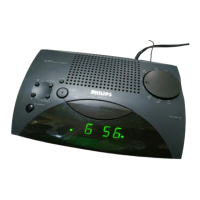
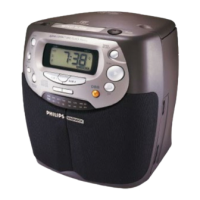
Philips AJ 3015 - User Manual

Philips AJ 3015
10 pages
Print Icon
To Next Page IconTo Next Page
Loading...

Other manuals for Philips AJ 3015

Question and Answer IconNeed help?

Do you have a question about the Philips AJ 3015 and is the answer not in the manual?

Summary

Clock Radio Control Identification

Hour Button

Button for setting the hours.

Time Set Switch

Switch for setting the time or alarm.

Min Button

Button for setting the minutes.

Alarm Reset Button

Button to switch off the alarm temporarily or for 24 hours.

Radio On Button

Button to switch on the radio function.

Alarm Switch

Switch for selecting alarm source (radio/buzzer).

Tuning Dial

Dial for locating the required radio station.

Band Switch

Switch for selecting wavebands (FM/AM).

Volume Control

Control for adjusting the audio volume.

Radio Off;Repeat Alarm Button

Button to temporarily switch off alarm or radio.

Clock Display

Digital display showing time and indicators.

Voltage Selector

Selector for power supply voltage (if applicable).

Brightness High;Low Switch

Switch to adjust display brightness.

Clock Radio Operation

Control Button Functions Explained

Explains the purpose and operation of each button and switch on the clock radio.

Mains Power Connection

Guide on connecting the clock radio to the mains power supply.

UK Mains Plug Information

Specific instructions for changing fuses in UK-approved plugs.

Advanced Clock Radio Features

Alarm Off Options

Methods to switch off the alarm, including temporary and permanent options.

Slumber Function

How to use the built-in slumber feature to listen to the radio before sleeping.

Power Failure Handling

Information on how the clock radio behaves during power outages and battery backup.

Maintenance and Care

Recommendations for cleaning and storing the clock radio to prevent damage.

Australian Guarantee and Service

Warranty Coverage Details

Specifics on what is covered by the Philips product warranty in Australia.

Warranty Conditions

Requirements and limitations for making a warranty claim in Australia.

Claiming Warranty Service

Procedure for returning the product for warranty service in Australia.

Mexican Guarantee and Service

Warranty Terms

Details the 12-month warranty for the clock radio in Mexico.

Warranty Exclusions

Conditions under which the warranty will be voided in Mexico.

Service Contact Information

Provides contact details for service inquiries in Mexico.

Summary

Clock Radio Control Identification

Hour Button

Button for setting the hours.

Time Set Switch

Switch for setting the time or alarm.

Min Button

Button for setting the minutes.

Alarm Reset Button

Button to switch off the alarm temporarily or for 24 hours.

Radio On Button

Button to switch on the radio function.

Alarm Switch

Switch for selecting alarm source (radio/buzzer).

Tuning Dial

Dial for locating the required radio station.

Band Switch

Switch for selecting wavebands (FM/AM).

Volume Control

Control for adjusting the audio volume.

Radio Off;Repeat Alarm Button

Button to temporarily switch off alarm or radio.

Clock Display

Digital display showing time and indicators.

Voltage Selector

Selector for power supply voltage (if applicable).

Brightness High;Low Switch

Switch to adjust display brightness.

Clock Radio Operation

Control Button Functions Explained

Explains the purpose and operation of each button and switch on the clock radio.

Mains Power Connection

Guide on connecting the clock radio to the mains power supply.

UK Mains Plug Information

Specific instructions for changing fuses in UK-approved plugs.

Advanced Clock Radio Features

Alarm Off Options

Methods to switch off the alarm, including temporary and permanent options.

Slumber Function

How to use the built-in slumber feature to listen to the radio before sleeping.

Power Failure Handling

Information on how the clock radio behaves during power outages and battery backup.

Maintenance and Care

Recommendations for cleaning and storing the clock radio to prevent damage.

Australian Guarantee and Service

Warranty Coverage Details

Specifics on what is covered by the Philips product warranty in Australia.

Warranty Conditions

Requirements and limitations for making a warranty claim in Australia.

Claiming Warranty Service

Procedure for returning the product for warranty service in Australia.

Mexican Guarantee and Service

Warranty Terms

Details the 12-month warranty for the clock radio in Mexico.

Warranty Exclusions

Conditions under which the warranty will be voided in Mexico.

Service Contact Information

Provides contact details for service inquiries in Mexico.

Philips AJ 3015 Specifications

General IconGeneral
BrandPhilips
ModelAJ 3015
CategoryClock Radio
DisplayLED
Tuner bandsFM
AlarmYes
Snooze functionYes
Sleep timerYes
Power typeAC
Radio TypeDigital

Related product manuals