7
Set clock
1
In standby mode, rotate SET ALARM/
CLOCK/SET TIME to the SET TIME
position.
The hour and minute digits begin to »
blink.
2 Rotate HOUR to set the hour.
3 Rotate MINUTE to set the minute.
4 Rotate the SET ALARM/CLOCK/SET
TIME to the CLOCK position to conrm.
Turn radio on/off
In standby mode, press RADIO ON/OFF to
turn on the radio.
The last listened DAB+ or FM station »
broadcasts automatically.
Tip
You can also turn on the radio by pressing •
SOURCE repeatedly.
To turn off the radio, press
• RADIO ON/OFF
again.
3 Get started
If you contact Philips, you will be asked for the
model and serial number of this apparatus. The
model number and serial number are on the
bottom of the apparatus. Write the numbers
here:
Model No. __________________________
Serial No. ___________________________
Prepare FM/DAB+ antenna
For better reception, fully extend and adjust the
position of the FM/DAB+ antenna.
Note
To prevent interference, position the antenna •
as far as possible from TV, VCR, or other
radiation source.
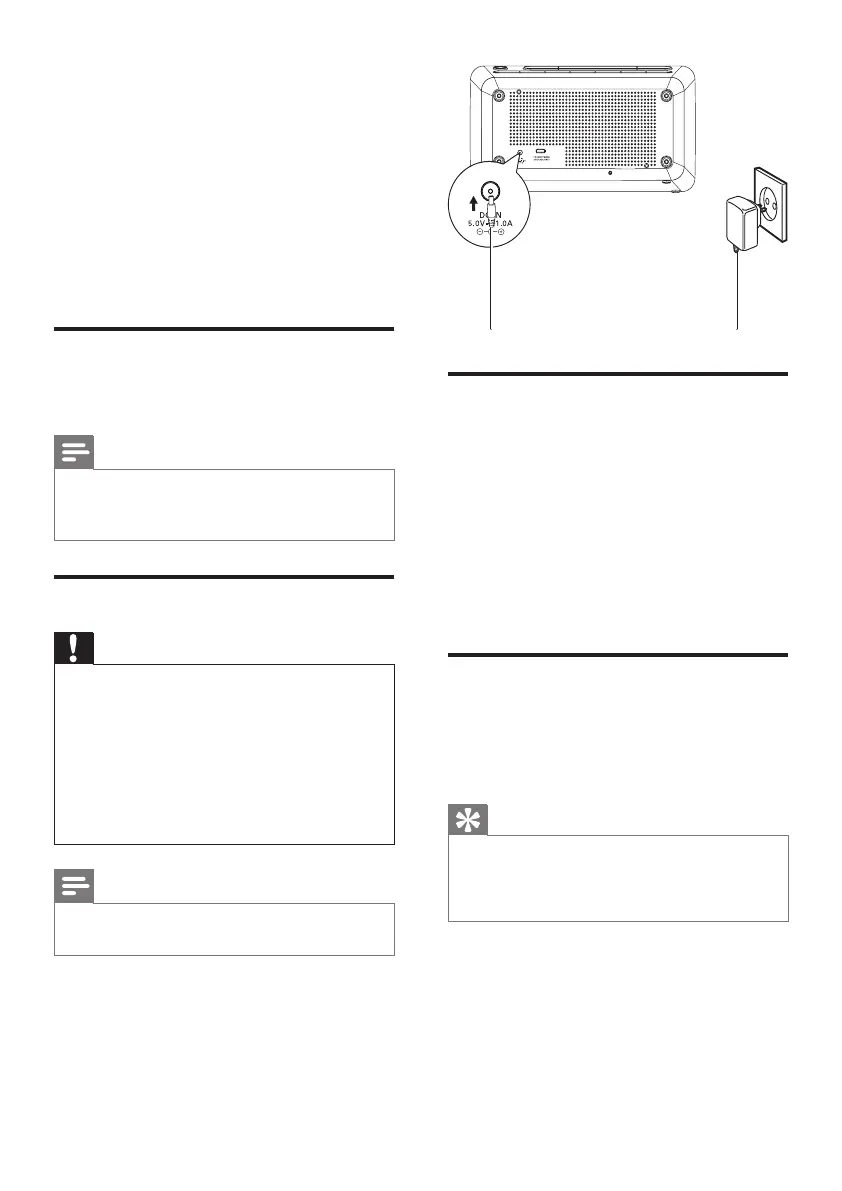
Connect power
Caution
Risk of product damage! Ensure that the power •
voltage corresponds to the voltage printed on
the back or underside of the apparatus.
Risk of electric shock! When you unplug the
•
AC adaptor, always pull the plug from the
socket. Never pull the cord.
Before connecting the AC adaptor, ensure that
•
you have completed all other connections.
Note
The type plate is located on the bottom of the •
main unit.
EN



 To Next Page