Cleaning the pre-lter
Clean the pre-filter when F0 is displayed
on the screen.
1 Switch off the air purifier and
unplug from the wall outlet.
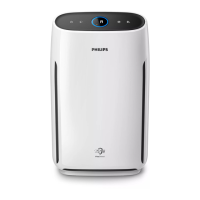
2 Pull the bottom part of the front
panel to remove it from the air
purifier.
3 Press the two clips down (1) and
pull the pre-filter towards you (2).
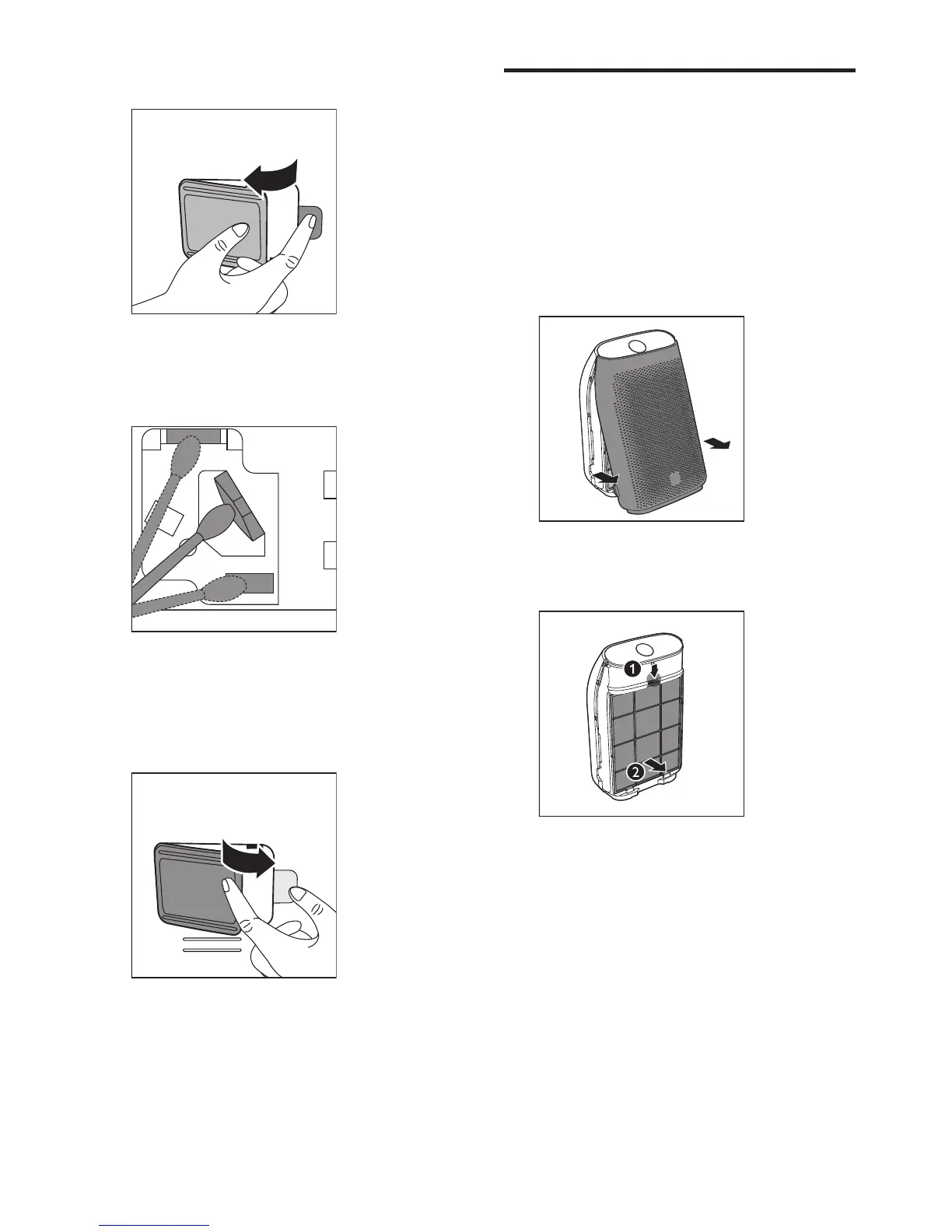
3 Remove the air quality sensor cover.
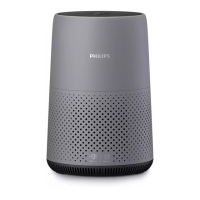
4 Clean the air quality sensor, the
dust inlet and the dust outlet with a
damp cotton swab.
5 Dry all parts thoroughly with a dry
cotton swab.
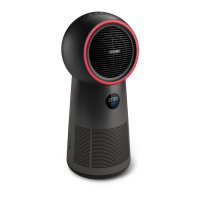
6 Reattach the air quality sensor
cover.
15EN



 To Next Page