EasyManua.ls Logo

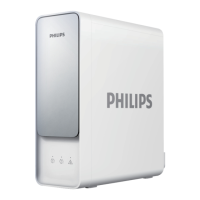
Philips AUT7006 - User Manual

Philips AUT7006
88 pages
Print Icon
To Next Page IconTo Next Page
Loading...

AUT7006

 1EN  17
 34FR  52IT
 69RU

Table of Contents

Questions and Answers

  • H
    Harry PorterAug 3, 2025
    How to fix Philips Water Filtration Systems when no water comes out?
    • C
      Craig JohnsonAug 3, 2025
      If no water is coming out of your Philips Water Filtration System faucet, first, ensure that the cold water valve or the three-way ball valve is turned on. If the valves are open, check that the power adapter is correctly connected to both the system and the power socket.
  • C
    Calvin SchaeferAug 7, 2025
    What to do if error indicator lights up in red with beeps in Philips AUT7006?
    • H
      Harold GonzalesAug 7, 2025
      If the error indicator lights up red and the system beeps, it might be because the system has been filtering water continuously for 2 hours. To resolve this, unplug the Philips Water Filtration System, wait for 1 minute, and then plug it back in. If the problem persists, it could indicate that the PCB board is damaged, and you should contact consumer care.
  • V
    vmendezAug 11, 2025
    Why the water flow rate gets slower in Philips Water Filtration Systems?
    • J
      Jennifer KingAug 11, 2025
      If the flow rate of your Philips Water Filtration System gets slower, it could be due to a blocked filter. In this case, you should replace the filter. Another possible cause is low inlet water pressure. Wait until the inlet water pressure stabilizes. If the inlet water pressure is constantly lower than 0.1 MPa, consider installing a pressure boost before the system.
  • C
    Christopher FoxAug 15, 2025
    What to do if indicators don't light up on Philips Water Filtration Systems?
    • R
      Rachel BoydAug 15, 2025
      If indicators on your Philips Water Filtration System don't light up, check if the power adapter is properly connected to the system and the power socket. If it is correctly connected, the light board may be damaged, and you should contact consumer care.
  • A
    Allison SuarezAug 20, 2025
    Why is the outlet water quality poor in Philips AUT7006?
    • M
      michael93Aug 20, 2025
      If the outlet water quality of your Philips Water Filtration System is poor, it could be because the filter has reached the end of its life; replace the filter. If the system hasn't been used for some time, turn on the faucet and let the water run for 5 minutes. Always ensure you are using municipal tap water as the water source. Do not use water that is microbiologically unsafe or of unknown quality without adequate disinfection.
  • B
    Brandon OliverAug 25, 2025
    What to do if the smart faucet doesn't work on Philips AUT7006 Water Filtration Systems?
    • J
      Jennifer SteeleAug 25, 2025
      If the smart faucet on your Philips Water Filtration System isn't working, first, make sure the faucet cable is securely connected to the system. If it still doesn't work, the smart faucet may be damaged, and you should contact consumer care.
  • N
    Nicholas McgeeAug 28, 2025
    How to fix the reset button if it doesn't work on Philips Water Filtration Systems?
    • L
      Linda PorterAug 28, 2025
      If the reset button on your Philips Water Filtration System doesn't work, ensure you press and hold the reset button for 5 seconds.

Summary

Product Introduction

Product Specifications

Product Overview and Installation Illustration

Installation

Install the Three-Way Ball Valve

Detailed steps for correctly installing the three-way ball valve onto the cold water supply.

Install the Faucet

Instructions on how to drill a hole and mount the filtered water faucet to the sink or countertop.

Install the System Unit

Guide for connecting the main system unit, including water inlet and outlet connections.

Using the System

Before First-Time Use

Steps for initial system power-up, auto-flush, and flushing the filters before consumption.

User Interface Overview

Explanation of the indicators and buttons on the system's user interface panel.

Maintenance

Routine Maintenance

Instructions for cleaning the device and procedures for periods of non-use.

Filter Lifetime and Replacement

Information on filter lifespan, recommended replacement cycles, and model codes.

Filter Cartridge Replacement Procedure

Step-by-step guide for safely removing and installing new filter cartridges.

Precautions and Warnings

General Warnings

Key warnings regarding water source, intended use, temperature limits, and system handling.

Troubleshooting Guide

Guarantee and Service Information

Packing List

Philips AUT7006 Specifications

General IconGeneral
BrandPhilips
ModelAUT7006
CategoryWater Filtration Systems
LanguageEnglish

Related product manuals