EasyManua.ls Logo

Philips AW 7760 - Page 4

Philips AW 7760
12 pages
Print Icon
To Next Page IconTo Next Page
To Previous Page IconTo Previous Page
Loading...
English
CONNECTIONS
GENERAL
RADIO
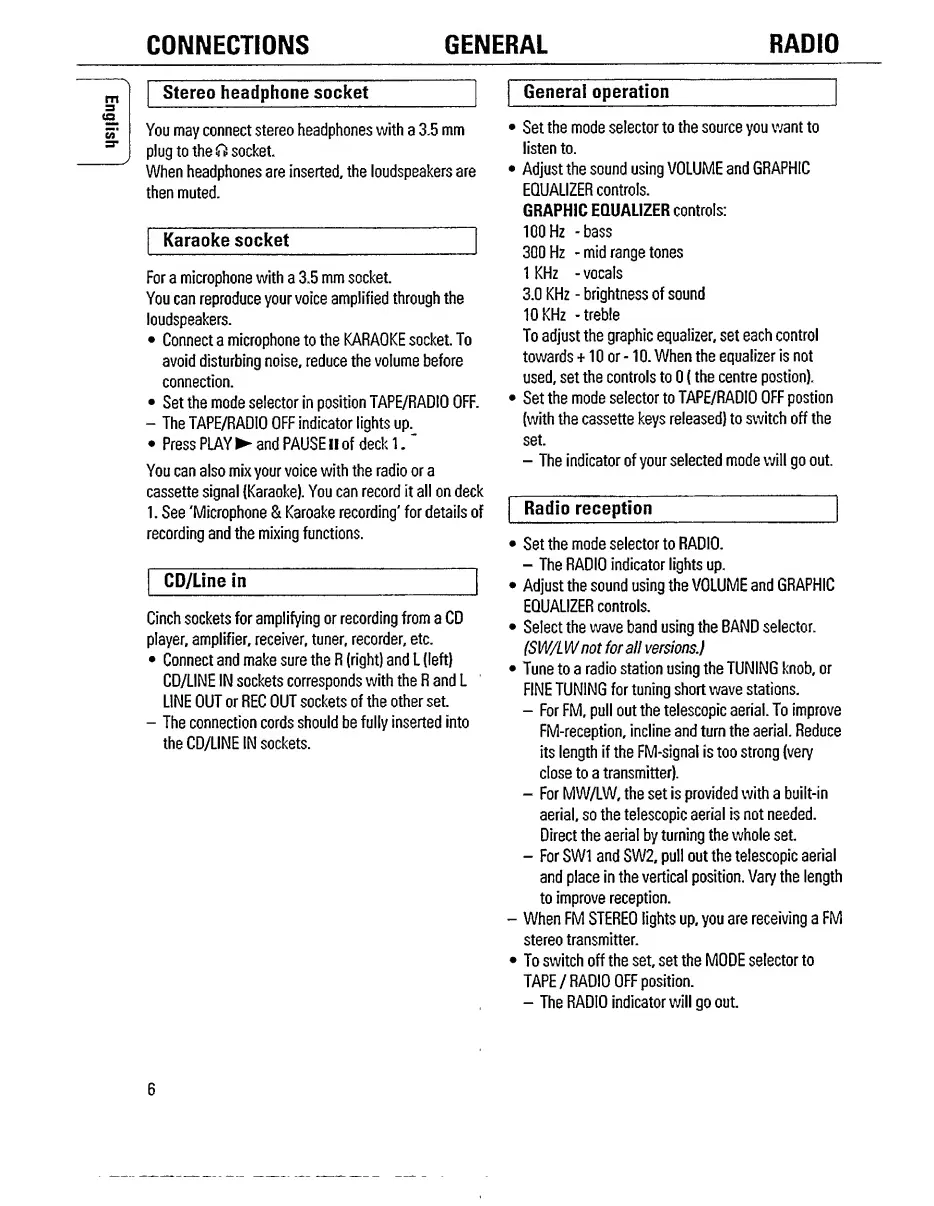
Stereo
headphone
socket
You
may
connect
stereo
headphones
with
a
3.5
mm
plug
to
the
0
socket
When
headphones
are
inserted,
the
loudspeakers
are
then
muted.
Karaoke
socket
General
operation
Set
the
mode
selector
to
the
source
you
want
to
listen
to.
Adjust
the
sound
using
VOLUME
and
GRAPHIC
EQUALIZER
controls.
GRAPHIC
EQUALIZER
controls:
100Hz
-bass
300
Hz
-
mid
range
tones
1
KHz
-
vocals
3.0
KHz
-
brightness
of
sound
10KHz
-treble
To
adjust
the
graphic
equalizer,
set
each
control
towards
+10
or
-10.
When
the
equalizer
is
not
used,
set
the
controls
to
0
(the
centre
postion).
Set
the
mode
selector
to
TAPE/RADIO
OFF
postion
(with
the
cassette
keys
released)
to
switch
off
the
set.
-
The
indicator
of
your
selected
mode
will
go
out.
Radio
reception
Set
the
mode
selector
to
RADIO.
-
The
RADIO
indicator
lights
up.
Adjust
the
sound
using
the
VOLUME
and
GRAPHIC
EQUALIZER
controls.
Select
the
wave
band
using
the
BAND
selector.
ISW/L
W
not
for
all
versions.)
Tune
to
a
radio
station
using
the
TUNING
knob,
or
FINE
TUNING
fortuning
shortwave
stations.
-
For
FM,
pull
out
the
telescopic
aerial.
To
improve
FM-reception,
incline
and
turn
the
aerial.
Reduce
its
length
if
the
FM-signal
is
too
strong
(very
close
to
a
transmitter).
-
For
MW/LW,
the
set
is
provided
with
a
built-in
aerial,
so
the
telescopic
aerial
is
not
needed.
Direct
the
aerial
by
turning
the
whole
set
-
For
SW1
and
SW2,
pull
out
the
telescopic
aerial
and
place
in
the
vertical
position.
Vary
the
length
to
improve
reception.
-
When
FM
STEREO
lights
up,
you
are
receiving
a
FM
stereo
transmitter.
To
switch
off
the
set,
set
the
MODE
selector
to
TAPE
/
RADIO
OFF
position.
-
The
RADIO
indicator
will
go
out
For
a
microphone
with
a
3,5
mm
socket.
You
can
reproduce
your
voice
amplified
through
the
loudspeakers.
Connect
a
microphone
to
the
KARAOKE
socket.
To
avoid
disturbing
noise,
reduce
the
volume
before
connection.
Set
the
mode
selector
in
position
TAPE/RADIO
OFF.
-
The
TAPE/RADIO
OFF
indicator
lights
up.
Press
PLAY
and
PAUSE
II
of
deck
1.
You
can
also
mix
your
voice
with
the
radio
or
a
cassette
signal
(Karaoke).
You
can
record
it
all
on
deck
1.
See
'Microphone
&
Karoake
recording'
for
details
of
recording
and
the
mixing
functions.
CD/Line
in
Cinch
sockets
for
amplifying
or
recording
from
a
CD
player,
amplifier,
receiver,
tuner,
recorder,
etc.
Connect
and
make
sure
the
R
(right)
and
L
(left)
CD/LINE
IN
sockets
corresponds
with
the
R
and
L
LINE
OUT
or
REC
OUT
sockets
of
the
other
set.
-
The
connection
cords
should
be
fully
inserted
into
the
CD/LINE
IN
sockets.
6

Related product manuals