EasyManua.ls Logo

Philips AW 7760 - Cassette Recorder

Philips AW 7760
12 pages
Print Icon
To Next Page IconTo Next Page
To Previous Page IconTo Previous Page
Loading...
CASSETTE
RECORDER
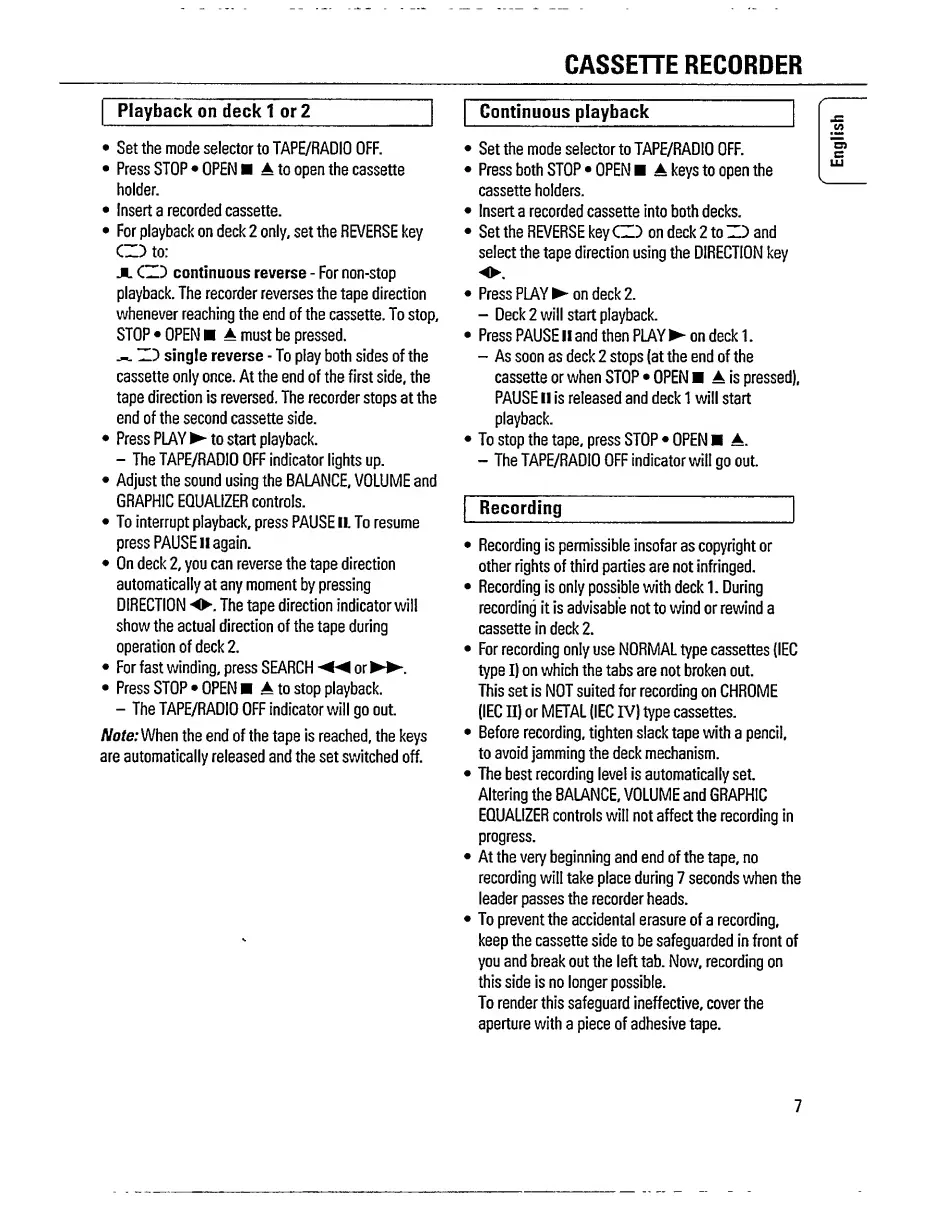
Playback
on
deck
1
or
2
Set
the
mode
selector
to
TAPE/RADIO
OFF.
Press
STOP
OPEN
A
to
open
the
cassette
holder.
Insert
a
recorded
cassette.
For
playback
on
deck
2
only,
set
the
REVERSE
key
CD
to:
JL
CZD
continuous
reverse
-
For
non-stop
playback.
The
recorder
reverses
the
tape
direction
whenever
reaching
the
end
of
the
cassette.
To
stop,
STOP
OPEN
A
must
be
pressed.
ZD
single
reverse
-
To
play
both
sides
of
the
cassette
only
once.
At
the
end
of
the
first
side,
the
tape
direction
is
reversed.
The
recorder
stops
at
the
end
of
the
second
cassette
side.
Press
PLAY
to
start
playback.
-
The
TAPE/RADIO
OFF
indicator
lights
up.
Adjust
the
sound
using
the
BALANCE,
VOLUME
and
GRAPHIC
EQUALIZER
controls.
To
interrupt
playback,
press
PAUSE
11.
To
resume
press
PAUSE
ll
again.
On
deck
2,
you
can
reverse
the
tape
direction
automatically
at
any
moment
by
pressing
DIRECTION
The
tape
direction
indicator
will
show
the
actual
direction
of
the
tape
during
operation
of
deck
2,
For
fast
winding,
press
SEARCH
◄◄
or
►►
.
Press
STOP
OPEN
A
to
stop
playback.
-
The
TAPE/RADIO
OFF
indicator
will
go
out.
Note:
When
the
end
of
the
tape
is
reached,
the
keys
are
automatically
released
and
the
set
switched
off.
Continuous
playback
Set
the
mode
selector
to
TAPE/RADIO
OFF.
Press
both
STOP
OPEN
A
keys
to
open
the
cassette
holders.
Insert
a
recorded
cassette
into
both
decks.
Set
the
REVERSE
key
CZD
on
deck
2
to
ZD
and
select
the
tape
direction
using
the
DIRECTION
key
Press
PLAY
on
deck
2.
-
Deck
2
will
start
playback.
Press
PAUSE
II
and
then
PLAY
o
n
deck
1.
-
As
soon
as
deck
2
stops
(at
the
end
of
the
cassette
or
when
STOP
OPEN
A
is
pressed),
PAUSE
II
is
released
and
deck
1
will
start
playback.
To
stop
the
tape,
press
STOP
OPEN
A.
-
The
TAPE/RADIO
OFF
indicator
will
go
out.
Recording
Recording
is
permissible
insofar
as
copyright
or
other
rights
of
third
parties
are
not
infringed.
Recording
is
only
possible
with
deck
1.
During
recording
it
is
advisable
not
to
wind
or
rewind
a
cassette
in
deck
2.
For
recording
only
use
NORMAL
type
cassettes
(IEC
type
I)
on
which
the
tabs
are
not
broken
out.
This
set
is
NOT
suited
for
recording
on
CHROME
(IEC
II)
or
METAL
(IEC
IV)
type
cassettes.
Before
recording,
tighten
slack
tape
with
a
pencil,
to
avoid
jamming
the
deck
mechanism.
The
best
recording
level
is
automatically
set.
Altering
the
BALANCE,
VOLUME
and
GRAPHIC
EQUALIZER
controls
will
not
affect
the
recording
in
progress.
At
the
very
beginning
and
end
of
the
tape,
no
recording
will
take
place
during
7
seconds
when
the
leader
passes
the
recorder
heads.
To
prevent
the
accidental
erasure
of
a
recording,
keep
the
cassette
side
to
be
safeguarded
in
front
of
you
and
break
out
the
left
tab.
Now,
recording
on
this
side
is
no
longer
possible.
To
render
this
safeguard
ineffective,
cover
the
aperture
with
a
piece
of
adhesive
tape.
7
English

Related product manuals