EasyManua.ls Logo

Philips AW 7760 - Page 6

Philips AW 7760
12 pages
Print Icon
To Next Page IconTo Next Page
To Previous Page IconTo Previous Page
Loading...
English
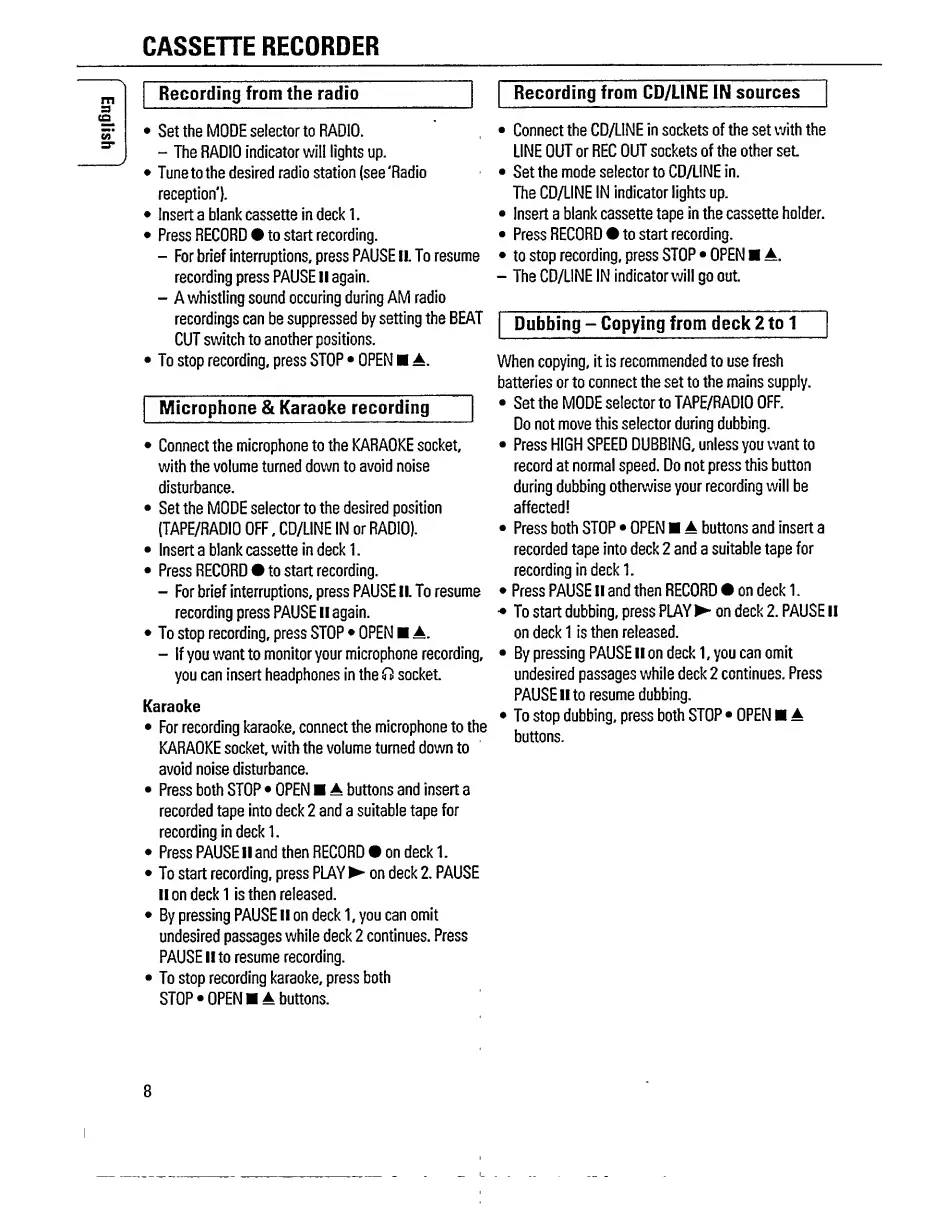
CASSETTE
RECORDER
Recording
from
the
radio
Set
the
MODE
selector
to
RADIO.
-
The
RADIO
indicator
will
lights
up.
Tune
to
the
desired
radio
station
(see
'Radio
reception').
Insert
a
blank
cassette
in
deck
1.
Press
RECORD#
to
start
recording.
-
For
brief
interruptions,
press
PAUSE
II.
To
resume
recording
press
PAUSE
II
again.
-
A
whistling
sound
occuring
during
AM
radio
recordings
can
be
suppressed
by
setting
the
BEAT
CUT
switch
to
another
positions.
To
stop
recording,
press
STOP
OPEN
A.
Microphone
&
Karaoke
recording
Connect
the
microphone
to
the
KARAOKE
socket,
with
the
volume
turned
down
to
avoid
noise
disturbance.
Set
the
MODE
selector
to
the
desired
position
(TAPE/RADIO
OFF,
CD/LINE
IN
or
RADIO).
Insert
a
blank
cassette
in
deck
1.
Press
RECORD
to
start
recording.
-
For
brief
interruptions,
press
PAUSE
II.
To
resume
recording
press
PAUSE
II
again.
To
stop
recording,
press
STOP
OPEN
A.
-
If
you
want
to
monitor
your
microphone
recording,
you
can
insert
headphones
in
the
Cl
socket.
Karaoke
For
recording
karaoke,
connect
the
microphone
to
the
KARAOKE
socket,
with
the
volume
turned
down
to
avoid
noise
disturbance.
Press
both
STOP
OPEN
A
buttons
and
insert
a
recorded
tape
into
deck
2
and
a
suitable
tape
for
recording
in
deck
1.
Press
PAUSE
II
and
then
RECORD
on
deck
1.
To
start
recording,
press
PLAY^
on
deck
2.
PAUSE
lion
deck
1
is
then
released.
By
pressing
PAUSE
II
on
deck
1,
you
can
omit
undesired
passages
while
deck
2
continues.
Press
PAUSE
II
to
resume
recording.
To
stop
recording
karaoke,
press
both
STOP
OPEN
A
buttons.
Recording
from
CD/LINE
IN
sources
Connect
the
CD/LINE
in
sockets
of
the
set
with
the
LINE
OUT
or
REC
OUT
sockets
of
the
other
set.
Set
the
mode
selector
to
CD/LINE
in.
The
CD/UNE
IN
indicator
lights
up.
Insert
a
blank
cassette
tape
in
the
cassette
holder.
Press
RECORD#
to
start
recording.
to
stop
recording,
press
STOP
OPEN
A.
-
The
CD/UNE
IN
indicator
will
go
out.
Dubbing
-
Copying
from
deck
2
to
1
When
copying,
it
is
recommended
to
use
fresh
batteries
or
to
connect
the
set
to
the
mains
supply.
Set
the
MODE
selector
to
TAPE/RADIO
OFF.
Do
not
move
this
selector
during
dubbing.
Press
HIGH
SPEED
DUBBING,
unless
you
want
to
record
at
normal
speed.
Do
not
press
this
button
during
dubbing
otherwise
your
recording
will
be
affected!
Press
both
STOP
OPEN
A
buttons
and
insert
a
recorded
tape
into
deck
2
and
a
suitable
tape
for
recording
in
deck
1.
Press
PAUSE
II
and
then
RECORD
on
deck
1.
To
start
dubbing,
press
PLAY
on
deck
2.
PAUSE
II
on
deck
1
is
then
released.
By
pressing
PAUSE
II
on
deck
1,
you
can
omit
undesired
passages
while
deck
2
continues.
Press
PAUSE
II
to
resume
dubbing.
To
stop
dubbing,
press
both
STOP
OPEN
A
buttons.
8

Related product manuals