EasyManua.ls Logo

Philips AZ 8250 - Maintenance; Troubleshooting

Philips AZ 8250
10 pages
Print Icon
To Next Page IconTo Next Page
To Previous Page IconTo Previous Page
Loading...
7.
MAINTENANCE
¡ENERAL
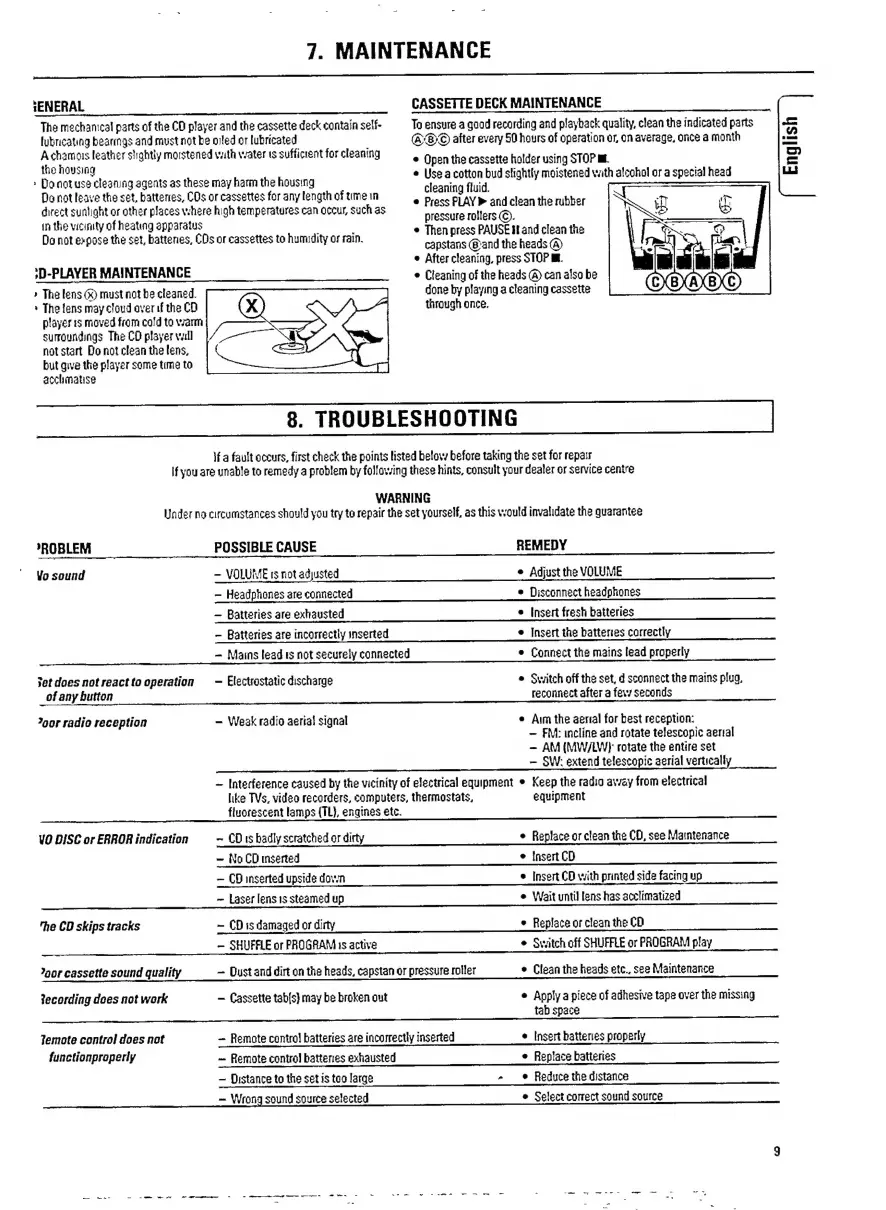
CASSETTE
DECK
MAINTENANCE
The
mechanical
parts
of
the
CD
player
and
the
cassette
deck
contain
self-
To
ensure
a
good
recording
and
playback
quality,
clean
the
indicated
parts
<=
lubricating
bearings
and
must
not
be
oiled
or
lubricated
ASO
after
every
50
hours
of
operation
or,
on
average,
once
a
month
2
Achamois
leather
slightly
moistened
vith
water
ts
sufficient
for
cleaning
e
Open
the
cassette
holder
using
STOP
MI
ED
the
housing
inr
s
>
Donotuse
cleaning
agents
as
these
may
harm
the
housing
°
a
2007
moistened
cath
atcohnl
or
a
Special
haad
=
Do
not
leave
the
set,
battenes,
COs
or
cassettes
for
any
length
of
time
in
s
Pres
PLAY
Pani
desnihanibtsr
direct
sunlight
or
other
places
where
high
temperatures
can
occur,
such
as
in
the
vicinity
of
heating
apparatus
Do
not
expose
the
set,
batteries,
CDs
or
cassettes
to
humidity
or
rain.
pressure
rollers
(C).
e
Then
press
PAUSE
and
clean
the
capstans
(Band
the
heads
(ን
.
e
After
cleaning,
press
STOP
፪፪
:D-PLAYER
MAINTENANCE
00
0
00
e
Cleaning
of
the
heads
(A)
can
also
be
»
Tha
lens
(x)
must
not
be
cleaned.
done
by
playing
a
cleaning
cassette
>
The
fens
may
cloud
over
if
the
CD
through
once.
player
ts
moved
from
cold
to
warm
surroundings
The
CO
player
ኣሃ]
notstart
Do
not
clean
the
lens,
but
qwe
the
player
some
time
to
acchmatise
8.
TROUBLESHOOTING
|
if
a
fault
occurs,
first
check
the
points
listed
below
before
taking
the
set
for
repair
If
you
are
unable
to
remedy
a
problem
by
following
these
hints,
consult
your
dealer
or
service
centre
WARNING
Under
no
circumstances
should
you
try
to
repair
the
set
yourself,
as
this
would
invalidate
the
guarantee
*ROBLEM
POSSIBLE
CAUSE
REMEDY
Vo
sound
VOLUME
rs
not
adjusted
e
Adjust
the
VOLUME
>
Headphones
are
connected
e
Disconnect
headphones
Batteries
are
exhausted
e
Insert
fresh
batteries
>
Batteries
are
incorrectly
inserted
e
Insert
the
batteries
correctly
Mains
lead
ts
not
securely
connected
e
Connect
the
mains
lead
properly
et
does
not
react
to
operation
Electrostatic
discharge
e
Switch
off
the
set,
d
sconnect
the
mains
plug,
of
any
button
reconnect
after
a
few
seconds
"gor
radio
reception
>
Weak
radio
aerial
signal
e
Aim
the
aerial
for
best
reception:
FM:
inclíne
and
rotate
telescopic
aerial
=
AM
(MW/LWJ
rotate
the
entire
set
SW:
extend
telescopic
aerial
vertically
>
Interference
caused
by
the
vicinity
of
electrical
equipment
Keep
the
radio
away
from
electrical
like
TVs,
video
recorders,
computers,
thermostats,
equipment
fluorescent
lamps
(TL),
engines
etc.
VO
DISC
or
ERROR
indication
~
CD
5
badly
scratched
or
dirty
e
Replace
or
clean
the
CD,
see
Maintenance
NoCD
inserted
e
[Insert
CD
CD
inserted
upside
down
e
Insert
CD
with
printed
side
facing
up
Laser
lens
is
steamed
up
e
Wait
until
lens
has
acclimatized
"he
CD
skips
tracks
CD
is
damaged
or
dirty
e
Replace
or
clean
the
CD
SHUFFLE
or
PROGRAM
is
active
e
Switch
off
SHUFFLE
or
PROGRAM
play
"gor
cassette
sound
quality
Dust
and
dirt
on
the
heads,
capstan
or
pressure
roller
e
Clean
the
heads
etc.,
see
Maintenance
tecording
does
not
work
(Cassette
tab[s)
may
be
broken
out
e
Apply
a
piece
of
adhesive
tape
over
the
missing
tab
space
Temote
control
does
not
Remote
contro!
batteries
are
incorrectly
inserted
e
[nsert
batteries
properly
functionproperly
Remote
control
batteries
exhausted
e
Replace
batteries
Distance
to
the
set
is
too
large
a
ፍቆ
Reduce
the
distance
Wrong
sound
source
selected
e
Select
correct
sound
source
-
wa-
-
-
መሙ
ew
-一
- -
———
4መመ
---=ው
ጭቁ
on
-
-.=
-
e.
-
--
n
ሠ፦-፦
e
=-፦

Related product manuals