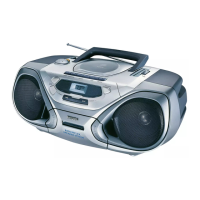
Radio reception
1 Adjust the source selector to AM or FM
to select your desired waveband.
2 Tur n TUNING to tune to a radio station.
To improve reception
– For FM, pull out the telescopic antenna.
Incline and turn the antenna. Reduce its length
if the signal is too strong (very close to a
transmitter).
– For AM the set is provided with a built-in
antenna so the telescopic antenna is not
needed. Direct the antenna by turning the
whole set.
3 To switch off the radio, adjust the source
selector to TAPE/
OFF position and check
the cassette keys are released.
CD Player
Display indication for CD functions:
– --: flashes when CD source just selected
– In stop mode: total track number
– During CD playback: 2 and current
track number
REPEAT/ REPEAT ALL: when the
respective repeat mode is activated
– PROGRAM: when CD program active
– -- and PROGRAM: flashes when
program memory full
– Er: no disc/ error in CD operation or
with the CD/ CD-(R) is blank or the disc
is not finalized (see Troubleshooting)
Playing a CD
1 Adjust the source selector to CD.
2 To open the CD door, lift the CD door at
the edge marked LIFT TO OPEN.
3 Insert a CD or CD-(R) with the printed
side facing up and press the CD door gently
close.
4 Press PLAY•PAUSE 2; on the set to
start playback.
5 To pause playback press PLAY•PAUSE
2;.To resume, press PLAY•PAUSE 2;
again.
➜ 2 flashes during pause
6 To stop CD play, press STOP 9.
7 To switch off the set, adjust the source
selector to TAPE/
OFF
position and check
the cassette keys are released.
Note: CD play will also stop when:
– you open the CD compartment;
– you select AM, FM or TAPE sound
source;
– the CD has reached to the end.
Radio CD-Player
10
English
.



 To Next Page
 Loading...