EasyManua.ls Logo

Philips AZ2760 - User Manual

Philips AZ2760
47 pages
Print Icon
To Next Page IconTo Next Page
Loading...
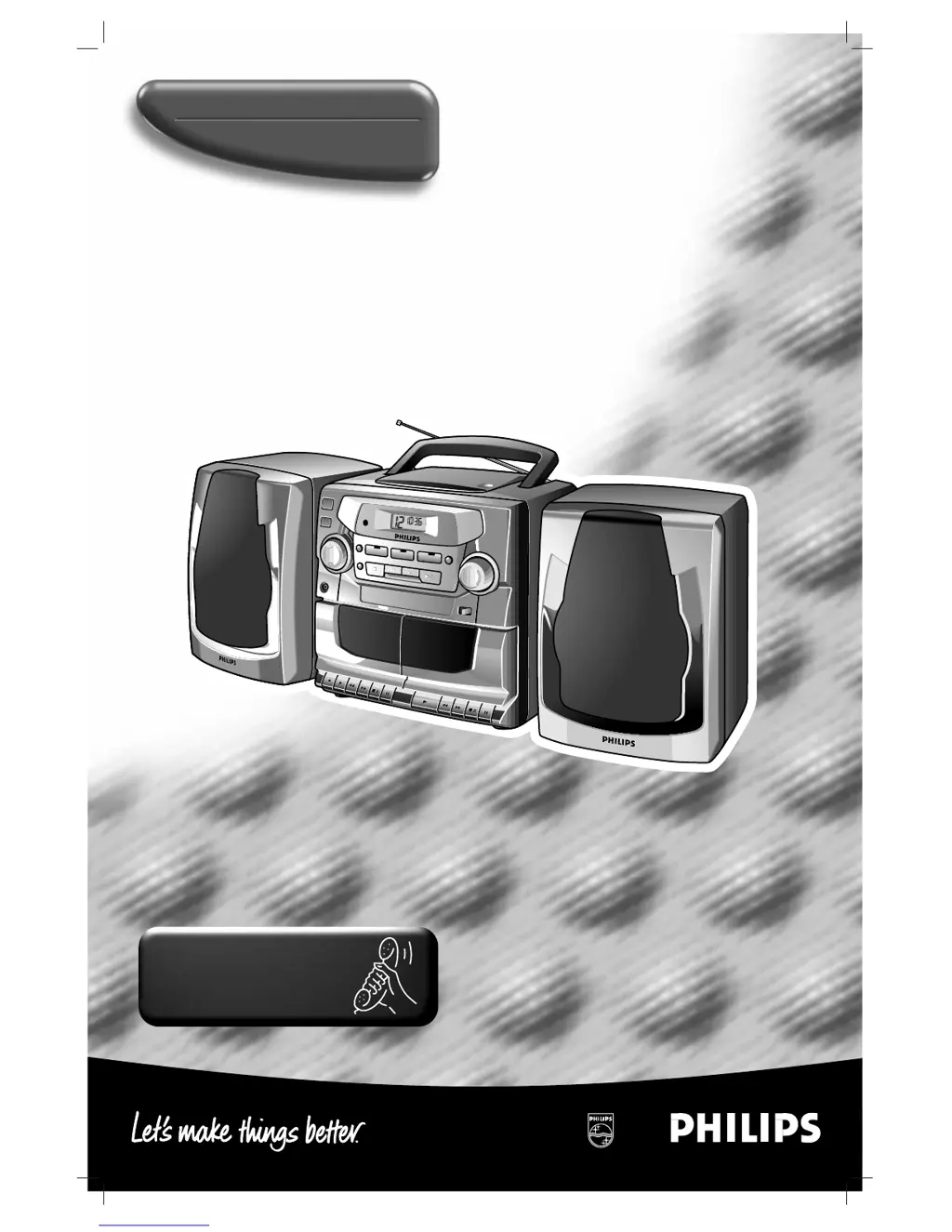
Portable CD Mini System
AZ 2765
AZ 2760
PLAY
SEARCH
STOP/EJECT
PAUSE
PLAY
RECORD
SEARCH
STOP/EJECT
PAUSE
PLAY
SEARCH
STOP/EJECT
PAUSE
PLAY
RECORD
SEARCH
STOP/EJECT
PAUSE
BASS REFLEX SPEAKER SYSTEM
ELECTRONIC SOURCE SELECT
BASS REFLEX SPEAKER SYSTEM
ELECTRONIC SOURCE SELECT
TUNER
PRESET
DECK B
PLAYBACK
DECK A
RECORD PLAYBACK
TUNER
POWER
REPEAT
STOP
SEARCH
PLAY/PAUSE
FM
MW
BAND
TAPE
PROG
SHUFFLE
CD
DBB
TUNER
PRESET
DECK B
PLAYBACK
DECK A
RECORD PLAYBACK
TUNER
POWER
REPEAT
CD
STOP
SEARCH
PLAY/PAUSE
FM
MW
BAND
TAPE
PROG
SHUFFLE
DBB
ACCOUSTIC
BASS
LENS
ACCOUSTIC
BASS
LENS
ACCOUSTIC
BASS
LENS
ACCOUSTIC
BASS
LENS
AZ2765 CD RADIO CASSETTE RECORDER
DIGITAL TUNER
Toll Free Help Line
Ligne d'assistance en service libre
Linea de ayuda telefónica sin cargo
800-531-0039

Other manuals for Philips AZ2760

Questions and Answers

Summary

Toll Free Help Line

Safety and Customer Information

Understanding Safety Symbols

Explains common safety symbols found on the device and in the manual.

Customer Record Keeping

Fields for recording model and serial numbers for future reference.

Canada Regulatory Compliance

Important Safety Instructions

Limited Warranty Information

Warranty Coverage and Exclusions

Details what is covered and excluded under the limited warranty policy.

Product Exchange Procedures

Instructions for exchanging products in the USA, Puerto Rico, US Virgin Islands, and Canada.

Out-of-Warranty Service

Information on how to obtain out-of-warranty exchanges and associated costs.

Device Controls Overview

Top, Front Panel, and Remote Controls

Description of buttons and features on the top, front panels, and remote.

Cassette Deck Controls

Details on controls for Deck 1 and Deck 2 of the cassette recorder.

CD Player Controls

Explanation of buttons and functions for the CD player.

Power Supply and Battery Usage

Battery Installation and Care

Instructions for inserting and using batteries, including precautions and disposal.

Connecting to AC Power

Guidance on connecting the unit to AC power and safety advice.

Speaker Setup and Operation

Speaker Attachment and Connection

Instructions for handling and correctly connecting the removable speakers.

General Operation and Sound Adjustment

How to power on/off, select sources, and adjust volume and bass.

Digital Tuner Functions

Tuning and Radio Reception

Steps for tuning into FM/AM stations and improving reception quality.

Station Presets and Programming

How to store and select radio stations using memory presets.

CD Player Display Indicators

CD Player Usage Guide

Playing and Navigating CDs

Step-by-step guide to insert, play, pause, select tracks, and find passages.

CD Play Modes and Programming

Shuffle and Repeat Playback

Using SHUFFLE and REPEAT functions for varied playback experiences.

Track Programming and Management

How to program track sequences and erase stored programs.

Cassette Recorder Operations

Cassette Playback and Continuous Play

Instructions for playing cassettes and setting up continuous playback.

Recording Information and Best Practices

General information and guidelines for recording onto cassettes.

Recording Methods and Options

Cassette Dubbing

Guide to copying cassette tapes from one deck to another.

Synchronized CD and Radio Recording

How to record from CD or Radio, including specific passage selection.

System Maintenance and Care

General Precautions and Cleaning

Precautions for placement, ventilation, and cleaning the system exterior.

Tape Deck and CD Player Maintenance

Instructions for cleaning tape heads, rollers, and CD player lens.

Troubleshooting Common Issues

Power, Display, and Control Problems

Solutions for no sound, power, display, or control response issues.

CD Playback and Recording Issues

Resolving problems with CD playback, skipping, and cassette recording.

Remote Control and Environmental Notes

Troubleshooting the remote control and information on environmental disposal.

Summary

Toll Free Help Line

Safety and Customer Information

Understanding Safety Symbols

Explains common safety symbols found on the device and in the manual.

Customer Record Keeping

Fields for recording model and serial numbers for future reference.

Canada Regulatory Compliance

Important Safety Instructions

Limited Warranty Information

Warranty Coverage and Exclusions

Details what is covered and excluded under the limited warranty policy.

Product Exchange Procedures

Instructions for exchanging products in the USA, Puerto Rico, US Virgin Islands, and Canada.

Out-of-Warranty Service

Information on how to obtain out-of-warranty exchanges and associated costs.

Device Controls Overview

Top, Front Panel, and Remote Controls

Description of buttons and features on the top, front panels, and remote.

Cassette Deck Controls

Details on controls for Deck 1 and Deck 2 of the cassette recorder.

CD Player Controls

Explanation of buttons and functions for the CD player.

Power Supply and Battery Usage

Battery Installation and Care

Instructions for inserting and using batteries, including precautions and disposal.

Connecting to AC Power

Guidance on connecting the unit to AC power and safety advice.

Speaker Setup and Operation

Speaker Attachment and Connection

Instructions for handling and correctly connecting the removable speakers.

General Operation and Sound Adjustment

How to power on/off, select sources, and adjust volume and bass.

Digital Tuner Functions

Tuning and Radio Reception

Steps for tuning into FM/AM stations and improving reception quality.

Station Presets and Programming

How to store and select radio stations using memory presets.

CD Player Display Indicators

CD Player Usage Guide

Playing and Navigating CDs

Step-by-step guide to insert, play, pause, select tracks, and find passages.

CD Play Modes and Programming

Shuffle and Repeat Playback

Using SHUFFLE and REPEAT functions for varied playback experiences.

Track Programming and Management

How to program track sequences and erase stored programs.

Cassette Recorder Operations

Cassette Playback and Continuous Play

Instructions for playing cassettes and setting up continuous playback.

Recording Information and Best Practices

General information and guidelines for recording onto cassettes.

Recording Methods and Options

Cassette Dubbing

Guide to copying cassette tapes from one deck to another.

Synchronized CD and Radio Recording

How to record from CD or Radio, including specific passage selection.

System Maintenance and Care

General Precautions and Cleaning

Precautions for placement, ventilation, and cleaning the system exterior.

Tape Deck and CD Player Maintenance

Instructions for cleaning tape heads, rollers, and CD player lens.

Troubleshooting Common Issues

Power, Display, and Control Problems

Solutions for no sound, power, display, or control response issues.

CD Playback and Recording Issues

Resolving problems with CD playback, skipping, and cassette recording.

Remote Control and Environmental Notes

Troubleshooting the remote control and information on environmental disposal.

Philips AZ2760 Specifications

General IconGeneral
BrandPhilips
ModelAZ2760
CategoryPortable Stereo System
LanguageEnglish

Related product manuals