Need help?
Do you have a question about the Philips AZ2755 and is the answer not in the manual?
Instructions for changing the fuse in a 13 Amp moulded plug and handling the plug if unsuitable.
Guide on connecting the mains lead wires (blue/brown) to the plug terminals, emphasizing correct connections.
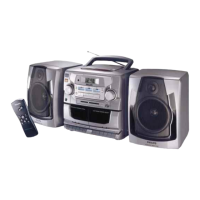
Details controls on the top and front of the Philips AZ 2755 system, including POWER, VOLUME, SOURCE, etc.
Identifies connections and features located on the rear of the audio system, like aerial and AC mains.
Lists and explains the buttons and functions of the remote control for the Philips AZ 2755.
Explains controls for cassette recording and playback, including PLAY, SEARCH, STOP/EJECT, PAUSE.
Describes CD functions like SHUFFLE, REPEAT, and STOP for playback.
Explains BAND selection and TUNING for radio reception.
Guide on inserting and managing batteries for the Philips AZ 2755, with safety precautions.
Instructions for connecting and using the AC mains power supply, including voltage checks.
Instructions on how to detach and attach the removable speakers from the main unit.
Details how to connect the speaker wires to the correct terminals on the main unit.
Basic steps to power on, select a source, adjust volume, and power off the Philips AZ 2755.
Steps for tuning into radio stations, adjusting the aerial, and selecting wavebands (FM/MW/LW).
Explains the various display messages shown during CD playback and operations.
Step-by-step guide to insert, play, pause, resume, skip tracks, and stop CD playback.
How to navigate between tracks and search for specific passages within a track on the CD.
Explains how to use SHUFFLE and REPEAT modes for varied CD playback experiences.
Guide on storing up to 20 tracks in a desired sequence for custom playback.
Instructions on how to view stored track sequences and how to clear the CD programme memory.
Step-by-step guide to insert, play, pause, fast wind, and stop cassette playback.
Instructions for playing cassettes continuously across both decks, including transitioning between them.
Notes on copyright, cassette types, recording level, and tape protection for recording.
Guide on copying cassette tapes from one deck to another, including pausing and stopping.
Instructions for recording audio from a CD to a cassette, automatically starting with the CD.
How to select and record particular song segments from a CD or radio.
Steps for tuning to a radio station and recording it onto a cassette tape.
General advice on placement, exposure, ventilation, and cleaning of the audio system.
Guide on cleaning tape heads, capstans, and pressure rollers for optimal tape performance.
Advice on handling CDs, cleaning the player lens, and proper CD care.
Lists common issues like no sound, display problems, CD skips, and poor cassette quality with remedies.
Addresses problems with the remote control not functioning properly and provides solutions.
 General
| Brand | Philips |
|---|---|
| Model | AZ2755 |
| Category | Portable Stereo System |
| Language | English |


 To Next Page