English
CD PLAYER CASSETTE RECORDER
10
Reviewing your set programme
• In the stop position, press and hold down PROG for one
second or more.
The display shows all your stored track numbers in sequence.
– You can also review the programme during playback.
• To play your programme press PLAY/PAUSE 2;.
Erasing a programme
You can erase the contents of the memory by:
– pressing the CD door open;
– pressing TUNER or TAPE source button;
– pressing STOP 9 twice during playback/ in stop position
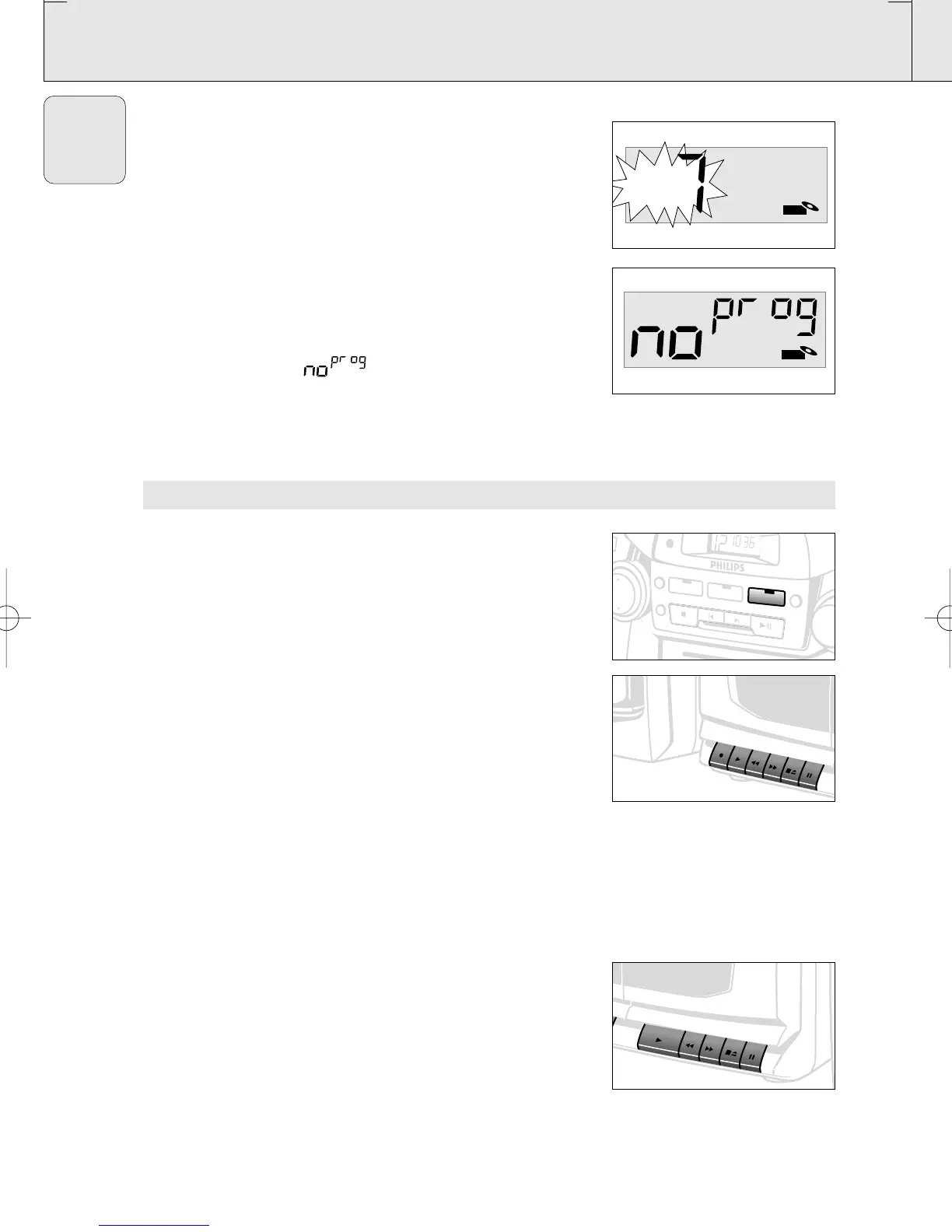
• The display shows ' ' briefly when the programme is
cancelled.
PLAYING A CASSETTE
1. Press POWER to on position.
2. Press TAPE source button.
– The TAPE indicator lights up.
3. Press STOP•EJECT 9/to open the cassette holder and
insert a cassette.
4. Press the cassette holder shut.
5. Press PLAY 2 to start playback.
6. Adjust the sound using the VOLUME 3 , 4 and DBB controls
7. To interrupt playback press PAUSE ;. To resume, press the
key again.
8. By pressing 5 or 6,fast winding of the tape is possible in
both directions.To stop fast winding, press
STOP•EJECT 9/.
9. To stop the tape, press STOP•EJECT 9/.
– The keys are automatically released at the end of the tape,
except if PAUSE ; has been activated.
10.Press POWER again to switch off the set.
– The TAPE indicator goes out.
Continuous Playback
1. Repeat steps 1 - 4 above, but load both decks. Press PLAY 2
on deck 2 and deck 2 will start.
2. Press PAUSE ; on deck 1 and then PLAY 2. As soon as
deck 2 stops (end of tape or STOP•EJECT 9/pressed),
PAUSE ; on deck 1 is released and deck 1 will start
playback.
AZ 2755 /01 page 10
CD
P
L
A
Y
R
E
C
O
R
D
S
E
A
R
C
H
ST
O
P
/EJE
C
T
PA
USE
P
L
A
Y
R
E
C
O
R
D
S
E
A
R
C
H
ST
O
P
/E
JEC
T
PAUSE
D
E
C
K
A
R
E
C
O
R
D
P
L
A
Y
B
A
C
K
T
U
N
E
R
S
H
U
F
F
L
E
R
E
P
E
A
T
C
D
S
T
O
P
S
EA
R
C
H
P
LA
Y
/P
A
U
SE
T
A
P
E
PR
O
G
M
W
K
H
z
530 600 700 900 1160
F
M
M
H
z
8
8
•
9
2
•
L
W
P
L
A
Y
SE
A
R
C
H
STO
P/EJEC
T
P
A
U
SE
P
L
A
Y
S
E
A
R
C
H
STO
P/EJECT
P
A
U
SE
D
E
C
K
B
P
L
A
Y
B
A
C
K
XP AZ 2755/00-1.2 22-12-2000 13:55 Pagina 10



 To Next Page