English
RECORDING
12
SYNCHRO START CD RECORDING
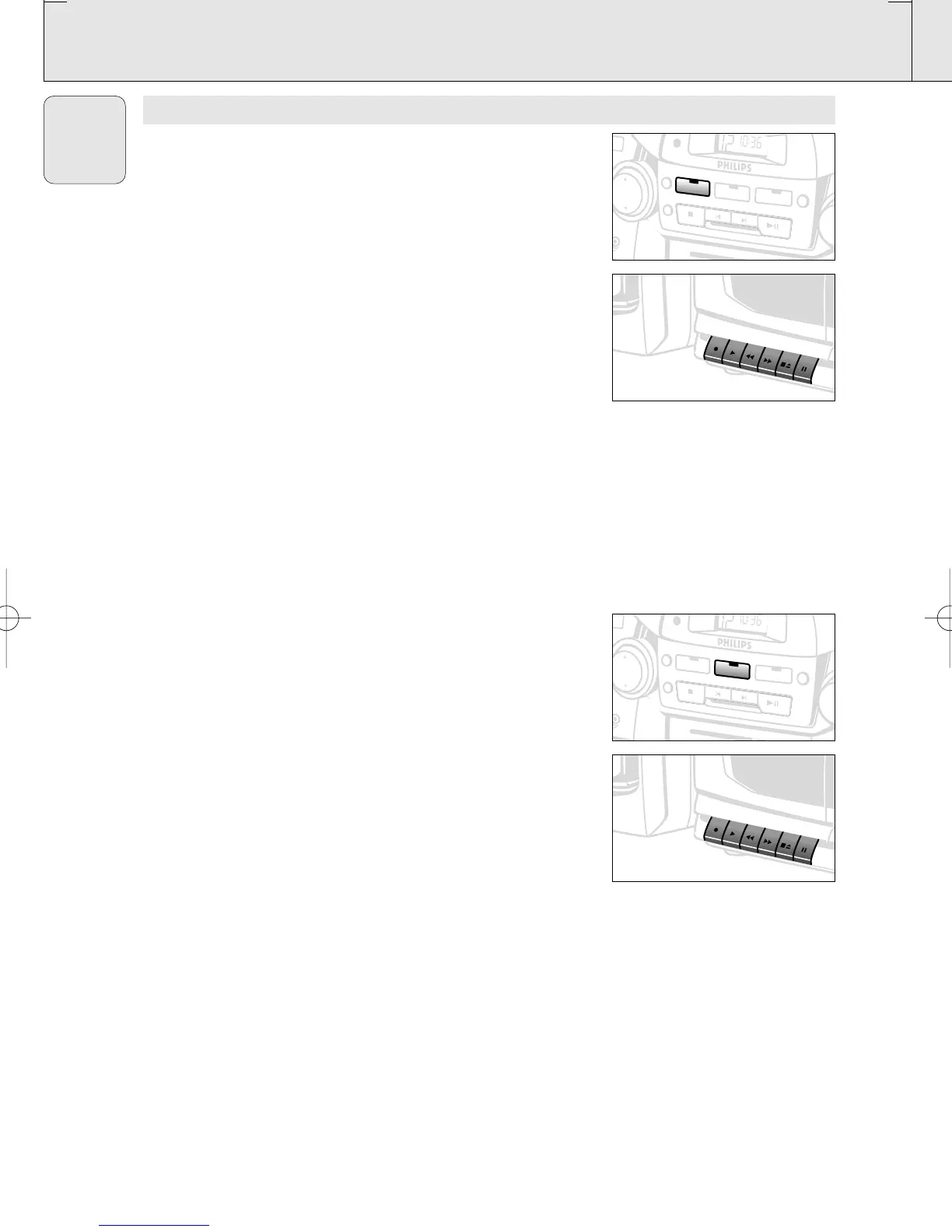
1. Press CD source button.
2. Insert a CD and if desired, programme track numbers.
3. Press STOP•EJECT 9/to open the cassette holder. Insert a
blank tape.
4. Press the cassette holder shut.
5. Press RECORD 0 to start recording.
– Playing of the CD programme starts automatically from the
beginning of the programme. It is not necessary to start the CD
player separately.
6. For brief interruptions press PAUSE ;. To resume recording,
press PAUSE ; again.
7. To stop recording, press STOP•EJECT 9/.
To select and record a particular passage
During CD playback, press and hold down the SEARCH 5 or 6
on the remote control (or ¡ / ™ on the set).
• Press PLAY/PAUSE 2; to put the CD player on pause at the
selected passage.
– Recording will begin from this exact point in the track when
you press RECORD 0.
Recording from the radio
1. Press TUNER source button.
2. Tune to the desired radio station using (See RADIO
RECEPTION).
3. Press STOP•EJECT 9/to open the cassette holder and
insert a blank tape.
4. Press the cassette holder shut.
5. Press RECORD 0 to start recording.
6. For brief interruptions, press PAUSE ;. To resume recording,
press PAUSE ; again.
7. To stop recording, press STOP•EJECT 9/
AZ 2755 /01
page 12
T
U
N
E
R
S
H
U
F
F
L
E
R
E
P
E
A
T
C
D
S
T
O
P
S
E
A
R
C
H
P
LA
Y
/P
A
U
SE
B
A
N
T
A
P
E
P
R
O
G
DB
B
M
W
K
H
z
530 600 700 900 1160 1340 1600
K
H
z
M
W
F
M
M
H
z
8
8
•
9
2
•
9
6
•
1
0
0
1
0
4
L
W
K
H
z
1
50
1
75
P
L
A
Y
R
E
C
O
R
D
S
E
A
R
C
H
S
T
O
P/E
JEC
T
PAUSE
P
L
A
Y
R
E
C
O
R
D
S
E
A
R
C
H
ST
O
P
/EJE
C
T
PAU
SE
D
E
C
K
A
R
E
C
O
R
D
P
L
A
Y
B
A
C
K
T
U
N
ER
S
H
U
F
F
L
E
R
E
P
E
A
T
C
D
S
T
O
P
SEA
R
C
H
PL
AY
/P
A
U
SE
TA
PE
PRO
G
BB
M
W
K
H
z
530 600 700 900 1160
F
M
M
H
z
8
8
•
9
2
•
LW
P
L
A
Y
R
E
C
O
R
D
S
E
A
R
C
H
ST
O
P
/EJE
CT
P
AU
SE
P
L
A
Y
R
E
C
O
R
D
S
E
A
R
C
H
ST
O
P/EJE
CT
PAU
SE
D
E
C
K
A
R
E
C
O
R
D
P
L
A
Y
B
A
C
K
XP AZ 2755/00-1.2 22-12-2000 13:55 Pagina 12



 To Next Page