RADIO CD PLAYER
7
RADIO RECEPTION
1. Press POWER to on position.
2. Press TUNER source button.
– The TUNER indicator lights up.
3. Adjust BAND to select the desired FM/ MW / LW waveband.
4. Tune to a radio station using the tuning knob.
– For FM, pull out the telescopic aerial. Incline and turn the
aerial. Reduce its length if the signal is too strong (very close
to a transmitter).
– For MW/ LW, the set is provided with a built-in aerial so the
telescopic aerial is not needed. Direct the aerial by turning the
whole set.
5. Adjust the sound using VOLUME 4 , 3 and DBB.
6. Press POWER again to switch off the set.
– The TUNER indicator goes out.
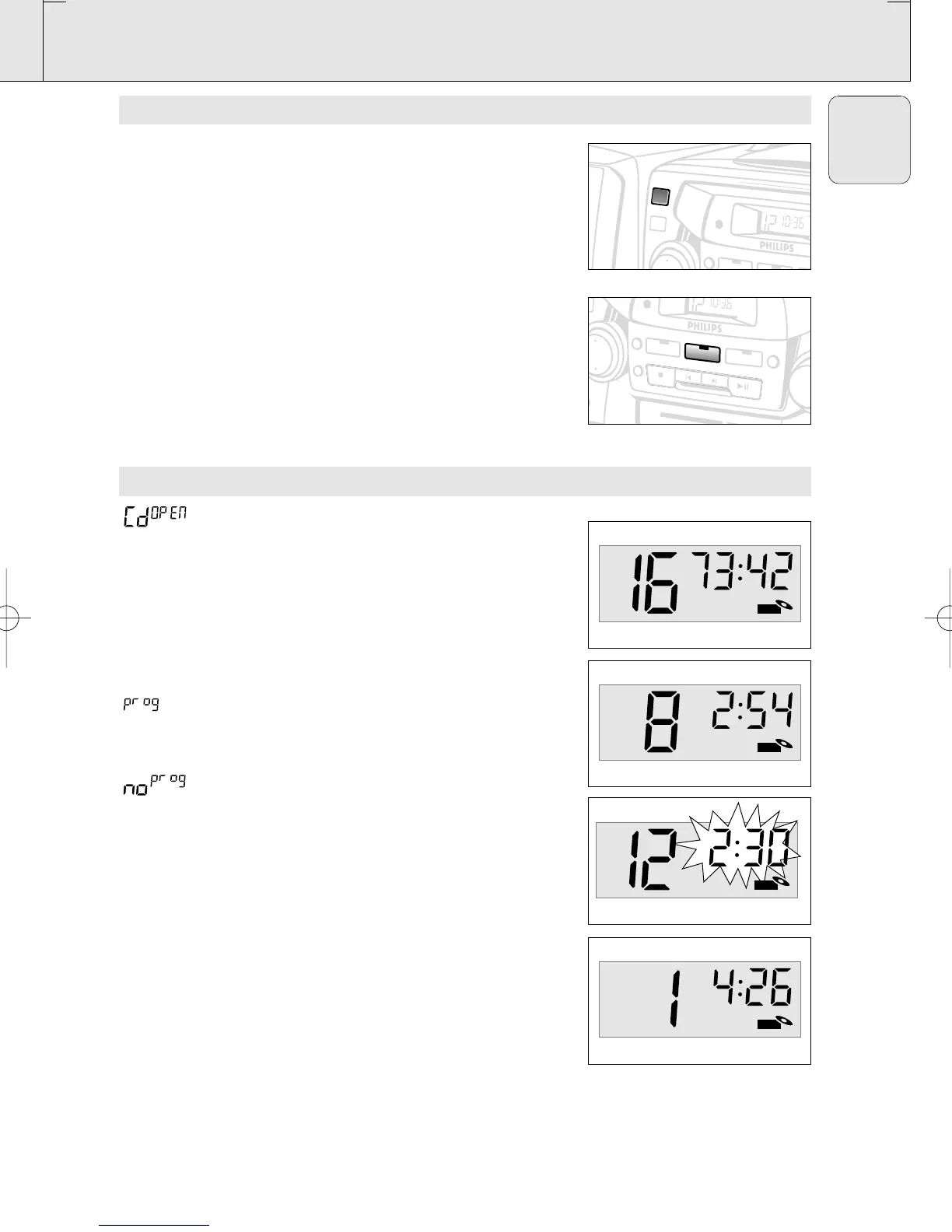
DISPLAY INDICATION FOR CD FUNCTIONS
CD door open
d1SC CD inserted
– In stop mode total track number and total playback time
– During CD
playback elapsed playback time of current track and
current track number
– PAUSE elapsed playback time freezes and flashes
when CD programme active;
also appears briefly when you store a track
no SEL programme activated but no tracks selected
programme cancelled/ PROG pressed for
more than 2 seconds
no d1SC no disc/error in CD operation or with the
CD (see Troubleshooting)
FULL programme memory full
– SHUFFLE/ REPEAT
modes when the respective mode is activated
AZ 2755 /01 page 7
English
CD
CD
SHUFFLE
CD
REPEAT
T
U
N
ER
S
H
U
F
F
L
E
R
E
P
E
A
T
C
D
ST
O
P
S
EA
R
C
H
P
LA
Y
/PA
U
S
E
BA
TA
P
E
P
RO
G
M
W
K
H
z
530 600 700 900 1160 1340 160
F
M
M
H
z
8
8
•
9
2
•
9
6
•
L
W
K
H
z
AZ2755 CD RAD
IO
CASSETTE RECO
RD
T
U
N
E
R
S
H
U
F
F
L
E
POW
ER
C
D
D
BB
XP AZ 2755/00-1.2 22-12-2000 13:55 Pagina 7



 To Next Page