English
CONTROLS
8
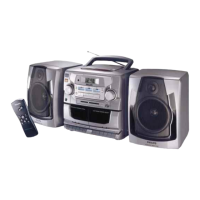
TOP AND FRONT PANELS
1 POWER - ON/OFF switch
2 DBB (Dynamic Bass Boost) - to enhance
bass response
3 VOLUME - to adjust volume level
4 CD, TUNER, TAPE - to select the source of
sound
5 REMOTE SENSOR - for the remote control
(for AZ 2765 model only)
6 CD Display - to show the CD functions
7 OPEN - to open/ close the CD door
8 p 3.5 mm jack for stereo headphone
connection
Note: Connecting headphones will mute the
speakers
9 CASSETTE RECORDER:
Deck 1:
RECORD 0 - to start recording
PLAY 2 - to start playback
SEARCH 5 or 6 - to fast rewind/wind the
tape
STOP•EJECT 9/ - to stop the tape and to
open the cassette door
PAUSE ; - to interrupt recording or playback
Deck 2:
PLAY 2 - to start playback
SEARCH 5 or 6 - to fast rewind/ wind the
tape
STOP•EJECT 9/ - to stop the tape and to
open the cassette
holder
PAUSE ; - to pause recording or playback
0 CD PLAYER:
SHUFFLE - to play tracks CD/ program in
random order
REPEAT - to repeat a track/ CD/ program
STOP 9 - to stop playback
- to erase a program
SEARCH ¡ , ™ / 5 , 6
CD: - to skip or search a passage/ track
backwards or forward
Tuner: - to tune to a station (down,up)
PLAY/PAUSE 2; - to start or pause CD play
PROG - to program and review programmed
track numbers
CD: - to program and review programmed
track numbers
Tuner: - to program tuner preset stations
TUNER:
! BAND - to select FM/ AM waveband
@ PRESET 4 , 3 - to select a preset station
(down, up)
BACK PANEL
# Telescopic antenna - to improve FM
reception
$ Speaker levers - to unlock the loudspeaker
boxes
% Speaker - loudspeaker terminals
^ AC MAINS - inlet for power cord
& Battery door - to open the battery
compartment
REMOTE CONTROL (for AZ 2765 model only)
1 VOLUME 3,4
-
adjusts volume level
2 PRESET 3,4
-
(up, down) selects a preset
radio station
3 TUNING ∞, §
-
(down, up) tunes to radio
stations
4 SHUFFLE
-
to play CD tracks in random order
5 REPEAT
-
repeats a track/ CD program/ entire
CD
6 2;
-
starts CD playback/ interrupts CD
playback
7 ¡, ™
-
skips to the beginning of a current
track/ previous/ subsequent track
8 STOP 9
-
stops CD playback or erases a CD
program
9 SEARCH 5, 6
-
searches backwards or
forwards within a track/CD
AZ 2765 /17 page 8



 To Next Page