CASSETTE RECORDER
1. Set the source selector to FM or MW.
2. Tune to the desired radio station using the TUNING knob.
3. Press
STOP•OPEN 9/
to open the cassette holder.
4. Insert a blank tape.
5. Press RECORD 0 to start recording.
6. For brief interruptions, press PAUSE ;. To resume recording,
press PAUSE ; again.
7. To stop recording, press
STOP•OPEN 9/
1. Set the source selector to CD•VCD.
2. Insert a CD and if desired, programme track numbers.
3. Press
STOP•OPEN 9/
to open the cassette holder.
4. Insert a blank cassette.
5. Press RECORD 0 to start recording.
™ Playing of the CD programme starts automatically from the
beginning of the programme. It is not necessary to start the
CD player separately.
6. For brief interruptions, press PAUSE ;. To resume recording,
press PAUSE ; again.
7. To stop recording press
STOP•OPEN 9/
To select and record a particular passage within a track
1. Press and hold SEARCH or §
§
on the set to select a passage.
2. Put the CD player in
PAUSE ;
position at the selected passage.
™ Recording will start from this exact point when you press RECORD 0.
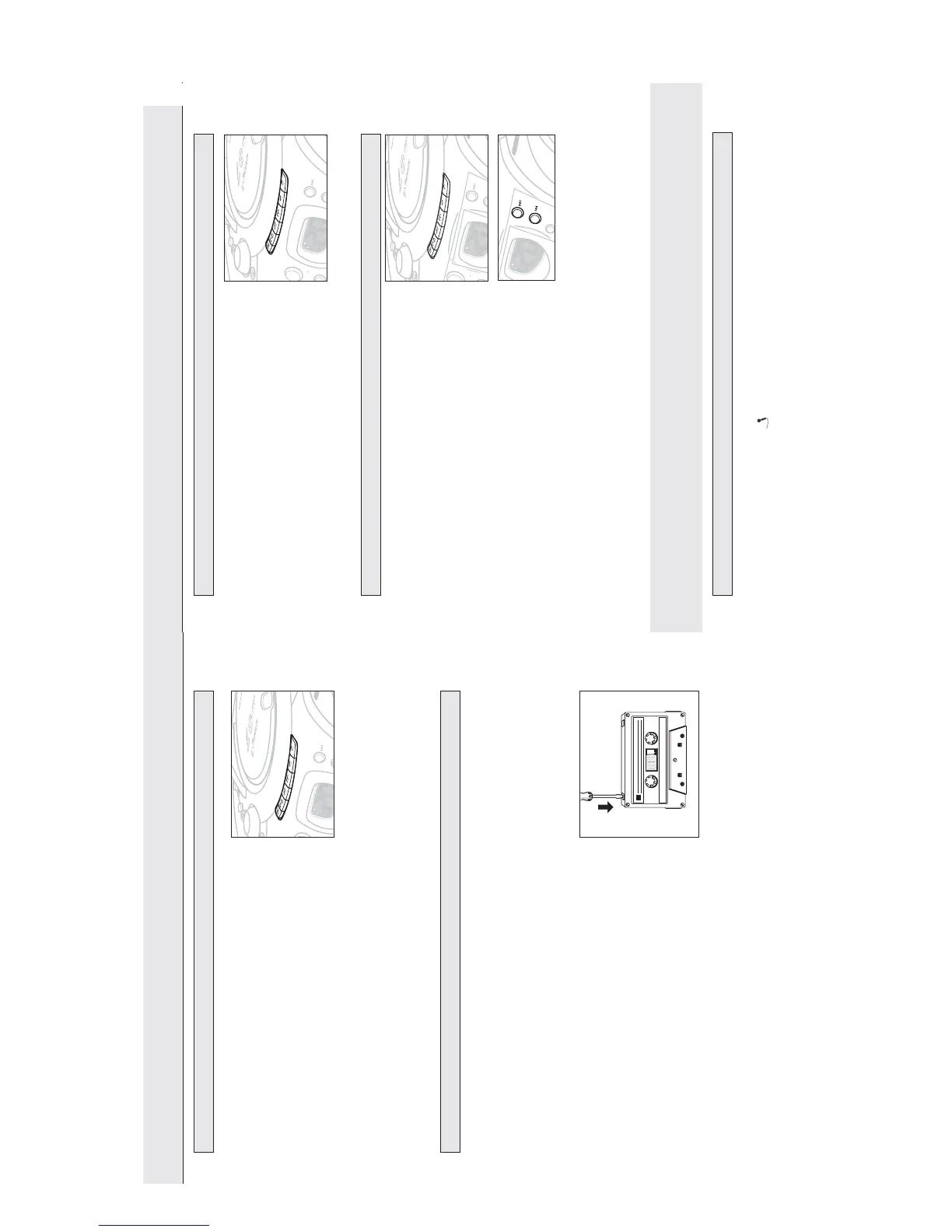
Connect microphones (not supplied) to the system allowing you to sing along with the music source.
1. Connect microphones to the jacks .
•
Before connecting the microphone, set the microphone level with KARAOKE 1/KARAOKE 2
volume knobs to the lower level to prevent howling sound.
2. Select VCD and press
2;
to start playback.
3. Adjust the volume level of the source with VOLUME control.
4. Press ECHO +/– to adjust the ECHO level to the desired mixing level.
5. Start singing or talking through the microphone.
6. Press KEY +/– to select key tone if necessary.
Microphone mixing
SYNCHRO START CD RECORDING
RECORDING FROM THE RADIO
SEARCH
CASSETTE RECORDER
1. Set the source selector to TAPE/OFF.
2. Press
STOP•OPEN 9/
to open the cassette holder.
3. Insert a recorded cassette.
4. Press PLAY 1 and playback will start.
5. Adjust the sound using the VOLUME and DYNAMIC BASS
BOOST controls.
6. For brief interruptions, press PAUSE ;. Press PAUSE ; again to
resume playback.
7. By pressing 5 or 6,fast winding of the tape is possible in both directions.
8. To stop playback, press
STOP•OPEN 9/
™ The keys are automatically released at the end of the tape.
9. Set the source selector to TAPE/OFF position (with the
cassette keys are released) to switch off the set.
General information on cassette recording
• Recording is permissible insofar as copyright or other rights
of third parties are not infringed.
• This deck is not suitable for recording on CHROME (IEC II)
or METAL (IEC IV) type cassettes. For recording you should
use NORMAL type cassettes (IEC I) on which the tabs have
not been broken.
• Check and tighten slack tape before use with a pencil, to
avoid jamming the deck machanism.
• The recording level is set automatically. Altering the VOLUME
and DYNAMIC BASS BOOST controls will not affect the
recording in progress.
• No recording will take place during the 3 seconds, when the
leader tape passes the recorder heads.
Notes : -No recording will take place during the 7 seconds in the
beginning of the tape.
•To prevent the accidental erasure of a recording, keep the cassette side to be safeguarded in
front of you and break out the left tab. Recording on this side is no longer possible.
1
CASSETTE RECORDING
CASSETTE PLAYBACK
SEARCH


 To Next Page