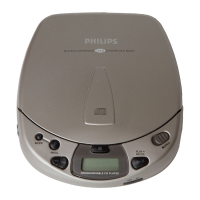
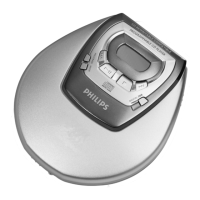
REPAIR POSITION COPPERSIDE
To get access to the componentside of the
printed circuit board proceed as follows:
1. Disconnect DC-cable and headphone
2. Remove bottom screws
(remember hidden screw in battery compartment)
3. Open the CD-door
4. Lift the top-cabinet
5. Close the door-switch (e.g. paper-clip)
6. Supply the unit via external DC-socket
To get access to the copperside of the
printed circuit board proceed as follows:
1. Disconnect DC-cable and headphone
2. Remove bottom screws
(remember hidden screw in battery compartment)
3. Open the CD-door
4. Lift the top-cabinet
5. Take the printed circuit board/drive unit out of the bottom
(take care of battery springs)
6. Position printed circuit board/drive unit into top-cabinet
7. Supply the unit via external DC-socket
SERVICE TOOLS
Audio signal disc SBC429 4822 397 30184
Playability test disc SBC444 4822 397 30245
Test disc 5 (disc without errors) + Test disc 5A (disc with dropout errors,
black spots and fingerprints) SBC426/SBC426A 4822 397 30096
REPAIR POSITION COMPONENTSIDE
The unit is now in a proper working position and can be turned in all directions necessary to get access for measurements.


 To Next Page