10 EN
5 Press to play the programmed tracks.
» During play, [PROG] (program) is
displayed.
• To erase the program, press
twice.
Adjust sound
During play, you can adjust volume and select
the sound effects.
Key Function
+VOLUME- Increase or decrease volume.
DBB Turn dynamic bass
enhancement on or off.
Play tape
Note
•
The CD sound machine will turns off automatically
after an elapsed time of inactivity at tape mode.
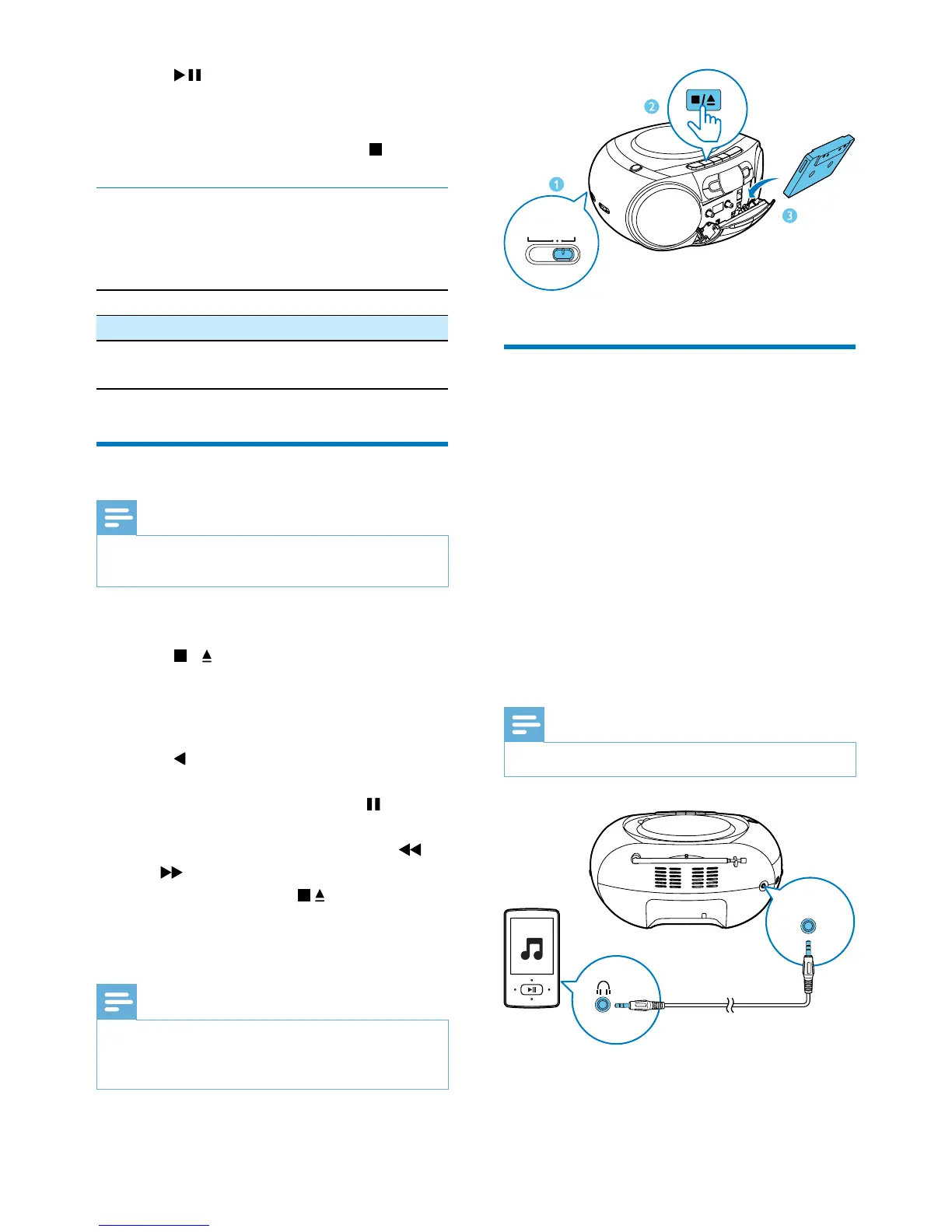
1 Slide the source selector to TAPE.
2 Press / on the CD sound machine to
open the tape door.
3 Load the tape with the open side upward
and the full spool to the right.
4 Press on the CD sound machine to start
play.
• To pause/resume play, press
on main
unit .
• To rewind or fast-forward, press
/
on CD sound machine .
• To stop play, press
.
» The CD sound machine turns off
automatically.
Note
•
In playback mode, cassette will be stopped
automatically when playback reaches the end.
• There is no display on the LCD screen in tape mode.
Play from an external device
You can also listen to an external audio device
through this product.
1 Switch the source selector to CD.
» AUX IN displays on the screen.
2 Connect an audio cable (3.5mm, not
supplied) to:
• the AUDIO-IN socket on the unit.
• the headphone socket on an external
device.
3 Play the external device (see the device's
user manual).
Note
•
The AUDIO-IN socket is not for headphones.
TAPE/OFF
AUDIO-IN/CD
RADIO
Audio-in








 To Next Page