13EN
6 Listen to DAB
radio stations
Listen to DAB radio stations
Note
•
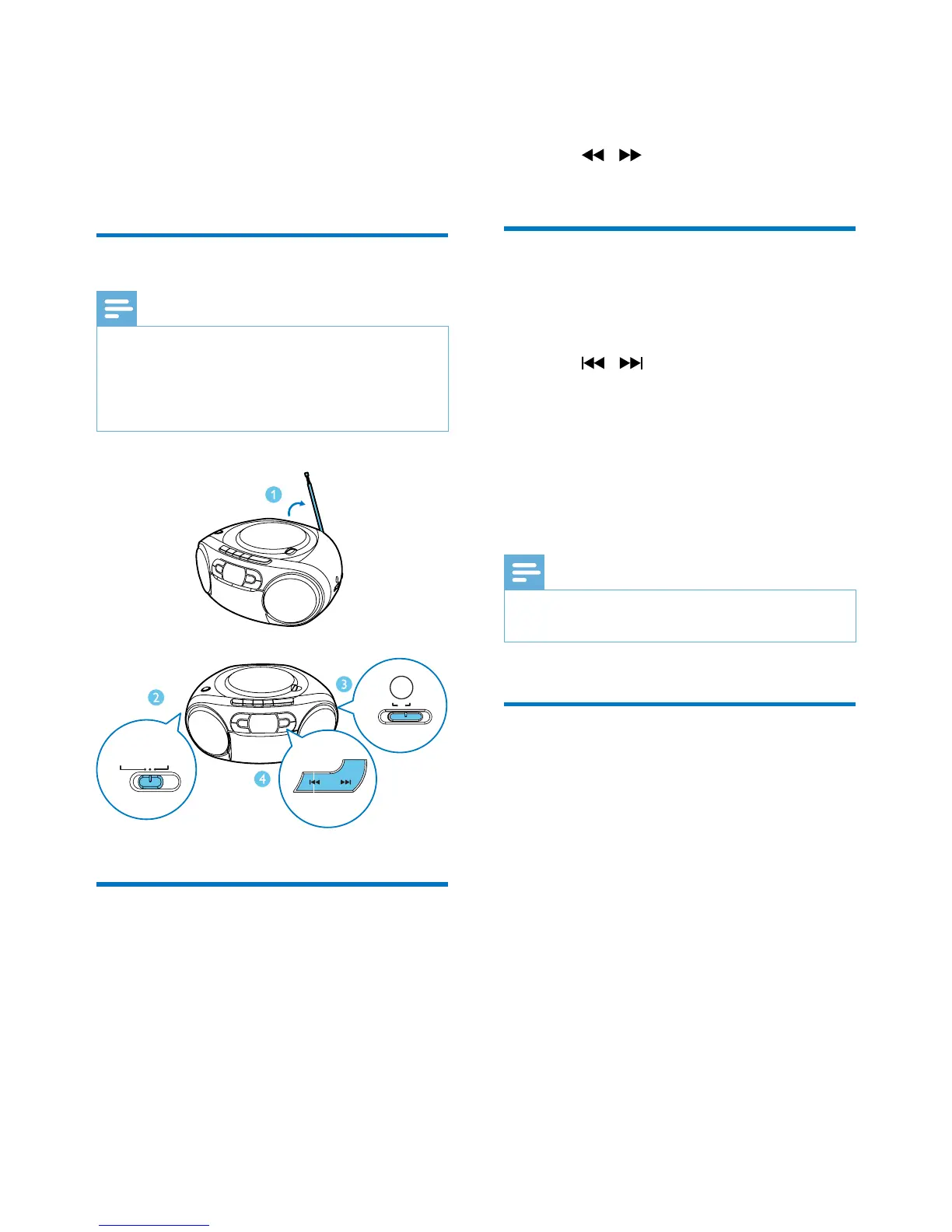
For optimal reception, fully extend the antenna and
adjust its position.
• You can program a maximum of 20 DAB radio stations.
• Check with local retailer or go to www.WorldDAB.org
for applicable DAB radio frequencies in your area.
For the rst time use
1
Switch the source selector to RADIO and
switch the band selector to DAB.
» [Full scan] menu is displayed.
2 Press OK to activate the automatic search.
» This product automatically stores radio
stations with sufcient signal strength.
FM DAB
BAND
TAPE/OFF
AUDIO-IN/CD
RADIO
» After the search is complete, the
rst stored radio station is broadcast
automatically.
3 Press / to select a station, and then
start listening.
Program radio stations
1
Tune to a DAB radio station.
2 Press PROG to activate the programming.
3 Press / to select a preset sequence
number.
4 Press PROG to conrm.
» The radio station is stored with the
selected sequence number.
5 Repeat steps 1-4 to program more radio
stations.
Note
•
If you store a radio station with the sequence number
of another one, the earlier one is overwritten.
Display DAB information
On the display of DAB broadcasting, the rst
line shows station name, and the second line
shows the service information for the current
station.
Press DISPLAY repeatedly to cycle through the
following information (if available).
• Dynamic label segment (DLS)
• Signal strength
• Program type (PTY)
• Ensemble name
• Frequency
• Signal error rate
• Bitrate codec
• Time
• Date








 To Next Page