7EN
d DC IN
Connect to the power supply.
e AUDIO IN
Connect to an audio output on a
device via AUDIO IN or AUX source
(by pressing repeatedly AUDIO IN
on the remote control).
f OPTICAL IN
Connect to an optical audio output
on the TV or a digital device.
g COAXIAL IN
Connect to a coaxial audio output
on the TV or a digital device.
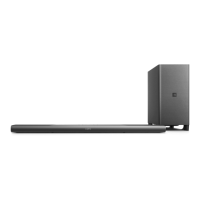
Wireless subwoofer
This product comes with a wireless
subwoofer.
1
2
3
a Connect (connect)
Press to to enter the pairing mode
for the subwoofer.
b Subwoofer indicator
• When the power is turned on,
the indicator lights up.
• During wireless pairing between
the subwoofer and the main
unit, the indicator blinks white
quickly.
• When the pairing succeeds, the
indicator lights up white.
• When the pairing fails, the
indicator blinks white slowly.
• When wireless connection is
disconnected for 1 minute, the
indicator turns o.
c AC MAINS~
Connect to the power supply.


 To Next Page
 Loading...