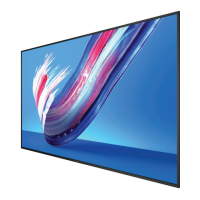
BDL4830QL
viii
Table Of Contents
.......................................................1
1.1. Unpacking .........................................................................................1
1.2. Package Contents ........................................................................1
1.3. Installation Notes .........................................................................1
1.4. Mounting on a Wall ....................................................................2
1.4.1. VESA Grid ....................................................................2
1.5. Using of Remote sensor and power indicator ............3
2. Parts and Functions ...................................................................4
2.1. Control Panel .................................................................................4
2.2. Input/Output Terminals .............................................................5
2.3. Remote Control ...........................................................................6
2.3.1. General functions .....................................................6
2.3.2. ID Remote Control .................................................7
2.3.3. Inserting the batteries in the remote
control.............................................................................8
2.3.4. Handling the remote control .............................8
2.3.5. Operating range of the remote control ......8
.............................................9
9
3.1.1. Using COMPONENT video input .................9
3.1.2. Using Video Source input .....................................9
3.1.3. Using HDMI video input ...................................10
3.2. Connecting a PC .......................................................................10
3.2.1. Using VGA input .....................................................10
3.2.2. Using DVI input ......................................................10
3.2.3. Using HDMI input .................................................11
...........................................11
...................11
3.3.2. Connecting an external audio device ........11
3.4. Connecting Multiple Displays in a Daisy-chain
.............................................................................. 12
3.4.1. Display control connection ..............................12
3.5. IR Pass-through Connection ...............................................12
3.6. Wire-connecting to Network ...........................................13
4. Operation ................................................................................. 14
4.1. Watch the Connected Video Source ............................14
4.2. Change Picture Format .........................................................14
..........14
4.3.1. Set up the network ..............................................14
4.3.2. How to use DLNA-DMP .................................14
4.3.3. How to use DLNA-DMR from PC ............15
.........................15
4.5. Play options ..................................................................................16
..................................................16
.................................................16
.................................................16
4.6. How to use Opera browser (HTML5) .......................16
............................................................. 18
5.1. Settings ............................................................................................18
5.1.1. Picture ..........................................................................18
5.1.2. Sound ...........................................................................19
5.1.3. Tiling ..............................................................................19
5.1.4. Network .....................................................................20
5.1.5. Storage ........................................................................21
5.1.6. General settings ......................................................21
....................................................... 24
7. Input Mode ............................................................................... 26
.................................................................. 27
8.1. Pixels and Sub-Pixels ...............................................................27
....................27
8.3. Bright Dot Defects ...................................................................27
8.4. Dark Dot Defects.....................................................................28
8.5. Proximity of Pixel Defects ...................................................28
8.6. Pixel Defect Tolerances .........................................................28
8.7. MURA .............................................................................................28
.............................................. 29
9.1. Cleaning ..........................................................................................29
9.2. Troubleshooting .........................................................................30
......................................................... 31


 To Next Page