8 User Manual
Ramp Feature
The device is equipped with an optional ramp feature that your home care provider can enable or disable. This
feature reduces the air pressure when you are trying to fall asleep and then gradually increases (ramps) the pressure
until your prescription setting is reached, allowing you to fall asleep more comfortably.
If ramp is enabled on your device, after you turn on the airow, press the RAMP (
) button on the top of the
device. You can use the RAMP button as often as you wish during the night.
Note: If the Ramp feature is on, the Ramp icon ( ) will display in the lower right corner of the Therapy screen.
Note: If the Ramp feature is disabled and airow is on, nothing will happen when you press the RAMP button.
Note: If the airow is off and you press the RAMP button, the mask t check feature will start if it is enabled by your provider.
Note: If in Auto mode, there is no ramp at minimum pressure when starting. Ramp would only be useful if you
wake in the middle of the night.
Mask Fit Check Feature
If available on your device, the optional mask t check feature can be enabled or disabled by your home care provider.
This feature allows you to check the t of your mask prior to starting therapy. This is done by measuring the amount
of leak.
Put on your mask assembly. If mask t check is enabled, before you turn on the airow, press the RAMP (
) button
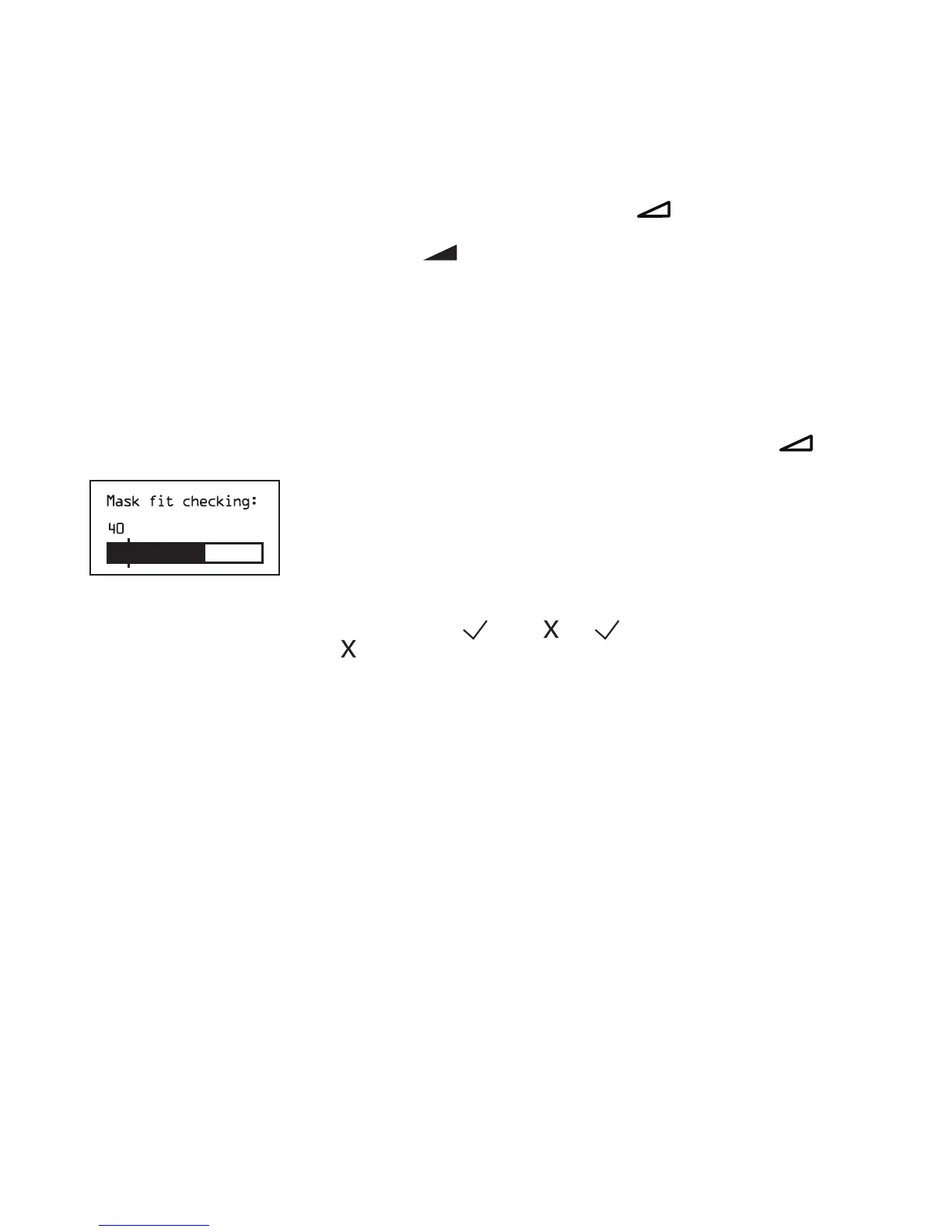
on the top of the device. Airow will start and the mask t check screen will appear, shown below.
Mask Fit Check
The device will deliver a test pressure while the screen will count down 40 seconds. After the test, normal therapy
will start and the screen will either display a checkmark (
) or an . The shows that the leak found allows for
optimal performance of the device. The shows that the leak may affect device performance, however, the device will
remain functional and deliver therapy.
Note: If you choose to try to improve your mask t, you can stop therapy, adjust the t of your mask, and rerun the Mask
Fit Check. Please refer to the instructions that came with your mask and headgear for the proper tting procedure.
Note: Mask Fit Check is only available when the device is in Auto Bi-level therapy mode.
Note: If Split night is enabled, Mask Fit Check will be disabled.





 To Next Page