EasyManua.ls Logo

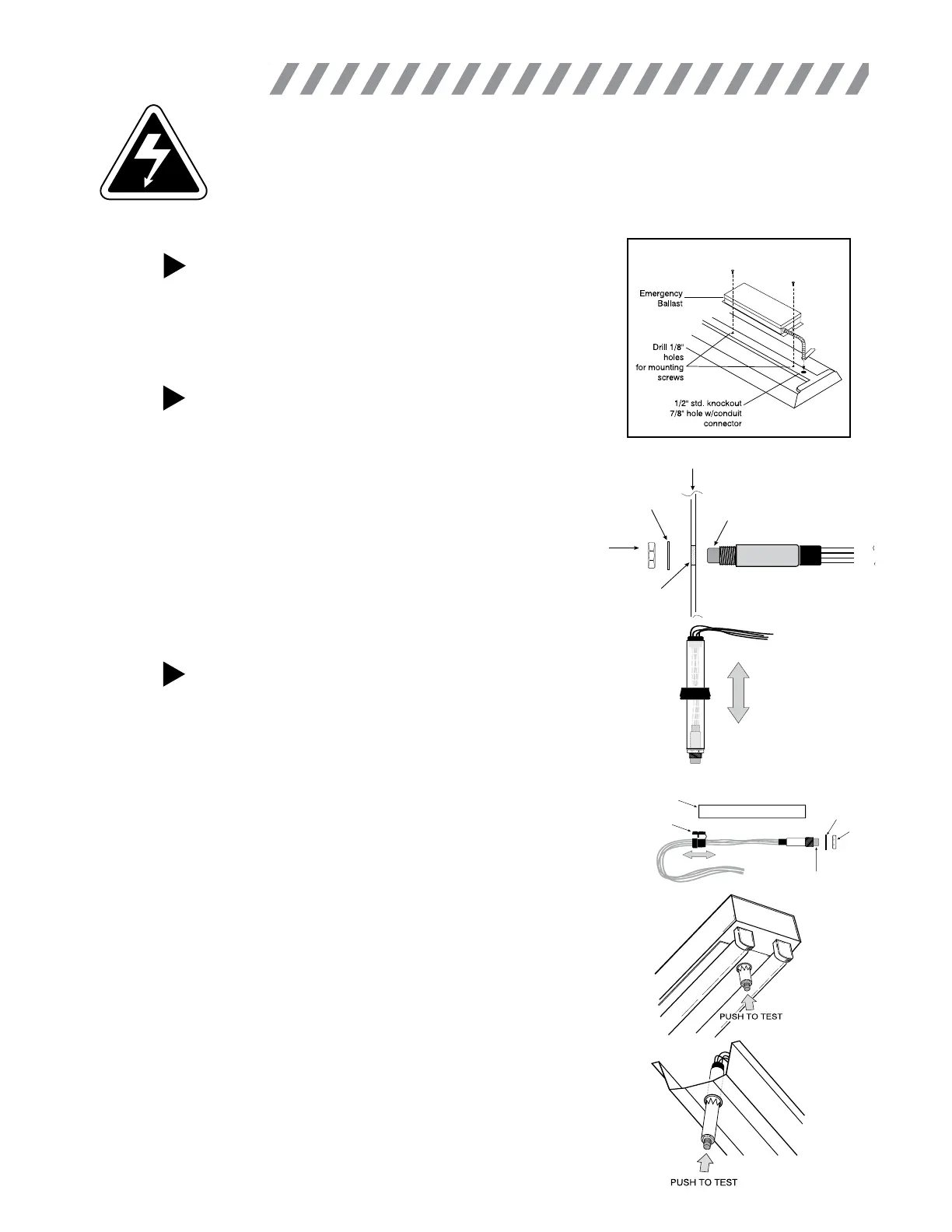
Philips bodine B30 - Installation Steps; Step 1: Install Emergency Ballast; Step 2 a: Install ITS on Wall Plate or Fixture Surface; Step 2 b: Install ITS on the Ballast Channel Cover

Philips bodine B30
5 pages
Print Icon
To Next Page IconTo Next Page
To Previous Page IconTo Previous Page
Loading...
STEP #1
INSTALLING THE EMERGENCY BALLAST
 
as shown. Remote mounting distance must be less than half the
maximum remote mounting distance of the AC ballast. Consult
AC ballast manufacturer before remote installation.
On Top of Fixture
WARNING: TO PREVENT HIGH VOLTAGE FROM BEING PRESENT ON RED & YELLOW OUTPUT
LEADS PRIOR TO INSTALLATION, INVERTER CONNECTOR MUST BE OPEN. DO NOT JOIN
INVERTER CONNECTOR UNTIL INSTALLATION IS COMPLETE AND AC POWER IS SUPPLIED
TO THE EMERGENCY BALLAST.
 

as the AC ballast.
STEP #2a
INSTALLING THE ITS ON WALL PLATE OR
FIXTURE SURFACE
 

 
that it removes AC power from both the emergency ballast
and the AC ballast at the same time.
 




Lock
Washer
Hex Nut
Illuminated
Test Switch
Fixture or
Test/Monitor Plate
Violet
Black
Brown
Black
Drill or Punch
a 3/8” Hole
Plastic Tube
Washer
Indicator Light/Test Switch
Hex Nut
Strain Relief
Bushing
INSTALLING THE ITS ON THE BALLAST
CHANNEL COVER



ibility of the charging indicator light.

length.













tighten.
STEP #2b
2
INSTALLATION

Related product manuals