5EN
3 Get started
Always follow the instructions in this chapter in
sequence.
Place the speaker
Toplacethespeakeronaatsurface,pullout
the retractable stand from the backside of the
speaker.
Charge the built-in battery
The speaker is powered by a built-in
rechargeable battery.
Note
• Before use, fully charge the built-in battery.
• The micro USB socket is for charging only.
• Rechargeable battery has a limited number of charge
cycles. Battery life and number of charge cycles vary by
use and settings.
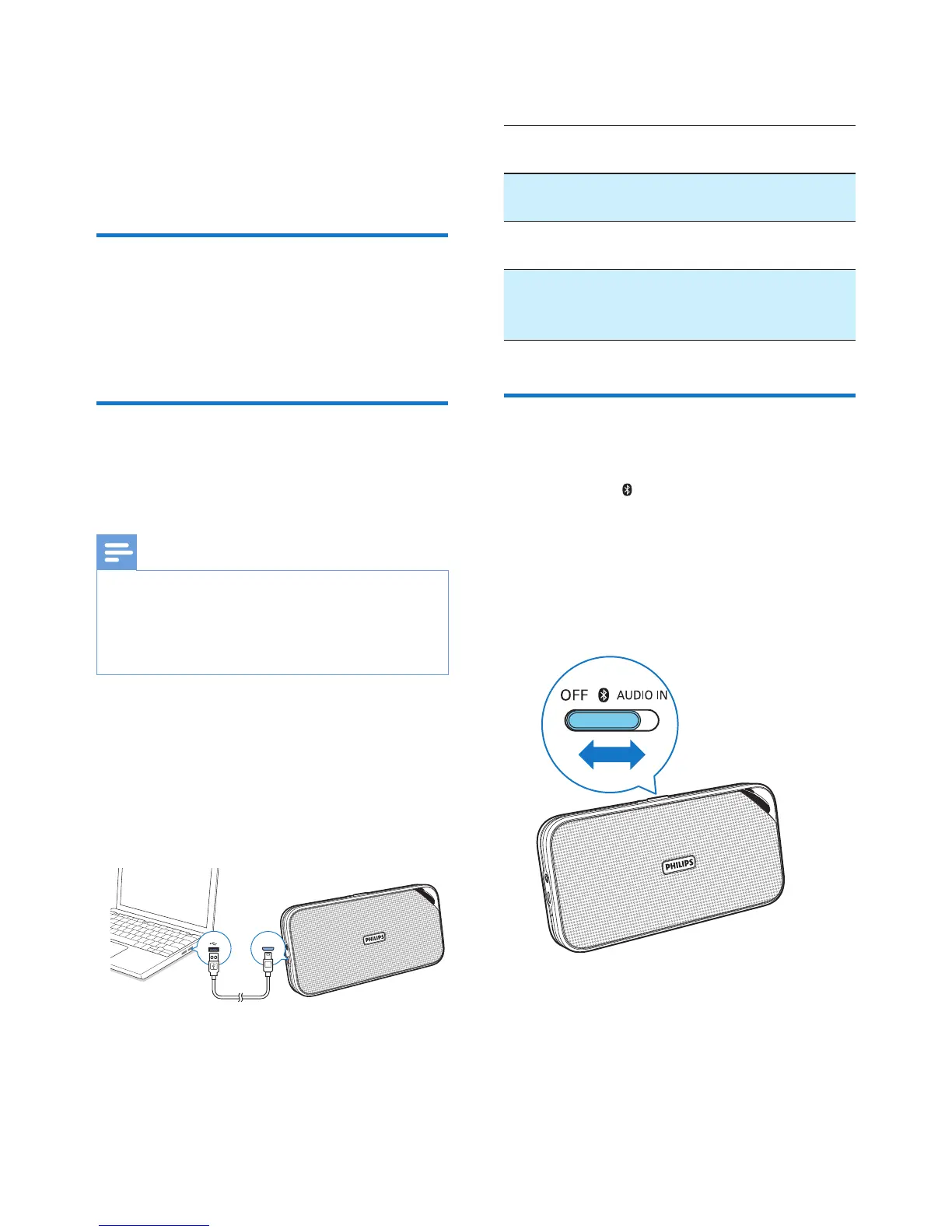
Connect the USB cable between
• the DC IN socket on the speaker, and
• a USB socket of a computer.
DC IN
The LED indicator on the top indicates the
battery status.
LED
indicator
Battery
status
When the speaker is
turned off
Solid red Under
charging
When the speaker is
turned off
Off Fully
charged
When the speaker is in
Bluetooth or Audio-in
mode
Flashing
red
Low
power
Turn on/off
• To turn the speaker on, slide the source
selector to or AUDIO IN.
» The speaker switches to the Bluetooth
or Audio in mode.
• To turn the speaker off, slide the source
selector to OFF.



 To Next Page