3EN
2 Your portable
speaker
Congratulations on your purchase, and
welcometoPhilips!Tofullybenetfromthe
support that Philips offers, register your product
at www.philips.com/welcome.
Introduction
With this speaker, you can enjoy audio from
Bluetooth-enabled devices or other external
devices.
What's in the box
Check and identify the contents of your
package:
• Speaker
• USB cable for charging
• Short user manual
• Safety¬iceleaet
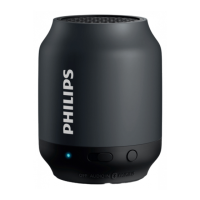
Overview of the speaker
a LED indicator
• Indicate battery or Bluetooth
connection status.
b Source selector (OFF/AUDIO IN/ )
• Select Bluetooth or AUDIO IN source.
• Turn the speaker off.
c PAIRING
• Enter Bluetooth pairing mode.
• Disconnect Bluetooth connection.
d DC IN
• Recharge the built-in battery.
e AUDIO IN
• Connect an external audio device.
ab
e



 To Next Page