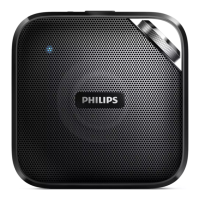
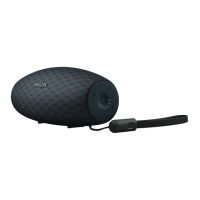
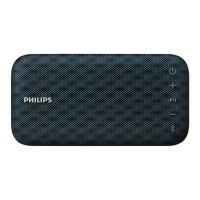
The Philips BT5500 is a portable Bluetooth speaker designed to provide audio playback from various devices and offer additional functionalities like mobile device charging and hands-free calling. Its primary function is to deliver high-quality sound from Bluetooth-enabled sources or external audio devices.
Function Description
The core function of the BT5500 is wireless audio streaming via Bluetooth. Users can connect their Bluetooth-enabled smartphones, tablets, or other devices to the speaker to play music, podcasts, or any other audio content. The speaker supports Bluetooth V4.0 and various profiles including HFP, A2DP, and AVRCP, ensuring broad compatibility and control over audio playback and calls.
Beyond Bluetooth, the speaker also features an AUDIO IN socket, allowing it to connect to external audio devices such as MP3 players using a 3.5mm audio input cable. This provides a versatile option for devices without Bluetooth capabilities.
A notable feature is its ability to handle phone calls. When connected to a mobile phone via Bluetooth, the speaker allows users to answer, reject, or end incoming calls directly from the speaker. It also provides the option to transfer an ongoing call back to the mobile device, enhancing convenience for hands-free communication.
The BT5500 is designed for portability, offering two power supply options: AC power via an adapter or 4 AA alkaline batteries. This dual power source makes it suitable for both indoor and outdoor use, providing flexibility for different environments.
Usage Features
The BT5500 is designed with user convenience in mind, incorporating several features that enhance its usability:
- Bluetooth Connectivity: The speaker can be connected to Bluetooth devices either through Near Field Communication (NFC) or manually. For NFC-enabled devices, a simple tap on the speaker's NFC tag initiates pairing. For manual connections, users can search for "Philips BT5500" on their device and pair it, with "0000" as the default password if required. The speaker can memorize up to 4 paired devices, simplifying reconnection.
- Hands-Free Calling: Integrated call control buttons allow users to manage incoming and ongoing phone calls directly from the speaker. This includes answering, rejecting, ending calls, and transferring calls to the mobile device.
- Volume Control: A dedicated volume knob provides intuitive control over the audio output, allowing users to easily adjust the listening level.
- Mobile Device Charging: The speaker includes a CHARGING socket (micro USB) that allows users to charge their mobile devices when the speaker is operating in AC power supply mode. This adds a practical utility, especially when away from other charging sources.
- Standby Mode: To conserve power, the speaker automatically switches to standby mode after 15 minutes if there is no valid Bluetooth or external device connection, or if music playback is stopped. Users can also manually switch to standby mode by pressing the power button.
- LED Indicators: The speaker uses LED indicators to communicate its status. A flashing blue LED indicates that the speaker is connecting or waiting for a connection, while a solid blue LED signifies a successful connection. A flashing red LED indicates a low battery.
- Reset Functionality: A reset button allows users to restore the speaker to its factory default settings, which can be useful for troubleshooting or clearing previous configurations.
Maintenance Features
Maintaining the Philips BT5500 involves adhering to safety guidelines and proper handling practices to ensure its longevity and optimal performance:
- Battery Management: If using batteries, it is crucial to install them correctly, observing the polarity markings. Users are advised not to mix old and new batteries or different types (carbon and alkaline). For prolonged periods of non-use, batteries should be removed to prevent leakage, which can damage the speaker. Batteries should also be kept away from excessive heat sources like direct sunlight or fire.
- Power Supply: Only power supplies listed in the user manual should be used. When unplugging the AC adapter, users should always pull the plug from the socket, not the cord, to prevent damage.
- Environmental Protection: The speaker should not be exposed to dripping or splashing water. Users should also avoid placing liquid-filled objects or lighted candles on the speaker to prevent hazards.
- Ventilation: Adequate free space around the speaker is necessary for proper ventilation to prevent overheating.
- Casing and Lubrication: Users are explicitly warned not to remove the casing of the speaker or lubricate any of its parts. Any repairs should be handled by authorized service personnel to maintain warranty validity and ensure safety.
- Placement: The speaker should be kept away from direct sunlight, naked flames, or heat sources. It should also not be placed on other electrical equipment to avoid interference or damage.
- Accessibility of Disconnect Device: If the Direct Plug-in Adapter's plug serves as the disconnect device, it must remain readily operable, meaning it should be easily accessible for disconnection from the power source.
- Troubleshooting: The manual provides a troubleshooting section to address common issues such as poor audio quality, connection problems, or no power. Users are encouraged to consult this section before seeking service. If problems persist, contacting Philips support is recommended, with the device's model and serial number readily available.

 Need help?
 General

 To Next Page