Need help?
Do you have a question about the Philips BTM1360/05 and is the answer not in the manual?
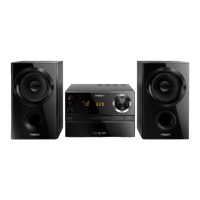
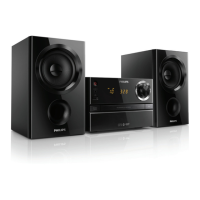
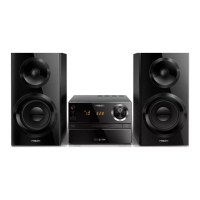
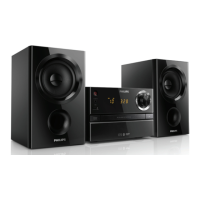
This document describes the Philips Micro Music System BTM1360, a compact audio system designed for versatile music playback and convenience features.
The primary function of the BTM1360 is to provide audio entertainment through various sources. Users can enjoy music from physical discs, specifically CDs and MP3-CDs, by inserting them into the disc compartment. The system also supports playback from USB devices, allowing access to MP3 files stored on flash drives or other compatible USB storage. For wireless audio streaming, the BTM1360 is equipped with Bluetooth connectivity, enabling users to play audio from Bluetooth-enabled devices such as smartphones, tablets, or computers. Additionally, it features an FM tuner for listening to radio stations and an AUDIO IN jack for connecting external audio devices via a 3.5mm MP3 link cable.
The system offers several usage features to enhance the listening experience. Sound output can be enriched using Digital Sound Control (DSC), which provides preset sound effects (DSC1, DSC2, DSC3, DSC4, and DSC5) to tailor the audio to personal preferences. Volume adjustment is straightforward, controllable either by rotating the volume knob on the main unit or using the VOL +/- buttons on the remote control. A mute function is also available for quick silencing of the audio.
For disc playback, the system allows users to skip to previous or next tracks, search within a track or disc, and program up to 20 tracks in a desired sequence. When playing MP3 discs or USB content, users can navigate through albums or folders. Playback can be started, paused, resumed, or stopped, and there are options for repeated playback of a single track or all tracks, as well as random play.
Radio listening is facilitated by the FM tuner. Users can tune to radio stations manually or automatically. The system can automatically program up to 20 preset FM radio stations, storing them in order of reception strength. Users can also manually program stations and select them from the presets.
The BTM1360 includes convenient time-related features. An alarm timer allows users to set an alarm with a chosen source (disc, USB, or FM) and volume level. A sleep timer is also available, which automatically switches the music system to standby mode after a set period, helping users fall asleep to music without worrying about turning off the device. The clock can be set to either 12-hour or 24-hour format, and clock information can be viewed on the display panel.
Bluetooth connectivity is a key feature, allowing for wireless audio streaming. The system can memorize up to 8 previously connected Bluetooth devices. To connect, users select the Bluetooth source, enable Bluetooth on their external device, search for 'Philips BTM1360', and pair. A pairing password ('0000') may be required. Once paired, audio streams from the connected device to the system. The system also supports disconnecting a Bluetooth device and entering pairing mode by pressing and holding the SOURCE/PAIRING button. A feature to clear the Bluetooth pairing history is also available.
The system also offers a demonstration mode, which cycles through its features on the display panel, providing a quick overview of its capabilities. Power management includes a standby mode and an ECO power standby mode, which is a lower power consumption state. The system automatically switches to ECO power standby mode after 15 minutes of inactivity in standby mode.
Maintenance features primarily involve care for the product and troubleshooting common issues. Users are advised not to insert objects other than discs into the disc compartment, avoid warped or cracked discs, and remove discs if the product is not used for extended periods. Cleaning should be done with a microfiber cloth. The manual provides a comprehensive troubleshooting section to address issues such as no power, no sound, poor radio reception, remote control malfunction, disc detection problems, USB device compatibility, and Bluetooth connection difficulties. For instance, if the remote control doesn't work, users are advised to check battery polarity, replace batteries, and ensure the remote is aimed directly at the unit's sensor. For poor radio reception, extending and adjusting the FM antenna and increasing distance from other radiation sources are recommended.
The BTM1360 also has a USB charging function, allowing users to charge external devices like cell phones or MP3 players by connecting them to the USB socket on the product.
Safety notices emphasize not removing the casing, avoiding looking into the laser beam, keeping the apparatus away from direct sunlight or heat, and ensuring easy access to the power cord for disconnection. Specific warnings for UK users regarding mains fuse replacement are provided. Environmental information details proper disposal of the product and batteries, highlighting the use of recyclable materials and compliance with European Directives. Copyright information reminds users about responsible use of copy-protected material.
 General
| Brand | Philips |
|---|---|
| Model | BTM1360/05 |
| Category | Stereo System |
| Tuner Bands | FM |
| Connectivity | Bluetooth, USB, Audio in (3.5mm) |
| Bluetooth | Yes |
| Bluetooth Profiles | A2DP, AVRCP |
| Bluetooth Range | Up to 10 m |
| USB Direct Playback | Yes |
| Antenna | FM antenna |
| Preset Stations | 20 |
| Audio in (3.5mm) | Yes |
| Loudspeakers | 2 |
| Display Type | LED |
| Standby Power Consumption | < 0.5 W |
| Frequency Response | 60 Hz - 20 kHz |
| Disc Playback | CD, MP3-CD |
| Audio Playback Modes | Repeat, Shuffle |
| Power Supply | 100-240V AC, 50/60Hz |

 To Next Page