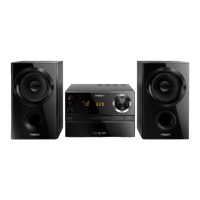
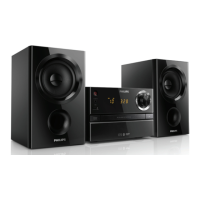
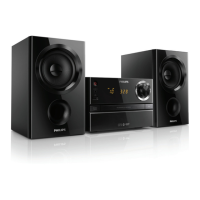
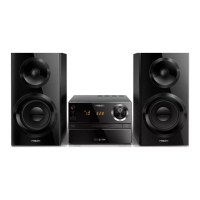
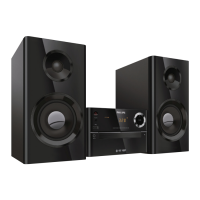
This document describes the Philips BTM1360 Micro Music System, a compact audio system designed for various playback options and sound enhancement.
Function Description
The Philips BTM1360 Micro Music System serves as a versatile audio entertainment device. Its primary function is to play audio from multiple sources, including:
- Discs: It supports playback of audio CDs, as well as CD-R, CD-RW, and MP3-CDs.
- USB Devices: Users can play MP3 files stored on USB flash drives or other USB storage devices.
- Bluetooth Devices: The system can connect wirelessly to Bluetooth-enabled devices (like smartphones or tablets) to stream audio.
- External Audio Devices: An AUDIO IN jack allows connection of external audio sources using an MP3 link cable.
- FM Radio: It includes an FM tuner for listening to radio stations.
Beyond basic playback, the system offers additional functionalities:
- Alarm Timer: The BTM1360 can function as an alarm clock, allowing users to set an alarm with a disc, USB MP3 files, or FM radio as the wake-up source.
- Sleep Timer: A sleep timer feature allows the system to automatically switch to standby mode after a user-defined period.
- Device Charging: The USB socket can be used to charge external devices like cell phones or MP3 players.
Usage Features
The BTM1360 is designed for straightforward operation, with controls available on both the main unit and a remote control.
Power and Standby:
- The unit can be turned on or off using the power button on the main unit or remote.
- It supports a standard standby mode and an ECO power standby mode for reduced energy consumption. The system automatically enters ECO standby after 15 minutes of inactivity in standby mode.
- A demonstration mode showcases the device's features on the display panel.
Clock Setting:
- The clock can be set to either 12-hour or 24-hour format.
- Clock information can be viewed in working mode.
Source Selection:
- Sources (DISC, USB, TUNER, AUDIO IN, BT) can be selected by pressing the SOURCE button repeatedly on the main unit or by using dedicated buttons (CD, FM, USB, AUDIO IN, BT) on the remote control.
Disc Playback:
- The disc compartment opens and closes with a dedicated button.
- Discs are inserted label side up.
- Playback typically starts automatically upon closing the disc compartment.
USB Playback:
- USB devices are connected to the USB socket.
- The system supports MP3 files from FAT12, FAT16, and FAT32 formatted USB devices, with specific limitations on directory nesting, number of albums/folders, and tracks/titles.
Bluetooth Playback:
- To use Bluetooth, the BT source is selected, and the Bluetooth indicator flashes blue, indicating pairing mode.
- Users enable Bluetooth on their external device, search for "Philips BTM1360," and pair using "0000" if a password is required.
- Upon successful pairing, the indicator turns solid blue, and the unit beeps.
- Audio streams wirelessly from the connected device.
- The system can memorize up to 8 previously connected Bluetooth devices.
- To disconnect, Bluetooth can be deactivated on the external device or the device moved out of range.
- Bluetooth pairing history can be cleared from the main unit.
Radio Listening:
- The FM tuner allows tuning to radio stations manually or automatically.
- Up to 20 FM radio stations can be programmed as presets.
- Preset stations can be easily selected.
Sound Adjustment:
- Volume Control: Volume can be adjusted using the VOLUME knob on the main unit or VOL +/- buttons on the remote.
- Mute: Sound can be muted or unmuted.
- Digital Sound Control (DSC): Preset sound effects (Powerful, Clear, Bright, Warm, Balanced) can be selected to enrich the audio output.
Playback Control:
- Play/Pause: Start, pause, or resume playback.
- Stop: Stop playback or erase a program.
- Skip Tracks: Skip to the previous or next track/file.
- Search: Search backward/forward within a track/disc.
- Repeat Play: Play a track or all tracks repeatedly.
- Random Play: Play tracks randomly (not applicable for programmed tracks).
- Program Tracks: Up to 20 tracks can be programmed in a desired sequence from discs or USB.
Alarm and Sleep Timer:
- Alarm Timer: Set an alarm time, select an alarm source (disc, USB, or tuner), and adjust the alarm volume. The alarm timer can be activated or deactivated.
- Sleep Timer: Set a period after which the system will automatically switch to standby.
Maintenance Features
The BTM1360 requires minimal maintenance, primarily focusing on proper handling and care to ensure longevity and optimal performance.
General Care:
- Cleaning: Only use a microfiber cloth to clean the product. Avoid using harsh chemicals or abrasive materials.
- Disc Handling: Do not insert any objects other than discs into the disc compartment. Avoid using warped or cracked discs. Remove discs if the product will not be used for an extended period.
- Placement: Keep the apparatus away from direct sunlight, naked flames, or heat. Ensure adequate free space around the product for ventilation.
- Power Cord: Always ensure easy access to the power cord, plug, or adaptor to disconnect the apparatus from the power when needed.
Battery Care (for Remote Control):
- Installation: Install batteries correctly, observing the + and - markings.
- Mixing Batteries: Do not mix old and new batteries, or different types (e.g., carbon and alkaline).
- Heat Exposure: Batteries should not be exposed to excessive heat from sources like sunshine or fire.
- Storage: Remove batteries from the remote control if the unit will not be used for a long time to prevent leakage.
Environmental Responsibility:
- Disposal: The product is designed with high-quality recyclable materials. Do not dispose of the product with normal household waste. Instead, hand it in at an official collection point for recycling to help preserve the environment.
- Packaging: The packaging materials (cardboard, polystyrene foam, polyethylene) are designed to be easily separated for recycling. Users should observe local regulations for disposing of packaging, exhausted batteries, and old equipment.
Troubleshooting:
- The manual provides a troubleshooting section to address common issues such as no power, poor sound, remote control malfunction, disc detection problems, USB device issues, poor radio reception, and Bluetooth connectivity problems. Users are advised to consult this section before seeking service.
- It is explicitly stated that users should never attempt to repair the system themselves to maintain warranty validity.

 Need help?
 General

 To Next Page