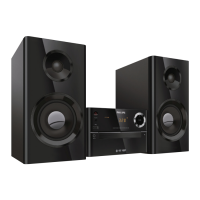
User Manual
www.philips.com/welcome
Always there to help you
Register your product and get support at
Question?
Contact
Philips
PDF
www.philips.com/support.
To download the full user manual, visit www.philips.com/
support.
Specications
Amplier
Maximum Output Power 15 W
Frequency Response
60 Hz - 16 KHz; +3 dB
Signal to Noise Ratio >70 dBA
Total Harmonic Distor tion <1%
Aux Input 800 mV RMS
Speakers
Speaker Impedance 6 ohm
Speaker Driver Full range 3"
Speaker Sensitivity >83 dB/m/W
Bluetooth
Bluetooth Version V3.0
Bluetooth Frequency Band 2.4 GHz ~ 2.48 GHz ISM
Band
Bluetooth Range 10 m (free space)
Tuner (FM)
Tuner Tuning Range 87.5-108 MHz
Tuner Tuning grid 50 KHz
Tuner Sensitivity
- Mono, 26dB S/N Ratio
- Stereo, 46dB S/N Ratio
<22 dBf
<45 dBf
Search Selectivity <30 dBf
Total Harmonic Distor tion <3%
Signal to Noise Ratio >45 dBA
USB
USB Direct Version 2.0 full speed
USB 5 V Power ≤1 A
Disc
Laser Type Semiconductor
Disc Diameter 12 cm/8 cm
Support Disc CD-DA, CD-R, CD-RW,
MP3-CD
Audio DAC 24 Bits/44.1 KHz
Total Harmonic Distor tion <1% (1 KHz)
Frequency Response
60 Hz - 16 KHz; ±3 dB
S/N Ratio >70 dBA
General information
AC power 100-240 V~, 50/60 Hz
Operation Power
Consumption
18 W
Eco Standby Power
Consumption
<0.5 W
Dimensions
- Main Unit (W x H x D)
- Speaker Box (W x H x D)
180 x 121 x 247 mm
150 x 238 x 125 mm
Weight
- Main Unit
- Speaker Box
1.6 kg
2 x 0.98 kg
CD
AUDIO IN
PRESET/ALBUM
MUTE
SHUFFLE
CLOCK SLEEP
TIMER
PROG
SOUND
FM
VOL
DISPLAY
REPEAT
AUDIO IN
AUDIO IN
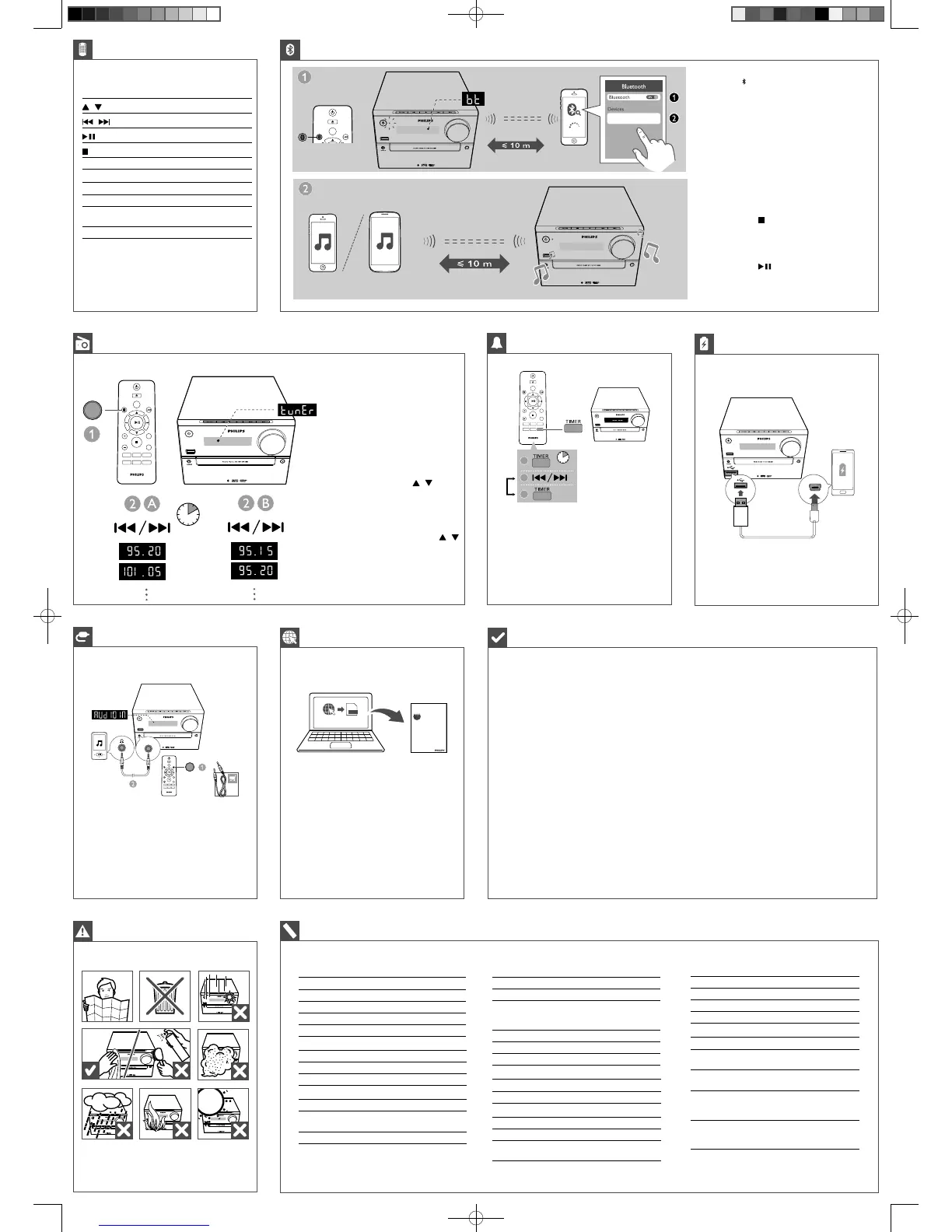
Control play
/
Select a folder.
/
Select an audio le.
Pause or resume play.
Stop play.
REPEAT Play a track or all tracks repeatedly.
SHUFFLE Play tracks randomly.
VOL +/- Increase or decrease the volume.
MUTE Mute or restore sound.
SOUND Enrich sound effect with DSC: balanced,
clear, powerful, warm, and bright.
DISPLAY Adjust display brightness.
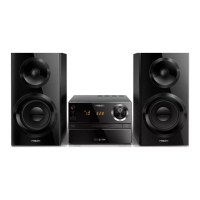
Philips BTM2310
CD
AUDIO IN
PRESET/ALBUM
FM
Store FM radio stations automatically
In tuner mode, press and hold PROG for
more than two seconds to activate automatic
programming.
» All available stations are programmed
in the order of waveband reception
strength.
» The rst programmed radio station is
broadcast automatically.
Store FM radio stations manually
1 Tune to a radio station.
2 Press PROG, and then press / to select
a number from 1–20.
3 Press PROG to conrm.
» The preset number and the frequency
of the preset station are displayed.
4 Repeat steps 2-3 to program more stations.
• To select a preset radio station, press /
Tune to FM radio stations
RDS
FM
CD
AUDIO IN
PRESET/ALBUM
MUTE
SHUFFLE
CLOCK SLEEP
TIMER
PROG
SOUND
FM
VOL
DISPLAY
REPEAT
2 sec.
SLEEP
CD
AUDIO IN
PRESET/ALBUM
MUTE
SHUFFLE
TIMER
PROG
SOUND
FM
VOL
DISPLAY
REPEAT
CLOCK SLEEP
SLEEP
SLEEP
3 sec.
2
3
1
Repeat steps 2-3 to set minute, select a source (CD, FM,
or USB), and adjust volume.
1 Press FM/ repeatedly to select the Bluetooth source.
» [BT] (Bluetooth) is displayed.
» The Bluetooth indicator ashes blue.
2 On your device, enable Bluetooth and search for
Bluetooth devices that can be paired.
3 Select ‘Philips BTM2310‘ on your Bluetooth enabled
device and if necessary input ‘0000’ as the pairing
password.
» After successful pairing and connection, the
Bluetooth indicator turns solid blue, and the unit
beeps.
4 Play audio on the connected device.
» Audio streams from your Bluetooth enabled device
to this unit.
To clear Bluetooth pairing history:
• Press and hold for 8 seconds.
» The current Bluetooth is cleared.
To disconnect the Bluetooth-enabled device:
• Deactivate Bluetooth on your device; or
• Move the device beyond the communication range; or
• Press and hold for 3 seconds.
» The current Bluetooth connection is disconnected.
Compatible USB devices
• USB ash memory (USB2.0 or USB1.1)
• USB ash players (USB2.0 or USB1.1)
• Memory cards (requires an additional card reader
to work with this unit)
Supported MP3 disc formats
• ISO9660, Joliet
• Maximum title number: 128 (depending on le
name length)
• Maximum album number: 99
• Supported sampling frequencies: 32 kHz, 44.1 kHz,
48 kHz
• Supported Bit-rates: 32~256 (kbps), variable bit
rates
Supported USB formats:
• USB or memory le format: FAT12, FAT16, FAT32
(sector size: 512 bytes)
• MP3 bit rate (data rate): 32-320 Kbps and variable
bit rate
• Directory nesting up to a maximum of 8 levels
• Number of albums/ folders: maximum 99
• Number of tracks/titles: maximum 999
• File name in Unicode UTF8 (maximum length:
32 bytes)
Unsupported USB formats:
• Empty albums: an empty album is an album that
does not contain MP3/WMA les, and will not be
shown in the display.
• Unsupported le formats are skipped. For
example, word documents (.doc) or MP3 les
with extension .dlf are ignored and not played.
• WMA, AAC, WAV, PCM audio les
• DRM protected WMA les (.wav, .m4a, .m4p,
.mp4, .aac)
• WMA les in Lossless format


 To Previous Page
 Loading...