9EN
4 Play
Play from disc
Note
•
Make sure that the disc contains playable audio content.
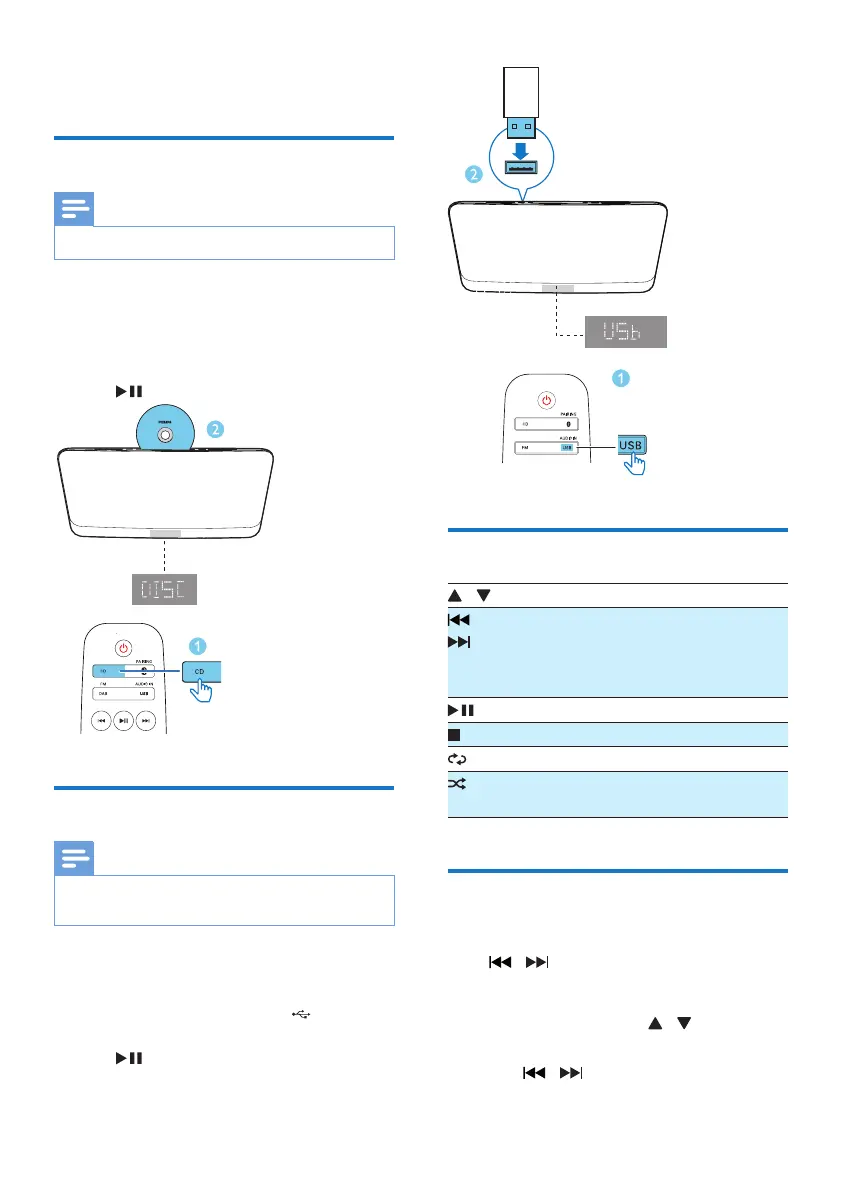
1 Press CD to select the DISC source.
2 Insert a disc into the disc compartment
with the printed side facing you.
» Play starts automatically. If not, press
.
Play from USB
Note
•
Make sure that the USB device contains playable audio
content (see 'Product information' on page 16).
1 Press USB/AUDIO IN repeatedly to select
the USB source.
2 Insert a USB device into the socket.
» Play starts automatically. If not, press
.
Control play
/ Select a folder.
/ Press to skip to the previous or next
track.
Press and hold to search backward/
forward within a track.
Pause or resume play.
Stop play.
Play a track or all tracks repeatedly.
Play tracks randomly(Not applicable
for the programmed tracks).
Skip to a track
For CD:
Press
/ to select another track.
For MP3 disc and USB:
1 Press ALBUM/PRESET / to select an
album or a folder.
2 Press / toselectatrackorale.


 To Next Page