5EN
Functional overview
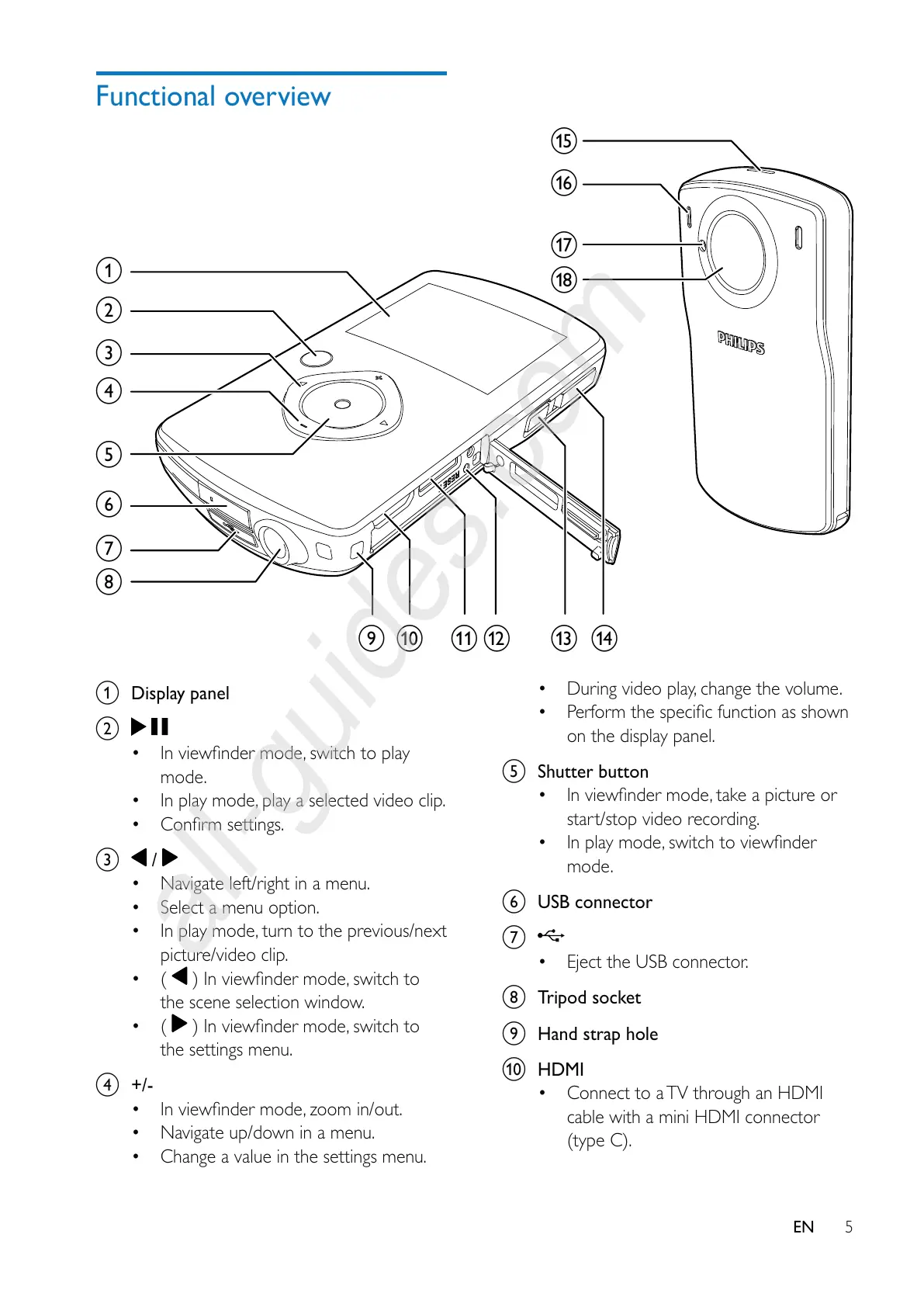
a Display panel
b
mode.
In play mode, play a selected video clip.
c
/
Navigate left/right in a menu.
Select a menu option.
In play mode, turn to the previous/next
picture/video clip.
(
the scene selection window.
(
the settings menu.
d +/-
Navigate up/down in a menu.
Change a value in the settings menu.
a
b
c
d
e
f
g
h
ij kl mn
o
p
q
r
During video play, change the volume.
on the display panel.
e Shutter button
start/stop video recording.
mode.
f USB connector
g
Eject the USB connector.
h Tripod socket
i Hand strap hole
j HDMI
Connect to a TV through an HDMI
cable with a mini HDMI connector
(type C).



 To Next Page