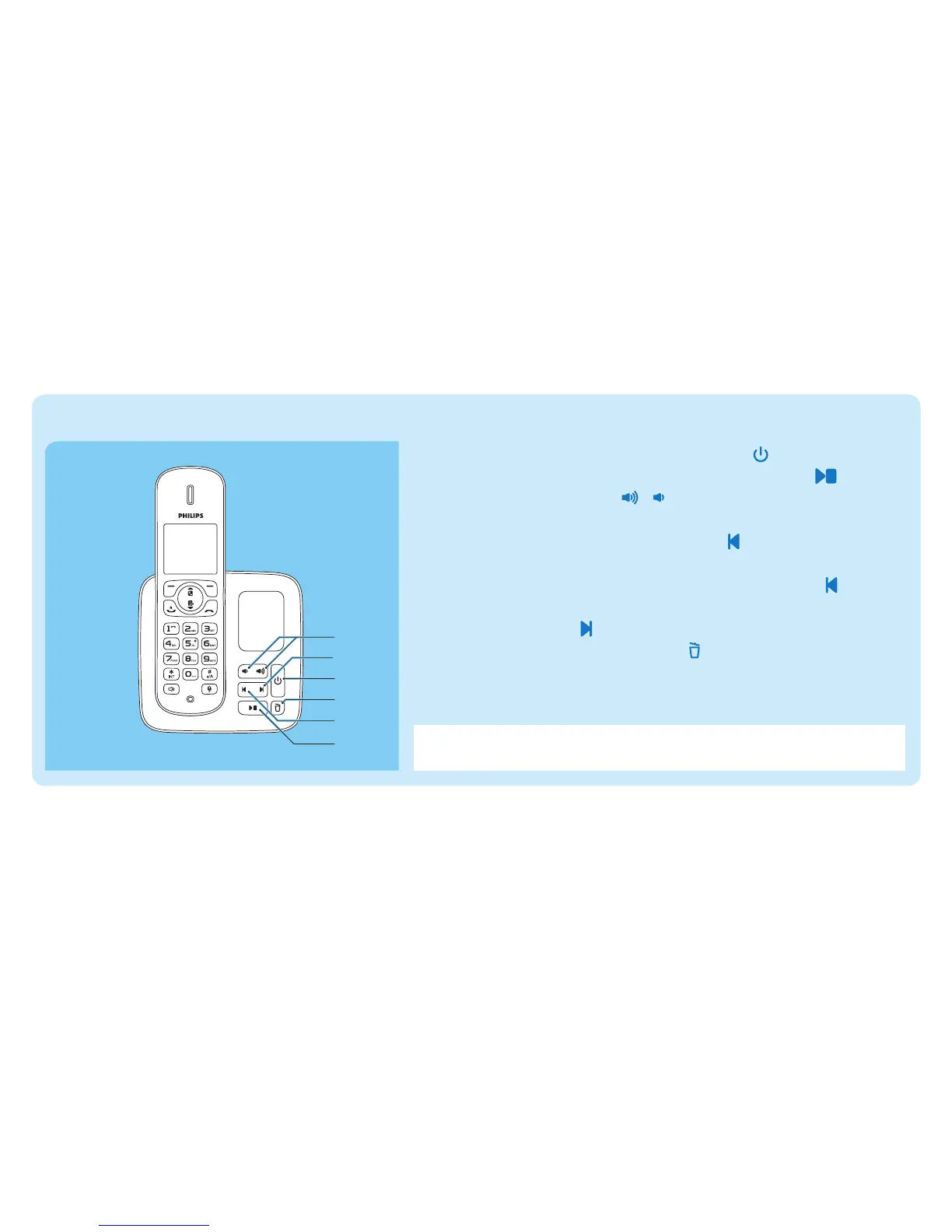
Listen to messages recorded on the answering machine (for CD285 only)
c
d
b
e
a
f
a Switch on/off the answering machine: Press .
b Start/Stop listening to the recorded messages: Press .
c Adjust the volume: Press / .
d Skip backward:
When you listen to the messages, press to listen to the
message from the beginning.
Duringtherstsecondofthecurrentmessage,press to listen
to the previous message.
e Skip forward: Press to skip to the next message.
f Delete the current message: Press .
Note For more information, see the Telephone answering machine
section in the user manual.



 To Next Page