EasyManua.ls Logo

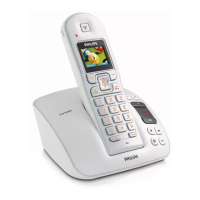
Philips CD 145 - User Manual

Philips CD 145
6 pages
Print Icon
To Next Page IconTo Next Page
Loading...
Welcome
Connect
Install
Enjoy
1
2
3
Quick start guide
Question and Answer IconNeed help?

Do you have a question about the Philips CD 145 and is the answer not in the manual?

Summary

Whats in the box

Connect

Connect the base station

Connects the power cord and line cord to the base station and telephone socket.

Install

Insert rechargeable batteries and charge

Details on inserting batteries and charging the handset for 24 hours.

Configure your phone

Steps to select the country code for phone configuration.

Enjoy

Make a call

Instructions on how to dial a number and make a call.

Answer a call

Procedure for answering an incoming call.

End a call

How to terminate an ongoing call.

Set time

Steps to set the current time on the phone in 24-hour format.

Set the earpiece volume

Adjusts the volume level for the handset earpiece.

Set the ring melody

Selects a desired ring melody for incoming calls.

Store a number in the phonebook

Instructions for saving phone numbers into the phonebook memory.

Troubleshooting

No dialing tone

Solutions for when there is no dialing tone.

Poor audio quality

Troubleshooting steps for poor audio quality.

Icon is blinking

Explanation and solution for a blinking icon.

Handset LCD displays nothing

Steps to resolve issues with a blank handset LCD screen.

Caller Line Identification (CLI) service does not work

Troubleshooting for Caller Line Identification service issues.

Need help?

Provides resources for further assistance, including user manual and online help.

Summary

Whats in the box

Connect

Connect the base station

Connects the power cord and line cord to the base station and telephone socket.

Install

Insert rechargeable batteries and charge

Details on inserting batteries and charging the handset for 24 hours.

Configure your phone

Steps to select the country code for phone configuration.

Enjoy

Make a call

Instructions on how to dial a number and make a call.

Answer a call

Procedure for answering an incoming call.

End a call

How to terminate an ongoing call.

Set time

Steps to set the current time on the phone in 24-hour format.

Set the earpiece volume

Adjusts the volume level for the handset earpiece.

Set the ring melody

Selects a desired ring melody for incoming calls.

Store a number in the phonebook

Instructions for saving phone numbers into the phonebook memory.

Troubleshooting

No dialing tone

Solutions for when there is no dialing tone.

Poor audio quality

Troubleshooting steps for poor audio quality.

Icon is blinking

Explanation and solution for a blinking icon.

Handset LCD displays nothing

Steps to resolve issues with a blank handset LCD screen.

Caller Line Identification (CLI) service does not work

Troubleshooting for Caller Line Identification service issues.

Need help?

Provides resources for further assistance, including user manual and online help.

Philips CD 145 Specifications

General IconGeneral
BrandPhilips
ModelCD 145
TypeCordless Telephone
FrequencyDECT
Talk Time12 hours
Standby Time150 hours
Phonebook Capacity50 entries
Ringer melodies10
GAP compatibleYes
Caller IDYes
Answering MachineNo
Headset JackNo
Range50 meters indoors, 300 meters outdoors
DisplayLCD

Related product manuals