EasyManua.ls Logo

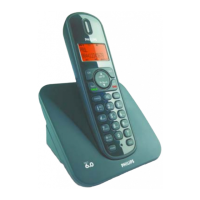
Philips CD180 - User Manual

Philips CD180
12 pages
Print Icon
To Next Page IconTo Next Page
Loading...
Quick start guide
CD180
Question and Answer IconNeed help?

Do you have a question about the Philips CD180 and is the answer not in the manual?

Summary

Introduction and Safety

Important Safety Instructions

Essential safety guidelines for using the Philips CD180 phone.

Device Overview

Identifies key components and basic functions of the handset and base station.

Setup and Installation

Connecting the Base Station

Instructions for connecting the base station to power and the telephone network.

Configuring Your Phone

Steps to set up country, language, date, and time on the new phone.

Charging the Phone

Guide on how to charge the handset and check battery status.

Core Phone Operations

Making, Receiving, and Ending Calls

Details on initiating, answering, and ending calls, plus volume adjustment.

Phonebook and Speed Dial

Instructions for adding contacts, calling from the phonebook, and using direct access memory.

Call Log and Redial List

Managing call history, saving numbers, and deleting records.

Registering Additional Handsets

Steps to pair extra handsets with the base station.

Advanced Settings and Troubleshooting

Restoring Default Settings

Procedure to reset phone settings to factory defaults.

Technical Data

Provides technical specifications for batteries and the power adapter.

Frequently Asked Questions

Answers common user questions and offers troubleshooting tips for the CD180.

Summary

Introduction and Safety

Important Safety Instructions

Essential safety guidelines for using the Philips CD180 phone.

Device Overview

Identifies key components and basic functions of the handset and base station.

Setup and Installation

Connecting the Base Station

Instructions for connecting the base station to power and the telephone network.

Configuring Your Phone

Steps to set up country, language, date, and time on the new phone.

Charging the Phone

Guide on how to charge the handset and check battery status.

Core Phone Operations

Making, Receiving, and Ending Calls

Details on initiating, answering, and ending calls, plus volume adjustment.

Phonebook and Speed Dial

Instructions for adding contacts, calling from the phonebook, and using direct access memory.

Call Log and Redial List

Managing call history, saving numbers, and deleting records.

Registering Additional Handsets

Steps to pair extra handsets with the base station.

Advanced Settings and Troubleshooting

Restoring Default Settings

Procedure to reset phone settings to factory defaults.

Technical Data

Provides technical specifications for batteries and the power adapter.

Frequently Asked Questions

Answers common user questions and offers troubleshooting tips for the CD180.

Philips CD180 Specifications

General IconGeneral
TypeCordless Telephone
Number of Handsets1
Phonebook MemoryUp to 50 entries
Caller IDYes
Range (Indoor)Up to 50 meters
Answering MachineNo
Handset SpeakerphoneNo
IntercomNo
ExpandableNo
DisplayLCD
Talk Time10 hours
Standby Time100 hours
Battery typeNiMH
Frequency1.9 GHz

Related product manuals