EasyManua.ls Logo

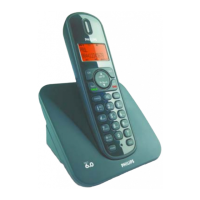
Philips CD140 - User Manual

Philips CD140
32 pages
Print Icon
To Next Page IconTo Next Page
Loading...
CD140
www.philips.com/support
EN Digital Cordless Telephone
Warning
Use only rechargeable batteries.
Charge each handset for 24
hours before use.
Question and Answer IconNeed help?

Do you have a question about the Philips CD140 and is the answer not in the manual?

Summary

1 Important

1.1 Power Requirements

Details power supply needs and electrical safety warnings for the phone.

1.2 Conformity

States the product's compliance with relevant European Union directives.

1.3 Recycling and Disposal

Provides instructions on how to properly recycle and dispose of the product and batteries.

1.4 GAP Standard Compliance

Explains the benefits and implications of the DECT GAP standard for the phone.

1.5 EMF Information

Outlines Philips' commitment to safety standards regarding electromagnetic fields.

2 Your Phone

2.1 Whats in the Box

Lists all the components and accessories included with the telephone.

2.2 Phone Overview

Describes the handset layout, display icons, and base station features.

3 Getting Started

3.1 Connect the Base Station

Step-by-step guide for connecting the base station to power and the telephone line.

3.2 Install Rechargeable Batteries

Instructions for inserting and charging the handset's rechargeable batteries.

3.3 Place Handset on Charging Cradle

Guidance on placing the handset on the base station for initial charging.

3.4 Configure Your Phone

Steps to set the country code for optimal phone operation.

3.5 Register Your Handset

Procedure to register a new or additional handset with the base station.

4 Using Your Phone

4.1 Make a Call

Instructions for initiating calls via predialling, direct dialling, call log, and phonebook.

4.2 Answer a Call

How to answer an incoming call when the phone rings.

4.3 End a Call

Methods for terminating an active phone call.

4.4 Recall Function

Information on using the recall feature to manage calls.

4.5 Intercom Features

Guide to using internal calls, call transfer, and conference calls between handsets.

4.6 Find a Handset

Instructions on how to locate a misplaced handset using the base station's paging function.

5 Use More of Your Phone

5.1 Call in Progress

Features for managing calls, such as muting the microphone and adjusting earpiece volume.

5.2 Phonebook

How to store, access, edit, and delete contacts in the phone's memory.

5.3 Call Log

How to view, access, and delete call history and missed calls.

5.4 Redial List

Instructions for accessing and redialing previously dialled numbers.

5.5 Settings

Covers various phone settings including time, ringtones, volume, and keypad lock.

5.6 Default Settings

6 Frequently Asked Questions

Connection and Power Issues

Troubleshooting for handset power, dial tone, and communication loss.

Audio and Sound Quality

Solutions for poor audio, no ringing, and noise interference.

Display and Icons

Explains the meaning of display icons and troubleshooting for blank screens.

Setup and Registration

FAQs on Caller ID, call waiting, and handset registration problems.

PIN and General Behavior

Information on forgotten PINs, phonebook storage, and general product behavior.

Summary

1 Important

1.1 Power Requirements

Details power supply needs and electrical safety warnings for the phone.

1.2 Conformity

States the product's compliance with relevant European Union directives.

1.3 Recycling and Disposal

Provides instructions on how to properly recycle and dispose of the product and batteries.

1.4 GAP Standard Compliance

Explains the benefits and implications of the DECT GAP standard for the phone.

1.5 EMF Information

Outlines Philips' commitment to safety standards regarding electromagnetic fields.

2 Your Phone

2.1 Whats in the Box

Lists all the components and accessories included with the telephone.

2.2 Phone Overview

Describes the handset layout, display icons, and base station features.

3 Getting Started

3.1 Connect the Base Station

Step-by-step guide for connecting the base station to power and the telephone line.

3.2 Install Rechargeable Batteries

Instructions for inserting and charging the handset's rechargeable batteries.

3.3 Place Handset on Charging Cradle

Guidance on placing the handset on the base station for initial charging.

3.4 Configure Your Phone

Steps to set the country code for optimal phone operation.

3.5 Register Your Handset

Procedure to register a new or additional handset with the base station.

4 Using Your Phone

4.1 Make a Call

Instructions for initiating calls via predialling, direct dialling, call log, and phonebook.

4.2 Answer a Call

How to answer an incoming call when the phone rings.

4.3 End a Call

Methods for terminating an active phone call.

4.4 Recall Function

Information on using the recall feature to manage calls.

4.5 Intercom Features

Guide to using internal calls, call transfer, and conference calls between handsets.

4.6 Find a Handset

Instructions on how to locate a misplaced handset using the base station's paging function.

5 Use More of Your Phone

5.1 Call in Progress

Features for managing calls, such as muting the microphone and adjusting earpiece volume.

5.2 Phonebook

How to store, access, edit, and delete contacts in the phone's memory.

5.3 Call Log

How to view, access, and delete call history and missed calls.

5.4 Redial List

Instructions for accessing and redialing previously dialled numbers.

5.5 Settings

Covers various phone settings including time, ringtones, volume, and keypad lock.

5.6 Default Settings

6 Frequently Asked Questions

Connection and Power Issues

Troubleshooting for handset power, dial tone, and communication loss.

Audio and Sound Quality

Solutions for poor audio, no ringing, and noise interference.

Display and Icons

Explains the meaning of display icons and troubleshooting for blank screens.

Setup and Registration

FAQs on Caller ID, call waiting, and handset registration problems.

PIN and General Behavior

Information on forgotten PINs, phonebook storage, and general product behavior.

Philips CD140 Specifications

General IconGeneral
DialingTone/Pulse
Speakerphone-
Microphone muteYes
Phonebook capacity20 entries
Battery typeAAA
Standby time120 h
AC input voltage220 - 240 V
Battery capacity550 mAh
AC input frequency50 Hz
Battery technologyNickel-Metal Hydride (NiMH)
Number of batteries supported2
Backlight displayNo
Display number of colorsMonochrome
Ringer typePolyphonic
Maximum outdoor range300 m
Mounting typeDesk
Product colorBlack
Call log entries10
Volume controlDigital
Weight and Dimensions IconWeight and Dimensions
Base dimensions114 x 107 x 81 mm
Handset dimensions (WxDxH)48 x 24 x 160 mm

Related product manuals