11
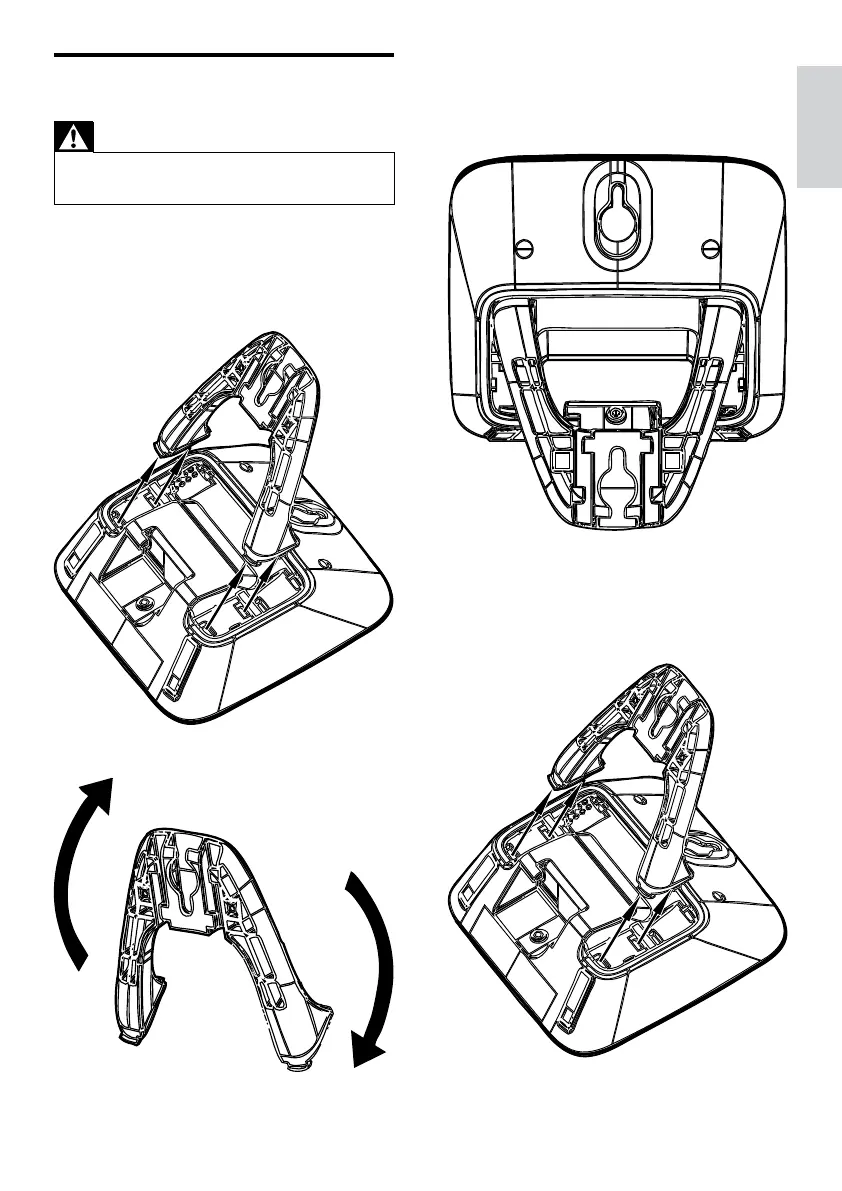
3 Re-insert the bracket into the back of the
base station.
4 Insert screws (not included) into the wall.
5 Align the mounting holes on the back of
the base station with the screws on the
wall.
6 Slide the base station down into place.
Wallmount the base station
Warning
You must follow the instructions below to •
wallmount the base station.
1 Press the two latches on the top of the
bracket.
The bracket from the back of the base »
station is removed.
2 Turn the bracket around.
English
EN



 To Next Page