18
Note
TEL
MUTING wire to your hands-free kit and audio out
jack to the REAR AUX in jack of the unit.
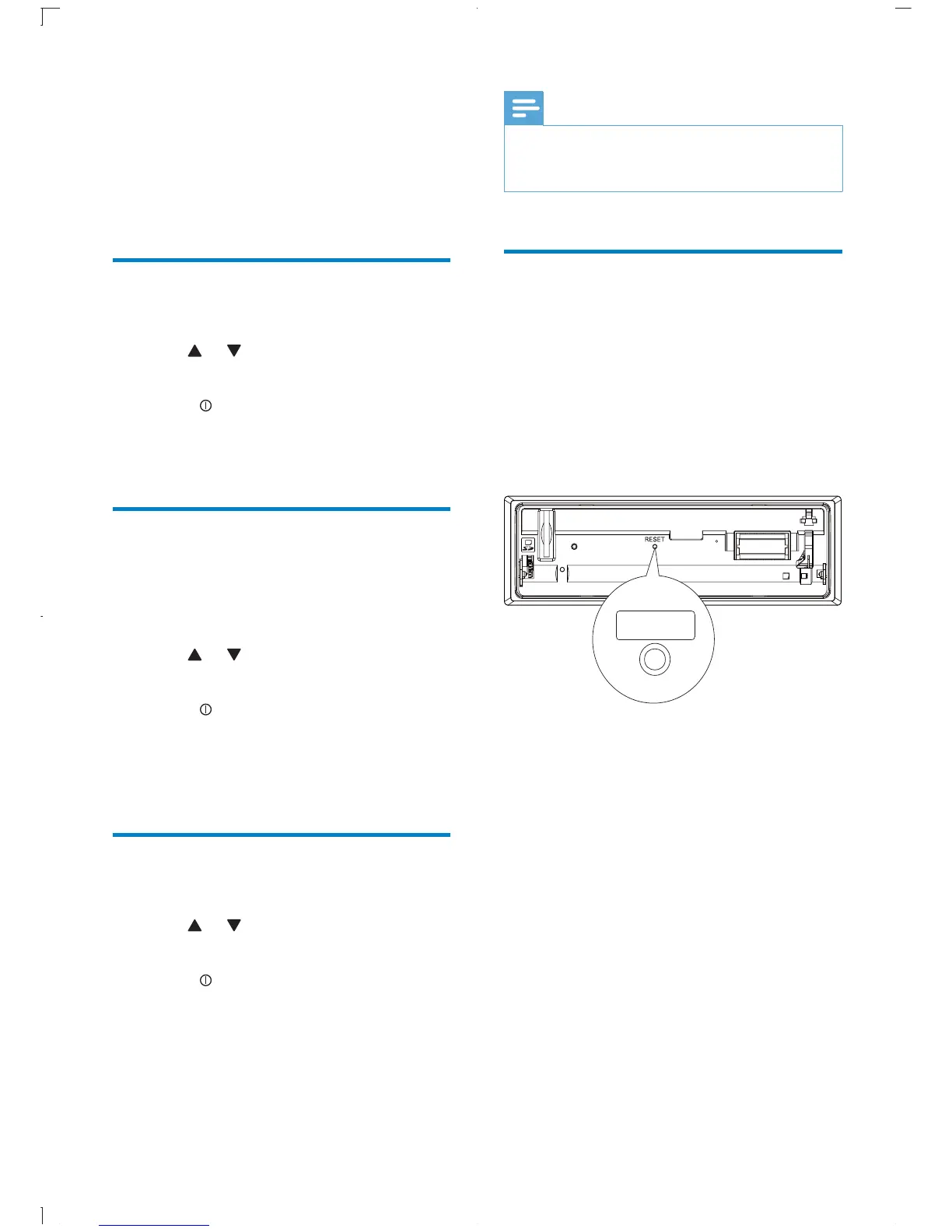
Reset
You can reset the unit to its default setting.
1 Detach the front panel.
2 Press the reset button by using a ball-point
pen or a similar tool.
» Preset adjustments such as preset
channels and sound adjustments are
erased.
RESET
[DEMO ON] : Turn on the demo
mode. When the unit is idle for more
displayed.
[DEMO OFF] : Turn off the demo
mode.
Dimmer
1 Press MENU.
2 Press or repeatedly until [DIMMER]
is displayed.
3 Rotate to select a setting:
[DIMM HIGH] (dimmer high)
[DIMM LOW] (dimmer low)
Dance
You can turn on or off the spectrum on the
LCD display.
1 Press MENU.
2 Press or repeatedly until [DANCE] is
displayed.
3 Rotate to select a setting:
[DANCE ON] : Turn on the spectrum.
[DANCE OFF] : Turn off the
spectrum.
Rear Aux
1 Press MENU.
2 Press or repeatedly until [TEL MUTE]
is displayed.
3 Rotate to select a setting:
[NORMAL]
[MUTE] is displayed.
[REAR AUX]
[PHONE IN] is displayed.
EN



 To Next Page