14
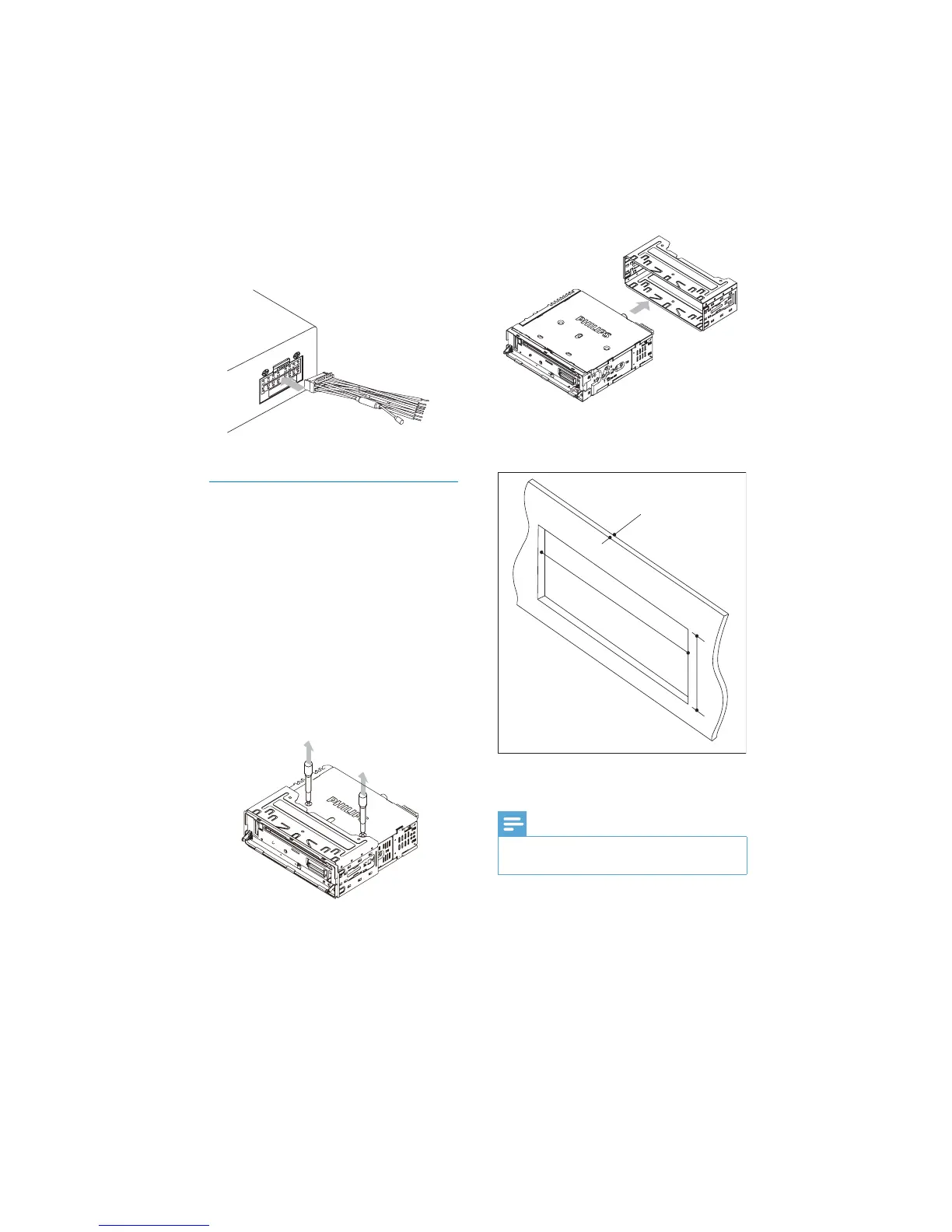
4 Ensure that car dashboard opening is
within these measurements:
5 Install the sleeve into the dashboard and
bend the tabs outward to fi x the sleeve.
Note
Skip this step if the unit is not fi xed by sleeve •
but by supplied screws.
183 mm
53mm
5mm
4 Connect the supplied standard connector
to the unit.
Mount in the dashboard
1 If the car does not have an on-board
drive or navigation computer, disconnect
the negative terminal of the car battery.
If you disconnect the car battery in •
a car that has an on-board drive or
navigation computer, the computer
may lose its memory.
If the car battery is not disconnected, •
to avoid short-circuit, ensure that
bare wires do not touch each other.
2 Remove the two screws on the top of the
unit.
3 Remove the mounting sleeve with the
supplied disassembly tools.
EN



 To Next Page