16
For DVD movie, if a menu appears, press
to start play.
2 To pause, touch .
To resume play, touch
again.
Search for a folder
)RUYLGHRÀOHV
1 Touch to return to playlist menu.
2 Touch WRGLVSOD\DOODYDLODEOHYLGHRÀOH
folders.
3 Touch a folder, then touch or to
VHOHFWDÀOH
4 Touch to start play.
)RUDXGLRÀOHV
1 Touch to return to playlist menu.
2 Touch to display all available audio
folders.
3 Touch a folder, then touch or to
VHOHFWDÀOH
4 Touch to start play.
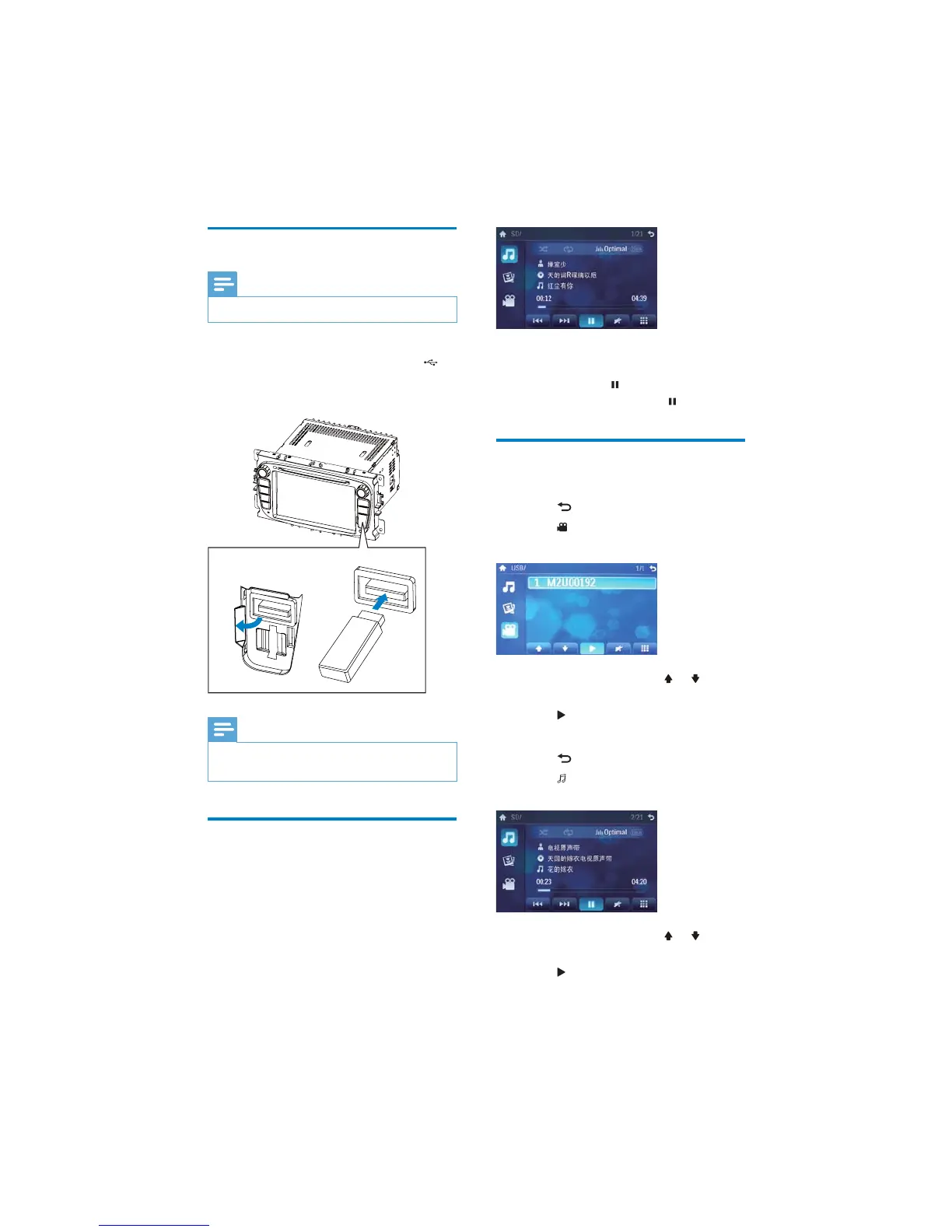
Connect USB device
Note
Ensure that the device contains playable content.
1 Open the USB door.
2 Connect the supplied USB cable to
socket and the USB device.
Play starts automatically.»
Note
To remove the USB device, switch to disc, radio
RURWKHUVRXUFHÀUVW
Play/Pause
1
Once a disc or USB device is inserted,
play starts automatically.
ab
EN



 To Next Page