EasyManua.ls Logo

Philips D 8734 - User Manual

Philips D 8734
32 pages
Print Icon
To Next Page IconTo Next Page
Loading...
PHILIPS
ay
:
;
ae
|
t
PHILIPS
aE!
4+#——+——+
i
cH
+H
|
|
i
+
4
Besar
=
ORD
6S
ee
ee
rr
ite
ates
stds
at
a
thatl
1)
tf
LE.
SE
©
AO
2
COOKED
ee
a
0
ere
8
ths
2
ere
SON
ee
fer
©
rer
Amami
AH
HH
bie
MBO
01/001
i
VT
TTA
A
SS
ss
STTHUVTUUHTEUTEUTI
THT
TTT
ITAL
VUDTHUETATTETASSSBad
836326036
5
Bs
Tt
Lull
mininylll
Hmmm
itl
Hamam
iit
itintii
Wt
EE
Rae
te
eae
HVT
VVUUUNVVUUHVVTUUVVTVVAY
(S36 S833
ERESRSSES
BS
i
ss
||
EES
es
HEE
ee
i
iui
AmmUnm
UU
iT
AGU
Mmmm
mmAmmL
Ti
GiiNii
Litt
Ty
Question and Answer IconNeed help?

Do you have a question about the Philips D 8734 and is the answer not in the manual?

Overview

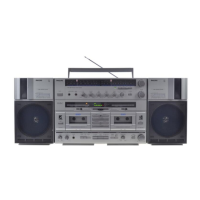
The Philips D 8734 is a comprehensive radio recorder designed for versatile audio playback and recording, offering a range of features for both casual listening and more advanced disc-jockey functions.

Function Description:

The device serves as a multi-source audio system, capable of:

  • Radio Reception: Receiving FM, MW, LW, and SW radio broadcasts. It features a telescopic aerial for FM and SW, and a built-in ferroceptor aerial for MW/LW.
  • Cassette Playback: Playing back recorded cassettes from two independent cassette decks (DECK A and DECK B).
  • Cassette Recording: Recording audio onto cassettes in DECK B from various sources, including radio, external inputs (AUX, PHONO), and microphones.
  • Dubbing: Automatically copying cassettes from DECK A to DECK B at normal or high speed.
  • Amplifier Function: Amplifying signals from radio, cassettes, external microphones, and external audio sources (AUX, PHONO) through its loudspeakers or headphones.
  • Microphone Mixing: Blending microphone signals with other audio sources (radio, AUX, PHONO, or cassette playback) for public address or disc-jockey applications.
  • Headphone Listening: Providing a separate headphone amplifier for independent listening to any selected source or either cassette deck.

Important Technical Specifications:

  • Microphone Input: Sockets for microphones (⑤). When only one microphone is connected, the signal is reproduced/recorded through one channel/track.
  • Headphone Output: PHONES socket (32) for stereo headphones with an impedance of 4-2000 Ohms.
  • FM Antenna Input: FM ANTENNA socket (40) for external 75 Ohm FM aerials or Community Antenna Systems (not on type D 8734/02).
  • Phono Input: PHONO input sockets (42) for HiFi record players with magneto-dynamic ('MD') pick-up cartridges, featuring a built-in pre-amplifier.
  • AUX Input: AUX input sockets (43) for connecting amplifiers, receivers, radios, tuners, or second recorders.
  • LINE OUT: LINE OUT output sockets (44) for connecting to external amplifiers, receivers, radios, or second recorders.
  • Loudspeaker Output: LOUDSPEAKERS sockets (45) for loudspeaker boxes with an impedance of 4-8 Ohms.
  • Power Supply:
    • Mains lead socket (47).
    • 12 V DC car battery supply socket (48) (9-14 V DC, '-' to the centre pin).
    • Battery compartment (49) for ten 1.5 V R20, UM-1, HP2 or D-cells.
  • Cassette Types: Supports NORMAL I (Ferro), CrO2 II (Chrome), and METAL IX (Metal) cassettes, selectable via TAPE SELECTOR buttons (33).

Usage Features:

  • Controls:
    • POWER on/off switch (4): Turns the set on and off.
    • SOURCE selector (11): Selects the audio input source (TAPE, RADIO, AUX, PHONO).
    • VOLUME control (13): Adjusts overall reproduction volume.
    • BALANCE control (7): Adjusts stereo balance.
    • BASS control (8) and TREBLE control (9): Adjusts tone.
    • STEREO control (10): Varies the stereo effect (MONO, STEREO, SPATIAL).
    • LOUDNESS button (12): Boosts bass and treble at low listening levels.
    • TUNING knob (3): Tunes radio stations.
    • Wave range buttons (2): Selects radio wave bands.
    • Microphone MIX control (6): Adjusts microphone signal level for mixing.
    • A-B FADER CONTROL (18): Blends playback between DECK A and DECK B.
    • TAPE SELECTOR buttons (33): Selects cassette type for recording/playback.
    • DECK SELECTOR buttons (34): Selects DECK A, DECK B, or both (A+B) for operation.
    • Recording MODE selector (38): Selects automatic (ALC) or manual (MAN) recording level control.
    • Recording level adjustment (39): Adjusts recording level in manual mode.
    • DUBBING SPEED selector (36): Selects normal or high speed for dubbing.
    • B DECK FADER control (37): Adjusts recording level for DECK B during dubbing, and provides a pause position for selective dubbing.
    • RIF-selector (46): Eliminates whistling during MW/LW radio recordings.
  • Indicators:
    • FM STEREO indicator (1): Lights up for FM-stereo reception.
    • LED-meters (15): Displays power on, battery indication, level indication, REC, and TUNING strength.
    • Function indicators DECK A (14) and DECK B (16): Shows operational status of cassette decks.
    • DUBBING indicator (14): Lights up when dubbing is ready.
  • Cassette Deck Operations:
    • EJECT buttons (20, 29): Opens cassette holders (21, 28).
    • PLAY buttons (24): Starts playback or recording.
    • REC button (23): Initiates recording (DECK B only).
    • PAUSE button (22): Pauses recording or playback.
    • REW/REVIEW button (25): Fast rewinds; held pressed for review during playback/recording.
    • FF/CUE button (26): Fast forwards; held pressed for cue during playback/recording.
    • STOP button (27): Stops all operations.
  • Tape Counters (17, 19): With zero reset buttons for tracking tape position.

Maintenance Features:

  • Head Cleaning: Regular cleaning of recorder heads (playback/record head, erase head), rubber pressure roller, and capstan is recommended after every 50 hours of operation or monthly. This can be done with a cotton bud moistened with alcohol or special cleaning fluid, or by using a cleaning cassette (811/CCT or SBC 114).
  • Environmental Protection:
    • Avoid exposing the set, batteries, or cassettes to rain, moisture, excessive heat (e.g., direct sunshine, heating equipment), or sand.
    • Store cassettes away from TV sets or loudspeakers.
  • Accidental Erasure Safeguard: Cassettes can be protected from accidental erasure by breaking out the tab at the back near the empty reel. This prevents the record button from being depressed. The safeguard can be reversed by covering the aperture with adhesive tape.
  • Battery Management: Remove exhausted batteries or if the set will not be used for a long period. The battery supply automatically switches off when connected to mains or car battery.

Philips D 8734 Specifications

General IconGeneral
BrandPhilips
ModelD 8734
CategoryPortable Stereo System
LanguageEnglish

Related product manuals