1
Overview
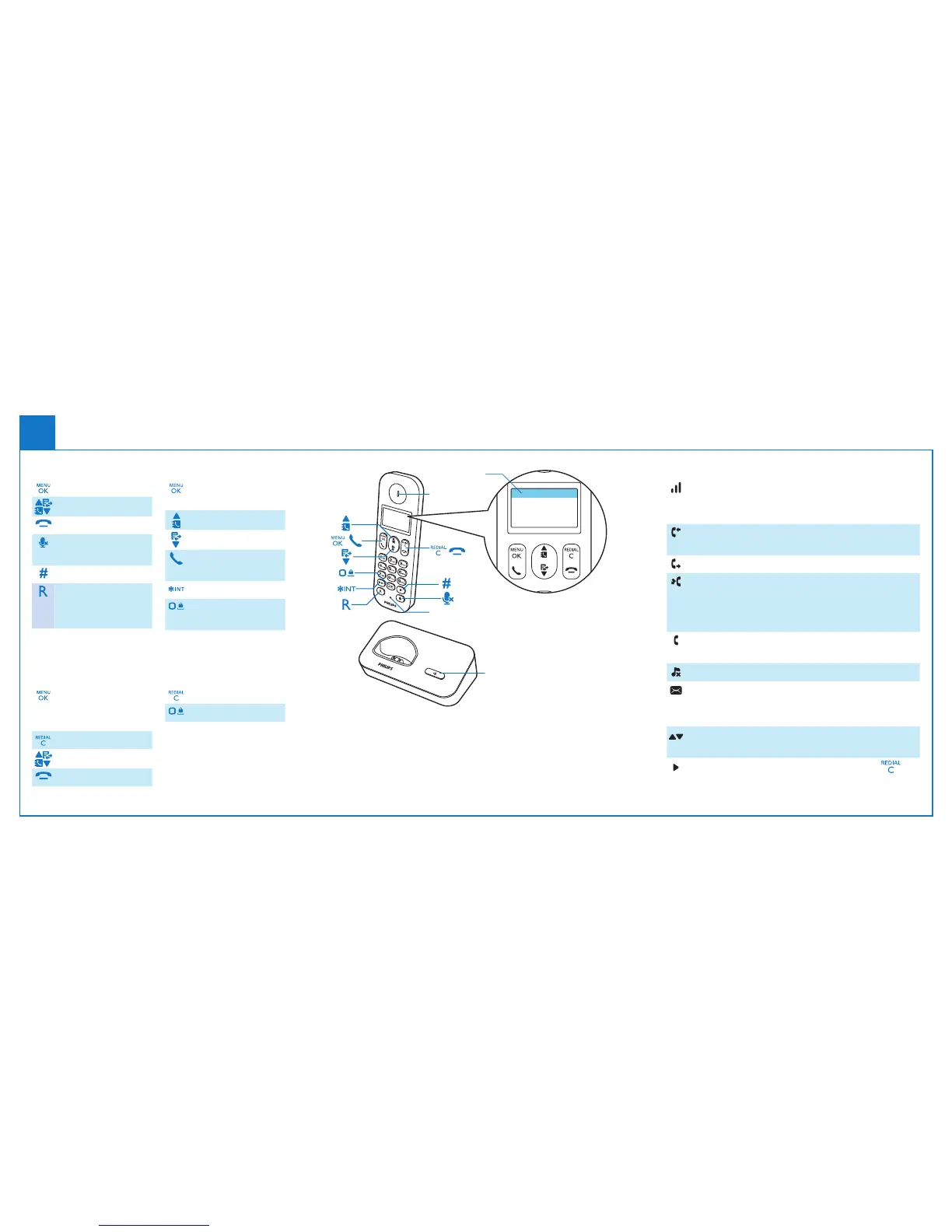
Display icons
It displays the connection between the handset
and the base. The more the bars are shown, the
better the connection is.
It remains steadily on when browsing incoming
calls in the call log.
It indicates an outgoing call in the redial list.
Itasheswhenthereisanewmissedcallor
when browsing new missed calls. It remains
steadily on when browsing the missed calls in
call log that are already read.
Itasheswhenreceivingincomingcall.Itremains
steadily on during a call.
The ringer is off.
Voicemessagesindicator:ashesfornew
messages, is steady for reviewed messages.
* This is network dependent
It displays when you scroll up/down a list or
increase and decrease the volume.
There are more digits on the right. Press to
read.
In call
Phonebook
Adjust the volume
End calls
Mute/unmute the
microphone
Enter a pause
Recall key
(network
dependent)
Standby
Access the main
menu
Phonebook
Call log
Make and receive
calls
Make intercom call
Lock/unlock the
keypad
In menu
Conrm/Enter
the option menu /
Select
Cancel
Up / down
Exit menu
In text input
Delete text
Enter a space
Microphone
Earpiece
/
/
Find handset
Display icons



 To Next Page