10
English
Preparations
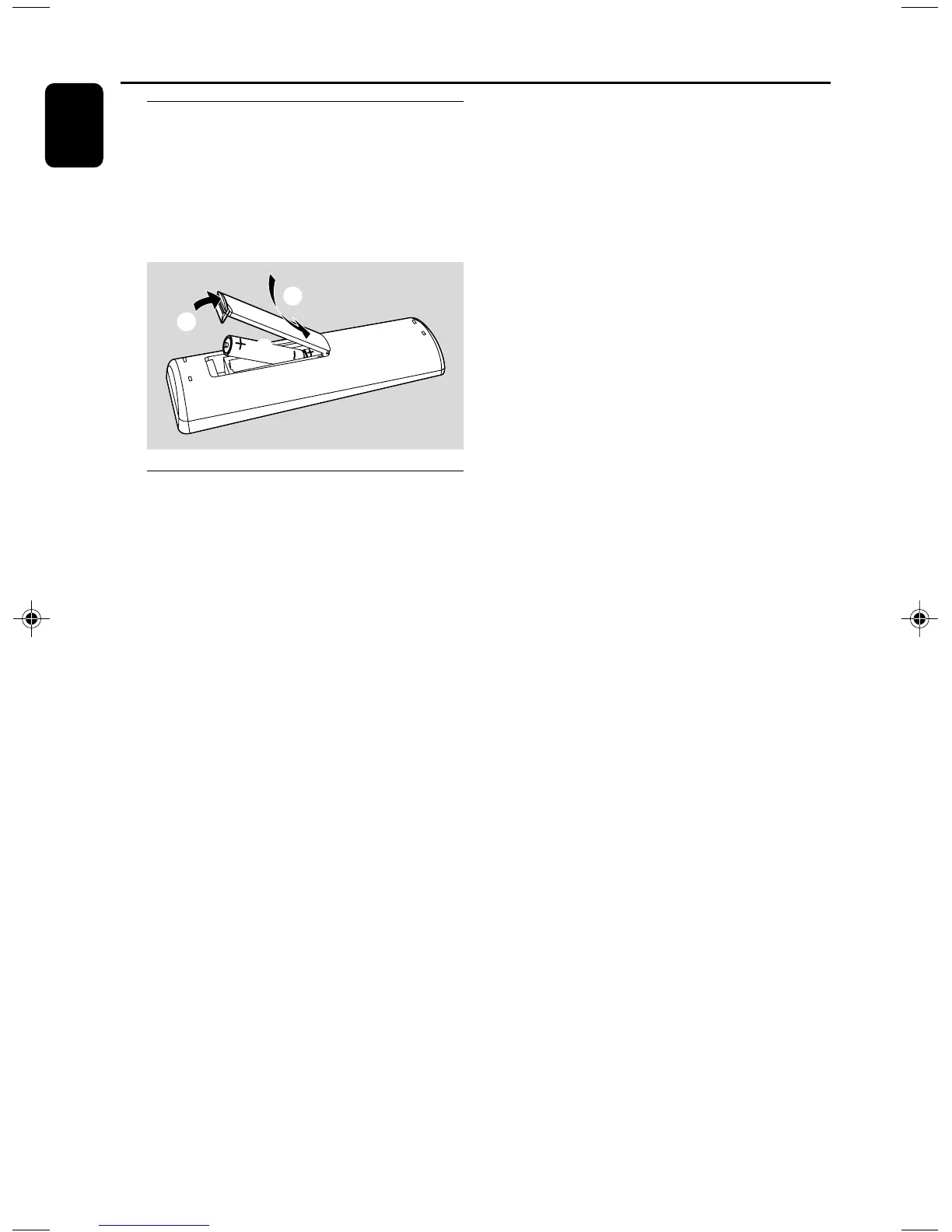
Inserting batteries into the
Remote Control
1 Open the battery compartment.
2 Insert two R03 or AAA batteries following the
indications (+/-) inside the compartment.
3 Close the cover.
3
1
2
Using the Remote Control to
operate the system
1 Aim the Remote Control directly at the remote
sensor (IR) on the front panel.
2 Do not put any objects between the Remote
Control and the system while operating the
system.
CAUTION!
– Remove batteries if they are
exhausted or if the Remote Control is
not being used for a long time.
– Do not use old and new or different
types of batteries in combination.
– Batteries contain chemical substances,
so they should be disposed of properly.
pg001-pg021_DC146_12_Eng 6/23/08, 12:1410



 To Next Page