14
English
Basic Functions
IMPORTANT:
Before you operate the system, complete
the preparation procedures.
Switching the system on
● Press STANDBY-ON 2 or SOURCE
(POWER on the remote control).
➜ The system will switch to the last selected
source.
● Press DISC, TUN, iPOD or AUX on the
remote control.
➜ The system will switch to the selected source.
To switch the system to standby mode
● Press STANDBY-ON 2 on the system (or
POWER on the remote control).
Power-saving automatic standby
The power-saving feature automatically switches
to standby 15 minutes after a CD playback has
ended and no control is operated.
SOURC E
DOCK
STANDBY
-
ON
REPEAT DBB
CD/CD
-
R/CD
DOCKING ENTERTAINMENT SYSTEM DC156
-
RW COMPATIBLE
PRESE T
iR
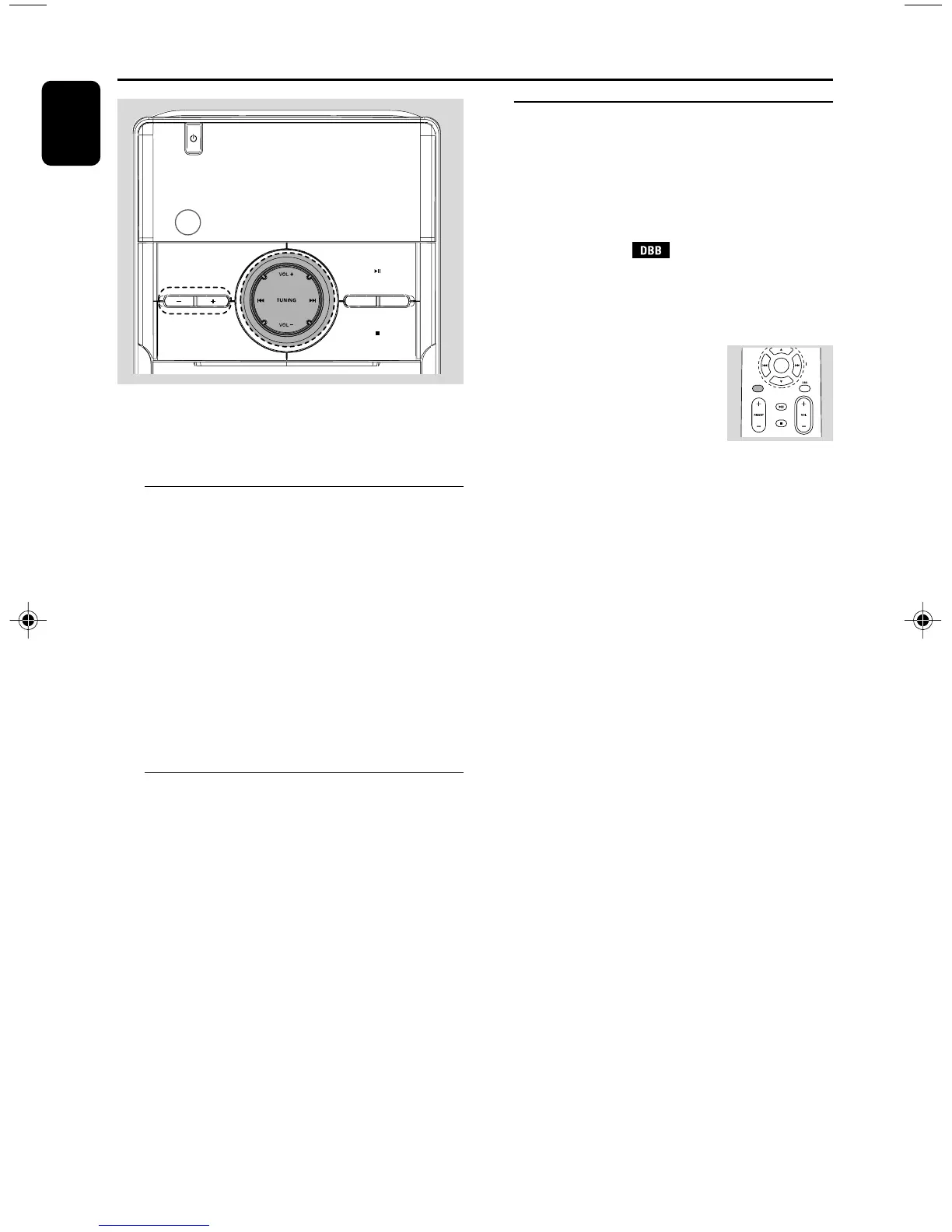
Adjusting volume and sound
1 Press VOL +/- to adjust volume.
➜ Display shows the volume level: VOL and a
number from 00-32.
2 Press DBB to switch bass enhancement on or
off.
➜ Display shows: if the DBB is activated.
3 Press MUTE on the remote control to
interrupt sound reproduction instantly.
➜ Playback will continue without sound.
● To activate sound reproduction you can:
– press MUTE again;
– adjust the volume controls;
– change source.
pg001-pg024_DC156_37_Eng 2008.5.19, 10:19 AM14



 To Next Page