English
17
Radio Reception
Tuning to radio stations
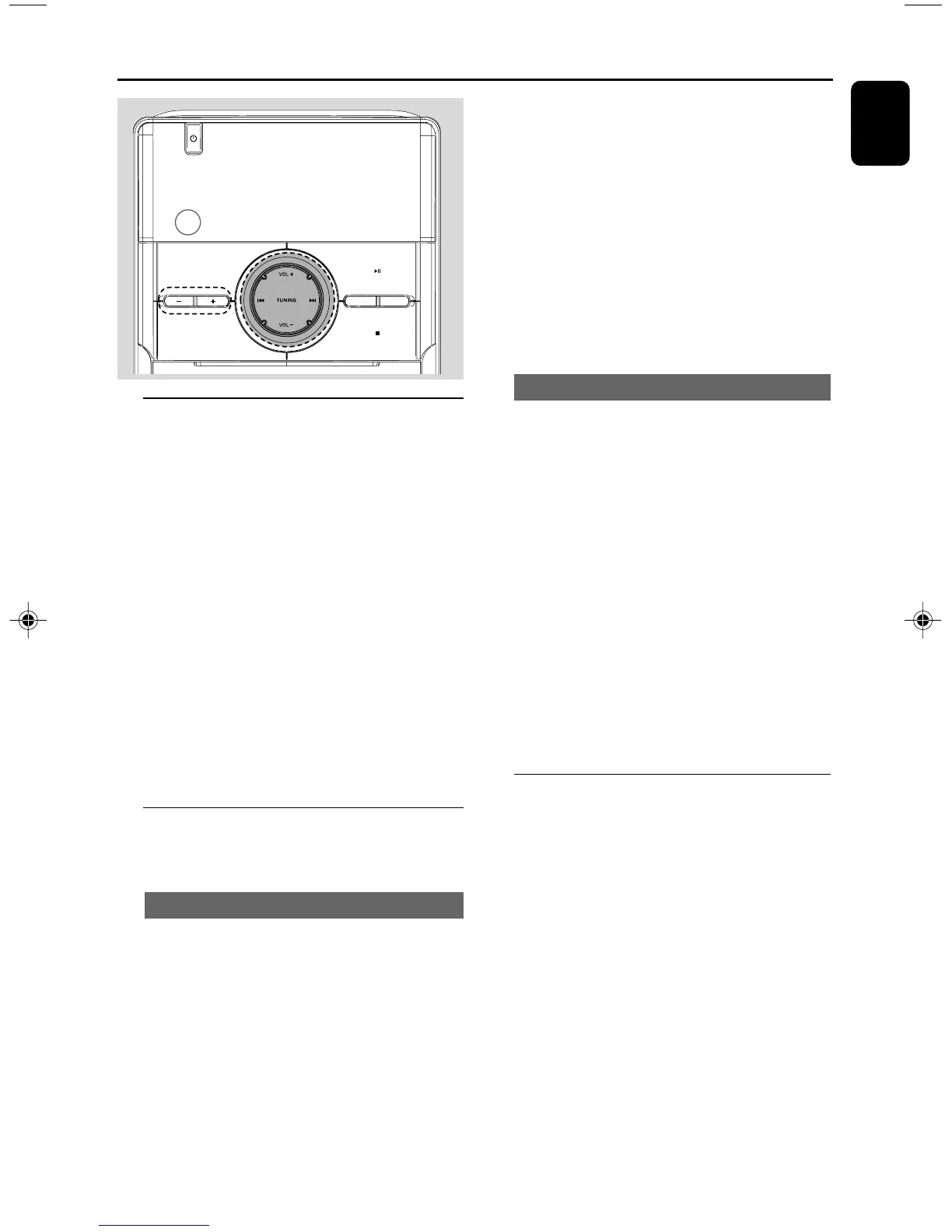
1 Press SOURCE on the set repeatedly or press
TUN on the remote control repeatedly until
the desired waveband (FM or AM) is displayed.
2 Press and hold on TUNING 4 ¢ (4 /
¢ on the remote control), and then release
the button.
➜ The radio automatically tunes to a station
with sufficient reception. Display indication during
automatic tuning: SrcH.
3 Repeat step 2 if necessary until you find the
desired station.
● To tune to a weak station, press TUNING 4
¢ (4 / ¢ on the remote control)
briefly and repeatedly until you have found
optimal reception.
Programming radio stations
You can store up to a total of 40 radio stations
in the memory.
Automatic programming
Automatic programming will start with a chosen
preset number. From this preset number
upwards, former programmed radio stations will
be overridden. The system will only programme
stations which are not in the memory already.
1 Press PRESET
++
++
+/
--
--
- to select the preset
number where programming should start.
Note:
– If no preset number is selected, default is preset
(1) and all your presets will be overridden.
2 Press PROG. for more than 2 seconds to
activate programming.
➜ “AUtO” is displayed and available stations
are programmed in order of waveband
reception strength. The first preset automatically
stored will then be played.
Manual programming
1 Tune to your desired station (see Tuning to
radio stations).
2 Press PROG to activate programming.
➜ PROG flashes in the display.
3 Press PRESET
++
++
+/
--
--
- to allocate a number
from 1 to 40 to this station.
4 Press PROG again to confirm the setting.
➜ PROG and the preset number disappear, and
then the frequency of the preset station is
shown.
5 Repeat the above four steps to store other
stations.
● You can override a preset station by storing
another frequency in its place.
Tuning to preset radio stations
● Press PRESET
++
++
+/
--
--
- until the desired preset
station is displayed.
SOURC E
DOCK
STANDBY
-
ON
REPEAT DBB
CD/CD
-
R/CD
DOCKING ENTERTAINMENT SYSTEM DC156
-
RW COMPATIBLE
PRESE T
iR
pg001-pg024_DC156_37_Eng 2008.5.19, 10:19 AM17



 To Next Page