EasyManua.ls Logo

Philips DC220/12 - User Manual

Philips DC220/12
24 pages
Print Icon
To Next Page IconTo Next Page
Loading...
Register your product and get support at
DC220
EN User manual
Question and Answer IconNeed help?

Do you have a question about the Philips DC220/12 and is the answer not in the manual?

Summary

Important

Safety

Details regarding safe operation and handling of the apparatus.

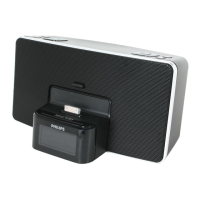
Your Clock Radio for iPhone; iPod

Overview of the main unit

Top View

Diagram and explanation of controls on the top side of the main unit.

Back View

Diagram and explanation of controls on the rear side of the main unit.

Get started

Connect power

Instructions for connecting the AC power adapter to the main unit and wall outlet.

Set time and date

Steps to dock iPod/iPhone and manually set the time and date.

Play

Play from iPod;iPhone

Instructions on how to play audio content from an iPod or iPhone.

Listen to radio

Tune to a radio station

Steps for tuning to FM radio stations using the antenna and controls.

Other features

Set the alarm timer

Instructions for setting up to two alarms with various sound sources and schedules.

Install backup batteries

Instructions for installing and replacing backup batteries.

Set the sleep timer

Procedure to set the unit to switch to standby automatically after a set time.

Adjust sound

Adjust volume level

Instructions for increasing or decreasing the audio volume.

Product information

Specifications

Technical specifications for the amplifier section of the unit.

Troubleshooting

Summary

Important

Safety

Details regarding safe operation and handling of the apparatus.

Your Clock Radio for iPhone; iPod

Overview of the main unit

Top View

Diagram and explanation of controls on the top side of the main unit.

Back View

Diagram and explanation of controls on the rear side of the main unit.

Get started

Connect power

Instructions for connecting the AC power adapter to the main unit and wall outlet.

Set time and date

Steps to dock iPod/iPhone and manually set the time and date.

Play

Play from iPod;iPhone

Instructions on how to play audio content from an iPod or iPhone.

Listen to radio

Tune to a radio station

Steps for tuning to FM radio stations using the antenna and controls.

Other features

Set the alarm timer

Instructions for setting up to two alarms with various sound sources and schedules.

Install backup batteries

Instructions for installing and replacing backup batteries.

Set the sleep timer

Procedure to set the unit to switch to standby automatically after a set time.

Adjust sound

Adjust volume level

Instructions for increasing or decreasing the audio volume.

Product information

Specifications

Technical specifications for the amplifier section of the unit.

Troubleshooting

Philips DC220/12 Specifications

General IconGeneral
BrandPhilips
ModelDC220/12
CategoryClock Radio
Alarm FunctionYes
Radio TunerFM
Display TypeLED
Snooze FunctionYes
Sleep timerYes
Weight0.5 kg
Power SourceMains powered
Backup batteryYes
Alarm TypeBuzzer, Radio

Related product manuals