12
4 Play disc/USB
Play from disc
1
Press DISC to select the disc source.
2 Press on the front panel.
The disc tray opens.»
3 Place a disc onto the tray and press .
Ensure that the label faces upwards.»
4 Play starts automatically.
If play does not start, press
/ to
select a track and then press
.
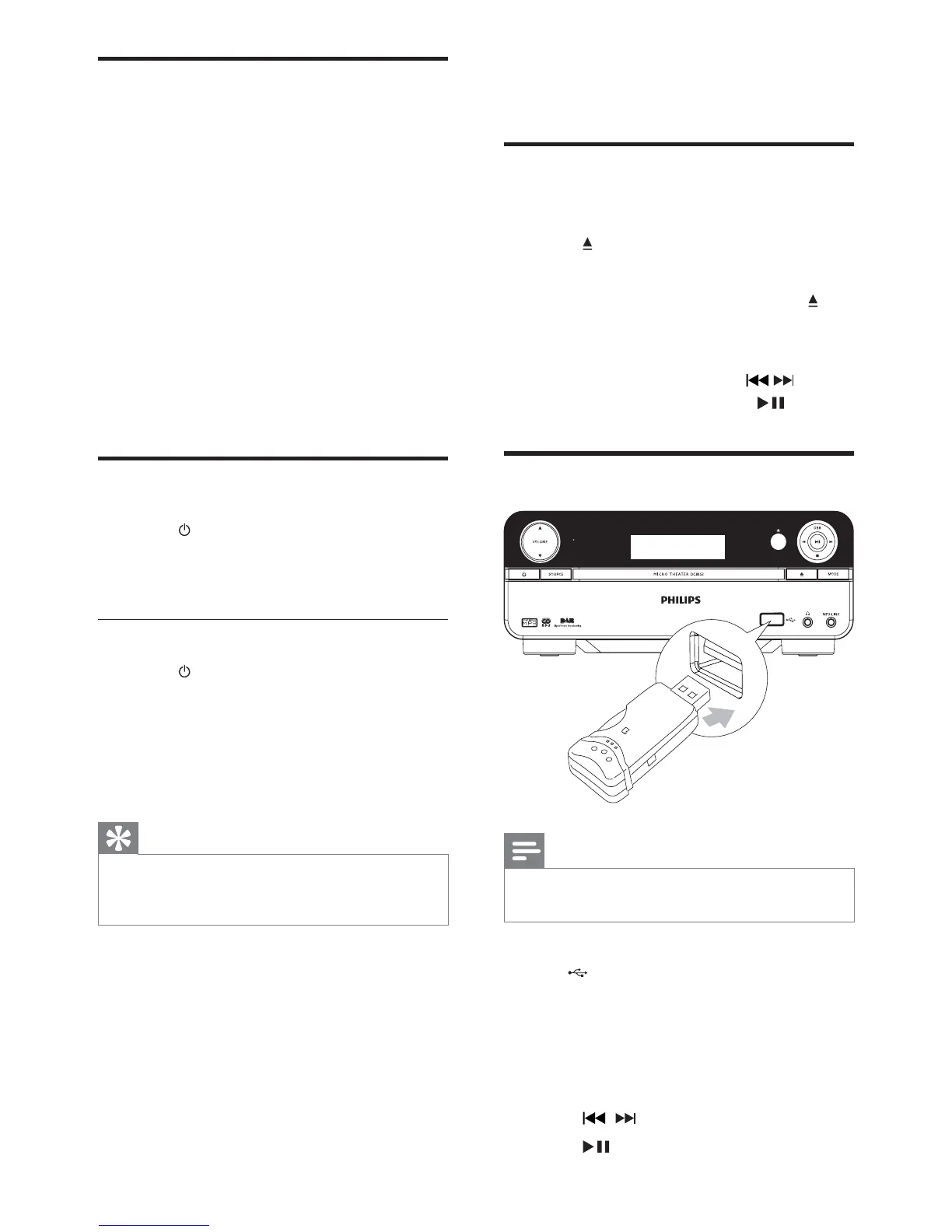
Play from USB
Note
Ensure that the USB device contains playable
music.
1 Insert the USB plug of a USB device into
the
socket.
2 Press USB to select the USB source.
Play starts automatically.»
If play does not start automatically:
1 Press ALBUM +/- to select a folder.
2 Press / WRVHOHFWDÀOH
3 Press to start play.
Set clock
1
In the standby mode, press and hold
CLOCK to activate the clock setting
mode.
The hour digits are displayed and begin »
to blink.
2 Press + VOL - to set the hour, then press
CLOCK again.
The minute digits are displayed and »
begin to blink.
3 Press + VOL - to set the minute.
4 Press CLOCKWRFRQÀUPWKHFORFN
setting.
Turn on
1
Press .
The unit switches to the last selected »
source.
Switch to standby
1 Press to switch the unit to standby
mode.
The backlight on the display panel is »
reduced.
The clock (if set) appears on the »
display panel.
Tip
If the system remains in the standby mode for
more than 90 seconds, it switches to the Eco
Power mode automatically.
EN



 To Next Page