EasyManua.ls Logo

Philips DCC 380 - Page 9

Philips DCC 380
17 pages
Print Icon
To Next Page IconTo Next Page
To Previous Page IconTo Previous Page
Loading...
3.
Dolby
Noise
Reduction
(NRl
With the
DOLBY
B/C
NR key
you
can choose
between
2
different
modes.
Either'DOLBY
B'or
'DOLBY
C'.
To callthe
next
mode,
press
the
same
keY again.
Example:
OFF
-
DOLBY
B
*
DOLBY C
-
OFF
'DOLBY
NR'
is a noise
reduction
system,
which can
suppress
tape
hiss. lf the
'ACC'
has been
recorded
with
'DOLBY
B', it
should
also
be
played
back
with
'DOLBY
B'.
4. Markers
During'
PLAYBACK'
the unit
automatically
responds
to various
markers and
to the
beginning
of
the cassette
(for
better
understanding
see
chapter'MARKERS').
5.
Headphones
The
'DCC
380'
has a headphone
connection
at the
tronl
suitable
for 6,3
mm
'JACK
PLUG'.lf
your
headphones
are
equipped
with such a
plug,
you
can connect
it to the
jack.
Adlust the
volume by
means
of the
VOLUME
adjusting
knob.
There
are two
different
ways
to start
the
recording'
The following
is
the
easier
method.
We advise
to use
the
following
method
if
you
want to
.
make
a recording
on a
blank
DCC,
.
resume
a recording
on
a
partially
recorded
DCC,
.
completly
overwrite
an
already
recorded
DCC.
This
procedure
will ensure
the
correct
recording
of time
and
tracknumbers
on the
tape.
The wvo
major
controls
that are
used to
make a
recording
are
the
APPEND and
REC/MUTE
keys.
O Switch
the
unit on.
O Open
the
cassette
compartment.
O Correctly
insert the cassette.
O Close
the cassette
compartment.
O
The
unit
automatically
identifies
the
inserted cassette.
O Press
the APPEND
key.
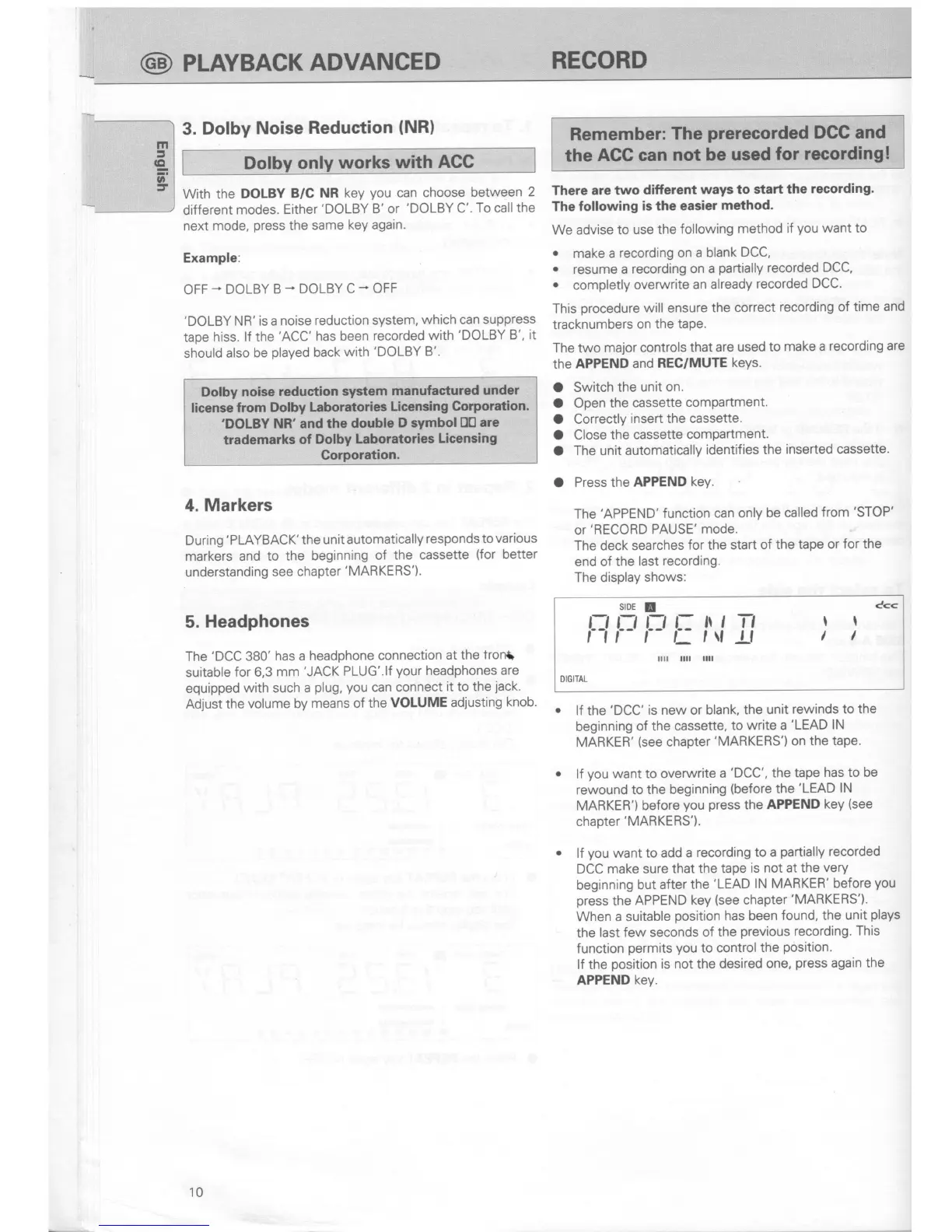
The'APPEND'function
can only
be called
from'STOP'
or'RECORD
PAUSE'
mode.
The deck
searches
for the
start of
the tape
or
for the
end of
the last
recording.
The display
shows:
lf the
'DCC'
is new or blank,
the
unit
rewinds to the
beginning
of the
cassette,
to
write a
'LEAD
lN
MARKER'
(see
chapter'MARKERS')
on the
tape.
lf
you
want to overwrite
a
'DCC',
the
tape
has to be
rewound
to the beginning
(before
the
'LEAD
lN
MARKER')
before
you press
the APPEND
key
(see
chapter
'MARKERS').
lf
you
want
to add a
recording
to a
partially
recorded
DCC make sure
that the
tape
is not at
the
very
beginning
but
after the
'LEAD
lN MARKER'
before
you
press
the
APPEND
key
(see
chapter
'MARKERS').
When a suitable
position
has been
found, the
unit
plays
the
last
few seconds
of the
previous
recording.
This
function
permits
you
to
control
the
position.
lf the
position
is not the
desired one,
press
again the
APPEND
key.
c<<
slDE
!
t-t t-t t-, l- ll
,
Tl
11 r- r-
r,v
-Lf
tl
ll
DIGITAL
10
@
PUVBACK
ADVANCED
RECORD
only
works
with
ACC
Dolby
noise
redustion system
manufastured
under
Iicense
from Dolby
Laboratories
Licensing
Gorporation.
'DOLBY
NR'and
the double
D
symbol
D0
are
trademarks
of
Dolby
Laboratories
Licensing
Corporation.
Remember:
The
prerecorded
DGC and
the
ACC can
not be
used
for recording!

Related product manuals