20
English
Radio Reception
Tuning to radio stations
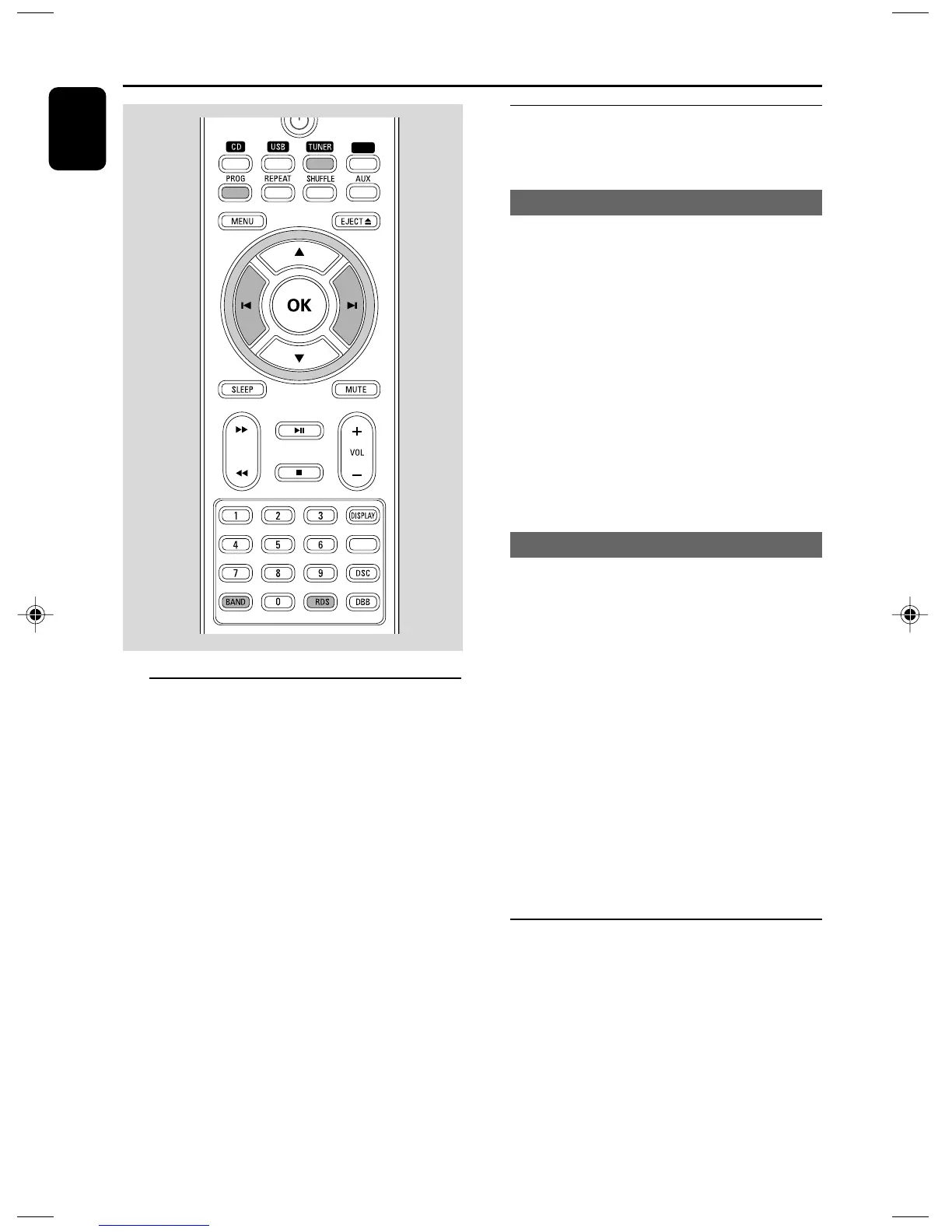
1 Press SOURCE repeatedly (or TUNER on the
remote control) to select the tuner source.
2 Press BAND on the remote control to select
the desired waveband : FM or AM.
3 Hold S/T (or 5 /6 on the remote
control) and then release the button.
➜ The system will start searching for a radio
station with sufficient signal strength.
4 Repeat step 3 if necessary until you find the
desired station.
● To tune to a weak station, press S/T (or
5 /6 on the remote control) briefly and
repeatedly until you have found optimal
reception.
Programming radio stations
You can store up to a total of 20 radio stations
for each band in the memory.
Automatic programming
Automatic programming will start with a chosen
preset number. From this preset number
upwards, former programmed radio stations will
be overridden.
1 Press ALBUM/PRESET +/- (or ¡ / ™ on the
remote control) to select the preset number
where programming should start.
Note:
– If no preset number is selected, default is preset
(1) and all your presets will be overridden.
2 Press PROG for more than two seconds to
activate programming.
➜ All available stations are programmed.
Manual programming
1 Tune to your desired station (refer to “Tuning to
radio stations”).
2 Press PROG to activate programming.
➜ PROG flashes in the display.
3 Press ALBUM/PRESET +/- (or ¡ / ™ on the
remote control) to allocate a number from 1 to
20 to this station.
4 Press PROG again to confirm the setting.
➜ PROG disappears, the preset number and
the frequency of the preset station are shown.
5 Repeat the above four steps to store other
stations.
● You can override a preset station by storing
another frequency in its place.
Tuning to preset radio stations
● Press ALBUM/PRESET +/- (or 3 / 4 on the
remote control) until the desired preset station
is displayed.
TIMER
iPod
pg001-029_DCM230_37-Eng 12/6/07, 16:2220



 To Next Page