14
2 Press iPod to select iPod source.
The connected iPod plays automatically.»
To pause/resume play, press
.
To skip to a track, press
/ .
To search during play, press and
hold
/ , then release to resume
normal play.
Charge the iPod
When the unit is connected to power, the
docked iPod begins to charge.
5 Play iPod
You can enjoy audio from iPod through this
Micro Hi-Fi system.
Compatible iPod
Apple iPod models with a 30-pin dock
connector:
iPod classic
iPod touch
iPod nano
iPod 5th generation (video)
iPod with color display
iPod mini
Play an iPod player
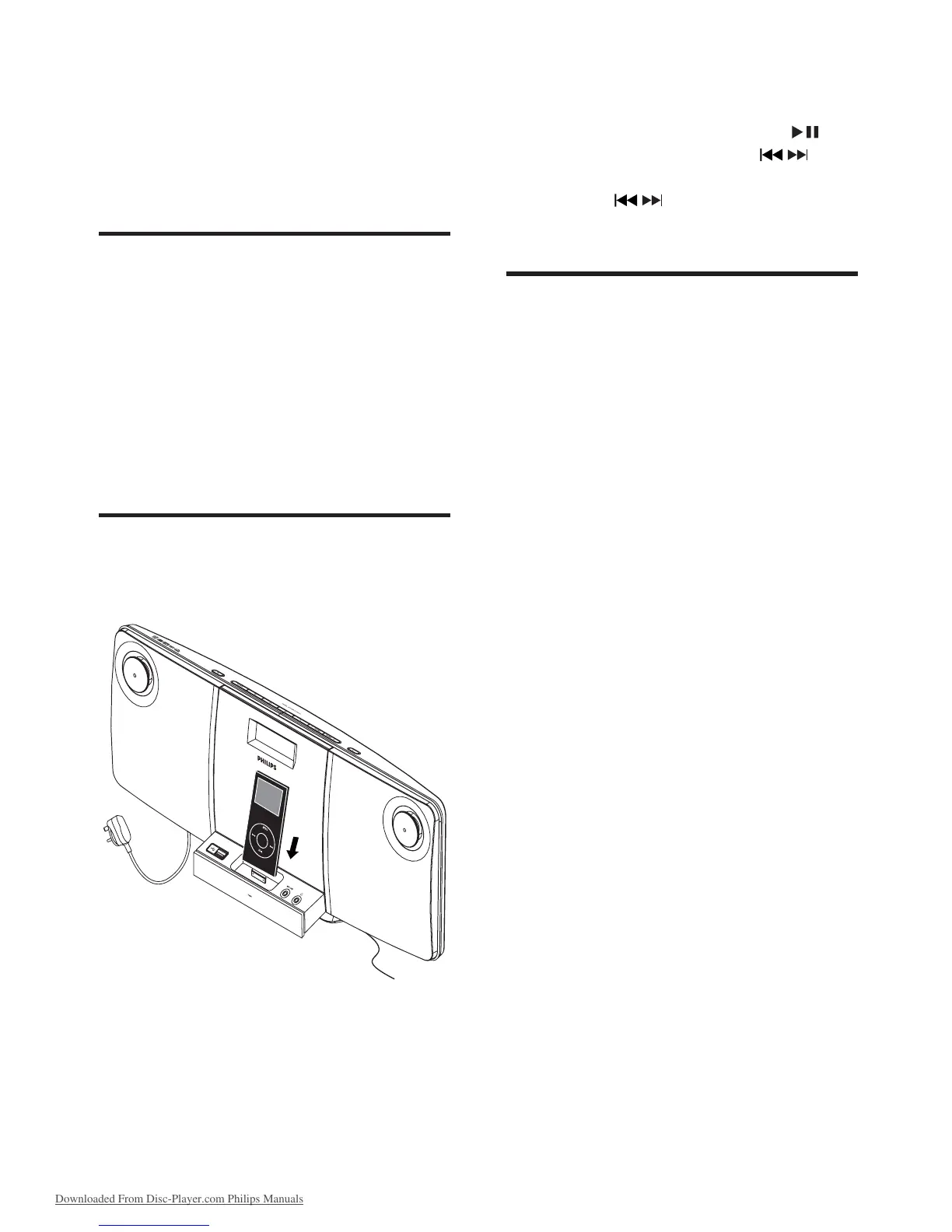
1
Place the iPod player in the dock.
EN
Downloaded From Disc-Player.com Philips Manuals



 To Next Page